composer require phpmailer/phpmailer
# 或手動覆蓋 lib/phpmailer/ 目錄為 6.x 版本
// lib/mail.lib.php & lib/mail_queue.lib.php
class Mailer {
  function __construct($from, $email, $protocol, $host='', $port='', $user='', $pass='', $SMTPSecure=false) {
    $this->Mailer($from, $email, $protocol, $host, $port, $user, $pass, $SMTPSecure);
  }
  function Mailer($from, $email, $protocol, $host='', $port='', $user='', $pass='', $SMTPSecure=false) {
    // ... 原有代碼 ...
    $this->mail->SMTPSecure = $SMTPSecure; // 'ssl' | 'tls' | false
    if ($SMTPSecure === 'ssl' && !$port) $this->mail->Port = 465;
    elseif ($SMTPSecure === 'tls' && !$port) $this->mail->Port = 587;
  }
}
// lib/global.lib.php function get_mailer()
$secure = Conf::get('email_ssl'); // 讀取後台配置
$mailer = new Mailer($sender, $from, $protocol, $host, $port, $username, $password, $secure);
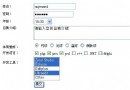
// templates/setting.email_setting.html// app/setting.app.php $this->assign('email_ssl', [0=>'不加密', 1=>'SSL', 2=>'TLS']); // POST 保存 $data['email_ssl'] = $_POST['email_ssl']; // 測試發送同步傳遞 $email_ssl 參數 郵件服務器加密方式: {html_radios name="email_ssl" options=$email_ssl checked=$setting.email_ssl}
| 服務商 | SMTP | 加密 | 端口 | 認證 |
|---|---|---|---|---|
| QQ/騰訊企業郵 | smtp.qq.com / smtp.exmail.qq.com | SSL | 465 | 授權碼 |
| Gmail | smtp.gmail.com | TLS | 587 | 應用專用密碼 |
| Outlook/365 | smtp.office365.com | TLS | 587 | 應用專用密碼 |
| 163/126 | smtp.163.com | SSL | 465/994 | 客戶端授權碼 |
| 阿里雲企業郵 | smtp.mxhichina.com | SSL | 465 | 授權碼 |
extension_loaded('openssl') 為 true。PHPMailer 6.x 原生支援 SMTPSecure 屬性,ECMall/ECShop 只需「升級庫 → 擴展構造函數 → 透傳配置 → 界面配置」四步即可支援現代 SMTP SSL/TLS。核心邏輯零修改,僅在參數傳遞鏈路補齊 $SMTPSecure,風險極低、兼容性強。