ECMall/ECShop 早期內置的 PHPMailer 版本過舊(v2.x/v5.0 早期),**不支援 SMTP SSL/TLS 加密連接**,導致無法使用 QQ 郵箱、Gmail、Outlook 等現代郵件服務(均強制要求加密端口 465/587)。
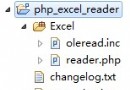
composer require phpmailer/phpmailer 或 GitHub Release。lib/phpmailer/ 目錄(或按框架自動加載路徑調整)。涉及文件:lib/mail.lib.php、lib/mail_queue.lib.php
// mail.lib.php
class Mailer {
  // 原構造函數
  // function __construct($from, $email, $protocol, $host='', $port='', $user='', $pass='') { ... }

  // 改造後:新增 $SMTPSecure 參數
  function __construct($from, $email, $protocol, $host = '', $port = '', $user = '', $pass = '', $SMTPSecure = false) {
    $this->Mailer($from, $email, $protocol, $host, $port, $user, $pass, $SMTPSecure);
  }

  function Mailer($from, $email, $protocol, $host = '', $port = '', $user = '', $pass = '', $SMTPSecure = false) {
    // ... 原有初始化代碼 ...
    // 關鍵:在創建 PHPMailer 實例後設置加密方式
    $this->mail->SMTPSecure = $SMTPSecure; // 'ssl' | 'tls' | false
    // 端口自動匹配建議:
    if ($SMTPSecure === 'ssl' && !$port) $this->mail->Port = 465;
    elseif ($SMTPSecure === 'tls' && !$port) $this->mail->Port = 587;
  }
}

// mail_queue.lib.php 同理修改 MailQueue 類
文件:lib/global.lib.php 約 300 行 get_mailer() 函數
function &get_mailer() {
  // ... 原有讀取配置代碼 ...
  $secure = Conf::get('email_ssl'); // 新增:讀取加密方式配置
  $mailer = new Mailer($sender, $from, $protocol, $host, $port, $username, $password, $secure);
  return $mailer;
}
模板:templates/setting.email_setting.html
<tr>
  <th class="paddingT15">郵件服務器加密方式:</th>
  <td class="paddingT15 wordSpacing5">
    {html_radios name="email_ssl" options=$email_ssl checked=$setting.email_ssl}
    <label class="field_notice">
      需 PHP 支援 OpenSSL 擴展。SSL 通常用 465 端口,TLS 用 587 端口。
    </label>
  </td>
</tr>
控制器:app/setting.app.php
function email_setting() {
  // ... 原有代碼 ...
  // 新增選項數組
  $this->assign('email_ssl', [
    0 => $this->_lang['no'],   // 不加密
    1 => 'SSL',                // SSL 加密
    2 => 'TLS'                 // TLS 加密
  ]);

  // POST 保存
  if (IS_POST) {
    $data['email_ssl'] = $_POST['email_ssl']; // 新增
    // ... 其他字段 ...
    $model_setting->setAll($data);
  }
}

// 測試郵件發送同步新增參數
function send_test_email() {
  // ...
  $email_ssl = $_POST['email_ssl']; // 新增
  $mailer = new Mailer($email_from, $email_addr, $email_type, $email_host, $email_port, $email_id, $email_pass, $email_ssl);
  // ...
}
<script>
function send_test_email() {
  var email_ssl = $('input[name="email_ssl"]:checked').val(); // 新增
  $.ajax({
    data: 'app=setting&act=send_test_email&email_ssl=' + email_ssl + '&...其他字段...',
    // ...
  });
}
</script>
| 服務商 | SMTP 服務器 | 加密方式 | 端口 | 備註 |
|---|---|---|---|---|
| QQ 郵箱 / 騰訊企業郵 | smtp.qq.com / smtp.exmail.qq.com | SSL | 465 | 需開啟 SMTP 服務獲取授權碼 |
| Gmail | smtp.gmail.com | TLS | 587 | 需開啟「低安全性應用」或應用專用密碼 |
| Outlook / Office 365 | smtp.office365.com | TLS | 587 | 同 Gmail |
| 163 / 126 | smtp.163.com | SSL | 465/994 | 需客戶端授權密碼 |
| 阿里雲企業郵箱 | smtp.mxhichina.com | SSL | 465 | 同騰訊企業郵 |
openssl 擴展(php -m | grep openssl)。通過「升級庫 → 擴展構造函數 → 透傳配置 → 界面配置」四步,即可讓 ECMall/ECShop 等老舊系統支援現代 SMTP SSL/TLS 郵件發送。核心在於 **PHPMailer 6.x 原生支援 SMTPSecure 屬性**,只需將後台配置透傳到實例即可,無需修改發送核心邏輯。