利用三個函數組合實現「後台常駐、無限執行、定時觸發」:
ignore_user_abort(true):用戶關閉瀏覽器腳本繼續跑。set_time_limit(0):移除最大執行時間限制。sleep($interval):控制執行間隔。<?php
ignore_user_abort();
set_time_limit(0);
$interval = 5; // 秒
do {
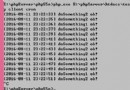
echo '任務執行 ' . time() . '<br/>';
// 具體業務邏輯...
sleep($interval);
} while (true);
?>
<?php
ignore_user_abort();
set_time_limit(3000);
$interval = 5;
require_once './curlClass.php';
$curl = new httpCurl('www.example.com');
$stime = $curl->getmicrotime();

for ($i=0; $i<=10; $i++) {
    echo '任務執行 ' . time() . '<br/>';
    sleep($interval);
}
ob_flush(); flush();
$etime = $curl->getmicrotime();
echo '<hr>耗時: ' . round(($etime-$stime),4) . ' 秒';
?>
PHP 定時任務效率較低,且佔用常駐進程資源。 建議:
- Linux 使用
crontab+ CLI 模式執行腳本。- Windows 使用「任務排程器」呼叫
php.exe script.php。- 或引入工作佇列系統(如 Gearman、Redis Queue、Laravel Scheduler)。
本文代碼僅供學習原理或極簡場景臨時使用。