伺服器需安裝並啟用 PHP GD2 擴展(php.ini 中 extension=gd2)。
$resizeimage = new resizeimage(
    "原圖路徑",      // 來源檔案
    200,             // 目標寬度
    100,             // 目標高度
    0,               // 是否裁切:1=裁切、0=等比縮放
    "縮圖儲存路徑"   // 目標檔案(可與來源相同)
);
<?php
class resizeimage {
    var $type;               // 圖片類型
    var $width;              // 實際寬度
    var $height;             // 實際高度
    var $resize_width;       // 目標寬度
    var $resize_height;      // 目標高度
    var $cut;                // 是否裁切
    var $srcimg;             // 來源圖片路徑
    var $dstimg;             // 目標圖片路徑
    var $im;                 // GD 圖片資源

    function resizeimage($img, $wid, $hei, $c, $dstpath) {
        $this->srcimg = $img;
        $this->resize_width = $wid;
        $this->resize_height = $hei;
        $this->cut = $c;

        // 解析副檔名判斷類型
        $this->type = strtolower(substr(strrchr($this->srcimg, "."), 1));

        $this->initi_img();      // 初始化 GD 資源
        $this->dst_img($dstpath); // 設定目標路徑

        $this->width = imagesx($this->im);
        $this->height = imagesy($this->im);

        $this->newimg();         // 產生縮圖
        ImageDestroy($this->im); // 釋放資源
    }

    function newimg() {
        $resize_ratio = $this->resize_width / $this->resize_height;
        $ratio = $this->width / $this->height;

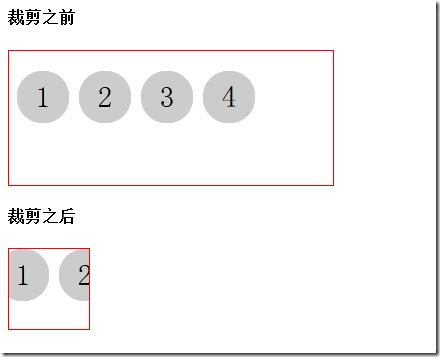
        if ($this->cut == "1") { // 裁切模式
            if ($ratio >= $resize_ratio) { // 高度優先
                $newimg = imagecreatetruecolor($this->resize_width, $this->resize_height);
                imagecopyresampled($newimg, $this->im, 0, 0, 0, 0,
                    $this->resize_width, $this->resize_height,
                    ($this->height) * $resize_ratio, $this->height);
                ImageJpeg($newimg, $this->dstimg);
            } else { // 寬度優先
                $newimg = imagecreatetruecolor($this->resize_width, $this->resize_height);
                imagecopyresampled($newimg, $this->im, 0, 0, 0, 0,
                    $this->resize_width, $this->resize_height,
                    $this->width, ($this->width) / $resize_ratio);
                ImageJpeg($newimg, $this->dstimg);
            }
        } else { // 等比縮放模式
            if ($ratio >= $resize_ratio) {
                $newimg = imagecreatetruecolor($this->resize_width, ($this->resize_width) / $ratio);
                imagecopyresampled($newimg, $this->im, 0, 0, 0, 0,
                    $this->resize_width, ($this->resize_width) / $ratio,
                    $this->width, $this->height);
                ImageJpeg($newimg, $this->dstimg);
            } else {
                $newimg = imagecreatetruecolor(($this->resize_height) * $ratio, $this->resize_height);
                imagecopyresampled($newimg, $this->im, 0, 0, 0, 0,
                    ($this->resize_height) * $ratio, $this->resize_height,
                    $this->width, $this->height);
                ImageJpeg($newimg, $this->dstimg);
            }
        }
    }

    function initi_img() {
        if ($this->type == "jpg") {
            $this->im = imagecreatefromjpeg($this->srcimg);
        }
        if ($this->type == "gif") {
            $this->im = imagecreatefromgif($this->srcimg);
        }
        if ($this->type == "png") {
            $this->im = imagecreatefrompng($this->srcimg);
        }
    }

    function dst_img($dstpath) {
        $full_length = strlen($this->srcimg);
        $type_length = strlen($this->type);
        $name_length = $full_length - $type_length;
        $name = substr($this->srcimg, 0, $name_length - 1);
        $this->dstimg = $dstpath;
    }
}
?>
下一篇文章提供支援 PNG 透明度的改良版本。