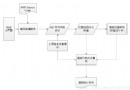
PHP 原生不支援多執行緒,但可透過 fsockopen() 發送 HTTP 請求後不等待回應,模擬非同步執行。常用於背景處理耗時任務(如發送郵件、資料同步、日誌記錄),避免阻塞主程式流程。
<?php
function request_by_fsockopen($url, $post_data = array(), $debug = false) {
    $url_array = parse_url($url);
    $host = $url_array['host'];
    $port = isset($url_array['port']) ? $url_array['port'] : 80;
    $path = $url_array['path'] . (isset($url_array['query']) ? '?' . $url_array['query'] : '');

    $fp = fsockopen($host, $port, $errno, $errstr, 10);
    if (!$fp) {
        echo "$errstr ($errno)";
        return false;
    }

    $method = empty($post_data) ? 'GET' : 'POST';
    $header = "$method $path HTTP/1.1\r\n";
    $header .= "Host: $host\r\n";

    if (!empty($post_data)) {
        $post_str = http_build_query($post_data);
        $header .= "Content-Type: application/x-www-form-urlencoded\r\n";
        $header .= "Content-Length: " . strlen($post_str) . "\r\n";
        $header .= "Connection: Close\r\n\r\n";
        $header .= $post_str;
    } else {
        $header .= "Connection: Close\r\n\r\n";
    }

    fwrite($fp, $header);

    // 除錯模式:讀取回應(會阻塞,失去非同步效果)
    if ($debug) {
        $response = '';
        while (!feof($fp)) {
            $response .= fgets($fp);
        }
        echo $response;
    }

    fclose($fp);
    return true;
}
?>
主程式 main.php
<?php
require 'async_helper.php'; // 包含上述函式

$data = array('name' => 'guoyu', 'pwd' => '123456');
$url = 'https://localhost/test/other.php';

// 非同步呼叫,第三參數設 false 不等待回應
request_by_fsockopen($url, $data, false);

echo '主程式繼續執行,不等待 other.php 完成。';
?>
被呼叫腳本 other.php
<?php
header('Content-Type: text/html; charset=utf-8');
$name = isset($_POST['name']) ? $_POST['name'] : '';
$pwd  = isset($_POST['pwd']) ? $_POST['pwd'] : '';

// 模擬耗時操作
sleep(5);
file_put_contents('async_log.txt', "[$name] processed at " . date('Y-m-d H:i:s') . PHP_EOL, FILE_APPEND);

echo "success ok";
?>
fsockopen 建立 TCP 連線至目標 URL。$debug = false,立即關閉連線 fclose($fp),不讀取回應,達成「發後即忘」。exec() 背景執行 CLI 腳本。fsockopen 需手動處理 SSL,建議改用 stream_context_create() 搭配 file_get_contents() 或 cURL 非同步模式。10 秒為連線超時,可依需求調整。<?php
function async_curl_post($url, $data) {
$ch = curl_init($url);
curl_setopt_array($ch, [
CURLOPT_POST => true,
CURLOPT_POSTFIELDS => http_build_query($data),
CURLOPT_RETURNTRANSFER => true,
CURLOPT_TIMEOUT_MS => 1, // 1 毫秒即返回,不等待回應
CURLOPT_NOSIGNAL => 1, // 避免訊號干擾
CURLOPT_HEADER => false,
]);
curl_exec($ch);
curl_close($ch);
}
?>
cURL 設定極短逾時即可達到類似效果,且支援 HTTPS、更穩定。