本教程引導你從零開始建立 Zend Framework 專案,涵蓋環境需求、目錄結構、前端控制器、路由重寫、View 渲染、輸入過濾,最終完成一個具備新增、列表、後台審核、評論功能的新聞管理系統。
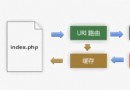
lib/ 目錄(或 library/)。include_path 指向 lib/。app/ views/ # 模板檔 controllers/ # 控制器 www/ # DocumentRoot .htaccess # mod_rewrite 規則 index.php # 入口腳本 lib/ # Zend Framework 類庫
RewriteEngine on
RewriteRule !\.(js|ico|gif|jpg|png|css)$ index.php
php_value include_path "/path/to/lib"
<?php
include 'Zend.php';
Zend::loadClass('Zend_Controller_Front');
$controller = Zend_Controller_Front::getInstance();
$controller->setControllerDirectory('/path/to/controllers');
$controller->dispatch();
?>
<?php
// IndexController.php
Zend::loadClass('Zend_Controller_Action');
class IndexController extends Zend_Controller_Action {
    public function indexAction() { echo 'IndexController::indexAction()'; }
    public function noRouteAction() { $this->_redirect('/'); }
}

// FooController.php
class FooController extends Zend_Controller_Action {
    public function indexAction() { echo 'FooController::indexAction()'; }
    public function barAction() { echo 'FooController::barAction()'; }
    public function __call($action, $args) { echo 'FooController::__call()'; }
}
?>
URL 對應規則:/module/controller/action,預設皆為 index。
<?php
// 控制器中
$view = new Zend_View();
$view->setScriptPath('/path/to/views');
$view->title = '動態標題';
$view->body = '動態內容';
echo $view->render('example.php');
模板 example.php:
<html><head><title><?php echo $this->escape($this->title); ?></title></head>
<body><?php echo $this->escape($this->body); ?></body></html>
善用 Zend::register('view', $view) 於 Bootstrap 註冊,Controller 中透過 Zend::registry('view') 取得,避免重複實例化。
<?php
$filter = new Zend_InputFilter($_POST);
$name = $filter->getAlpha('name');      // 只保留字母
$email = $filter->getEmail('email');    // 驗證 Email 格式
$id = $filter->getDigits('id');         // 只保留數字
?>
/ - 新聞列表 (IndexController)/add/news、/add/comment - 新增新聞/評論 (AddController)/admin、/admin/approve - 後台審核 (AdminController)/view/{id} - 單篇新聞與評論 (ViewController)<?php
class Database {
private $_db;
public function __construct($file) { $this->_db = new SQLiteDatabase($file); }
public function addNews($title, $content) { /* INSERT ... */ }
public function addComment($name, $comment, $newsId) { /* INSERT ... */ }
public function approveNews($ids) { /* UPDATE approval = 'T' ... */ }
public function getNews($id = 'ALL') { /* SELECT ... */ }
public function getComments($newsId) { /* SELECT ... */ }
}
?>
<?php
include 'Zend.php';
function __autoload($class) { Zend::loadClass($class); }
$db = new Database('/path/to/db.sqlite');
Zend::register('db', $db);
$view = new Zend_View();
$view->setScriptPath('/path/to/views');
Zend::register('view', $view);
Zend_Controller_Front::getInstance()
    ->setControllerDirectory('/path/to/controllers')
    ->dispatch();
?>
<?php
// IndexController::indexAction
$db = Zend::registry('db');
$view = Zend::registry('view');
$view->news = $db->getNews();
echo $view->render('index.php');

// AddController::newsAction
$filter = new Zend_InputFilter($_POST);
$db = Zend::registry('db');
$db->addNews($filter->noTags('title'), $filter->noTags('content'));
$this->_redirect('/');

// ViewController::__call($id)
$db = Zend::registry('db');
$view = Zend::registry('view');
$view->news = $db->getNews($id);
$view->comments = $db->getComments($id);
$view->id = $id;
echo $view->render('view.php');
?>
Zend Framework 雖早期版本仍在演進,但其 MVC 架構、元件化設計與彈性擴充性已展現強大潛力。掌握本教程核心概念,即可快速開發結構清晰、可維護的 PHP 應用。