在 Windows Server IIS 7+ 環境下為 Discuz! 3.2 配置 URL 偽靜態,需完成 URL Rewrite 模組安裝、偽靜態規則部署、後台啟用三大步驟。本教程提供完整圖文指引,助你快速實現靜態化 URL,提升 SEO 效果與用戶體驗。
rewrite_amd64_zh-CN.msi,按向導完成安裝(需管理員權限)web.config 規則文件(Discuz! 官方安裝包 upload 目錄下自帶,或從官方論壇下載)web.config 複製到 Discuz! 論壇網站根目錄(與 index.php 同級)核心規則片段示例:
<rule name="Discuz! Rewrite" stopProcessing="true">
  <match url="^(.*)$" />
  <conditions logicalGrouping="MatchAll">
    <add input="{REQUEST_FILENAME}" matchType="IsFile" negate="true" />
    <add input="{REQUEST_FILENAME}" matchType="IsDirectory" negate="true" />
  </conditions>
  <action type="Rewrite" url="index.php/{R:1}" />
</rule>
https://yourdomain.com/admin.php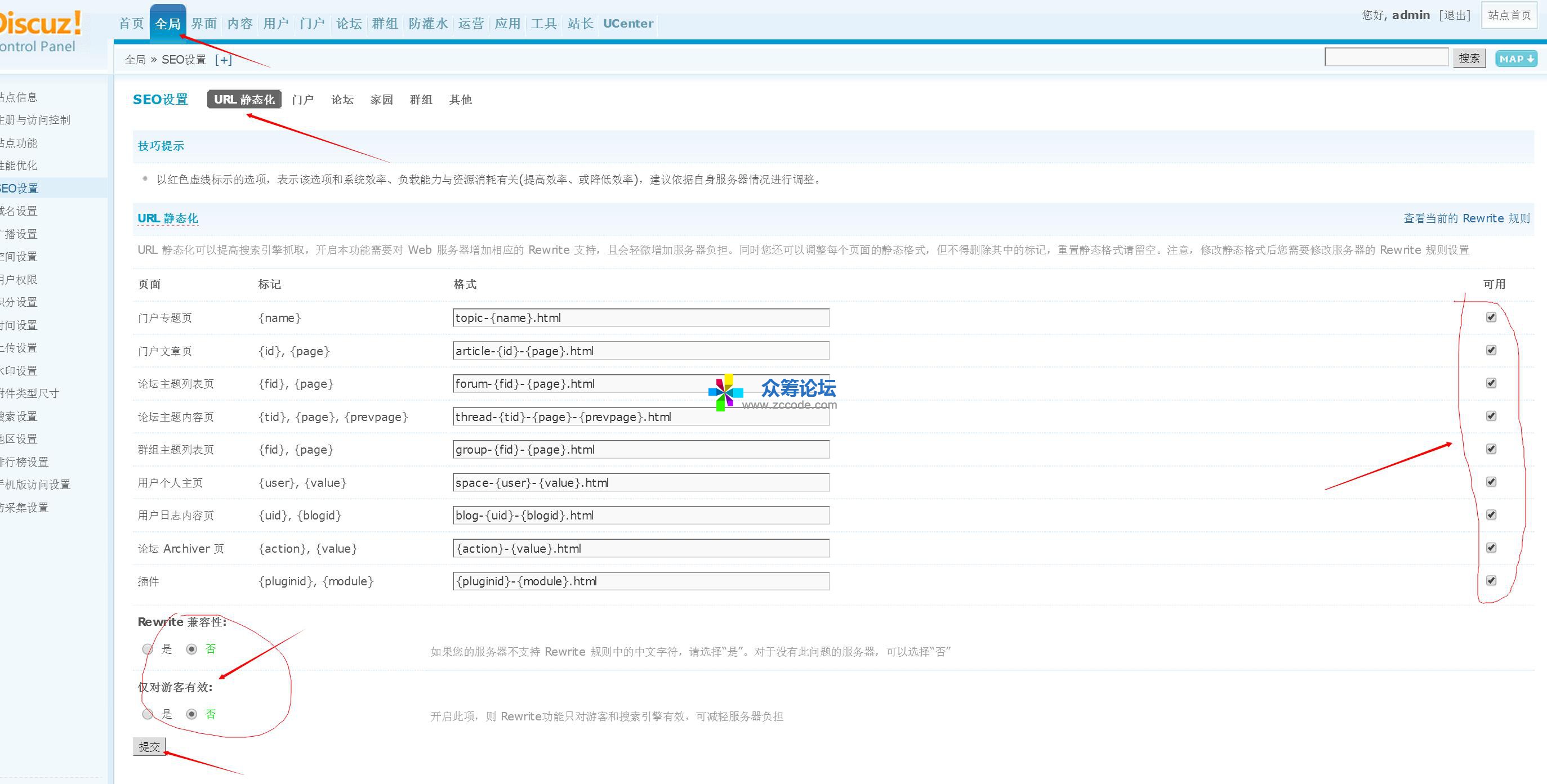
web.config 是否生效、URL Rewrite 模組是否安裝正確、應用程序池管道模式是否為「集成」web.config 中 stopProcessing="true" 是否設置、是否有衝突規則system.webServer/caching)加速靜態資源響應urlCompression、httpCompression)減少傳輸體積%SystemDrive%\inetpub\logs\LogFiles)監控偽靜態命中率完成上述配置後,你的 Discuz! 論壇將擁有清晰友好的靜態化 URL 結構,有利於搜索引擎收錄與用戶分享傳播。