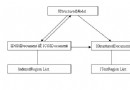
企業系統常需統一管理「資料字典」(性別、狀態、類別等),前端下拉選單、顯示頁面需一致且易維護。本文示範以三個協作標籤 <html:select>、<html:options>、<html:selectDisplay> 封裝字典渲染邏輯,JSP 僅需宣告字典代碼即可複用。
<select name="..." style="..."> 起始標籤,doEndTag 補上 </select>。collection 屬性(字典代碼)輸出 <option> 群組,支援「請選擇」預設項。<span> 顯示中文標籤,並同步寫入 <input type="hidden" name="..." value="..."> 供表單提交。public class SelectTag extends BodyTagSupport {
private String name, style;
public int doStartTag() throws JspException {
try {
StringBuffer sb = new StringBuffer("<select");
if (name != null) sb.append(" name=\"").append(name).append("\"");
if (style != null) sb.append(" style=\"").append(style).append("\"");
sb.append(">");
pageContext.getOut().write(sb.toString());
} catch (IOException e) { throw new JspException(e); }
return EVAL_BODY_INCLUDE; // 允許內部 options 標籤執行
}
public int doEndTag() throws JspException {
try { pageContext.getOut().write("</select>"); }
catch (IOException e) { throw new JspException(e); }
return EVAL_PAGE;
}
// getter/setter 略
}public class OptionsTag extends BodyTagSupport {
private String collection; // 字典代碼,如 "SEX"
public int doEndTag() throws JspException {
try {
StringBuffer sb = new StringBuffer();
if ("SEX".equals(collection)) {
sb.append("<option value='0' selected>請選擇</option>")
.append("<option value='1'>男</option>")
.append("<option value='2'>女</option>");
}
// 可擴充 switch/Map/DB 查詢
pageContext.getOut().write(sb.toString());
} catch (IOException e) { throw new JspException(e); }
return EVAL_PAGE;
}
}public class SelectDisplay extends BodyTagSupport {
private String collection, name, value;
public int doEndTag() throws JspException {
try {
StringBuffer sb = new StringBuffer("<span>");
if ("SEX".equals(collection)) {
sb.append("<input type='hidden' name='").append(name).append("' value='").append(value).append("'>");
if ("1".equals(value)) sb.append("男");
else if ("2".equals(value)) sb.append("女");
else sb.append("請選擇");
}
sb.append("</span>");
pageContext.getOut().write(sb.toString());
} catch (IOException e) { throw new JspException(e); }
return EVAL_PAGE;
}
}<taglib>
<tlib-version>1.0</tlib-version>
<jsp-version>1.2</jsp-version>
<short-name>html</short-name>
<uri>/tld/web-html</uri>
<tag><name>select</name><tag-class>com.SelectTag</tag-class>
<body-content>JSP</body-content>
<attribute><name>name</name><rtexprvalue>true</rtexprvalue></attribute>
<attribute><name>style</name><rtexprvalue>true</rtexprvalue></attribute>
</tag>
<tag><name>options</name><tag-class>com.OptionsTag</tag-class>
<body-content>JSP</body-content>
<attribute><name>collection</name><rtexprvalue>true</rtexprvalue></attribute>
</tag>
<tag><name>selectDisplay</name><tag-class>com.SelectDisplay</tag-class>
<body-content>JSP</body-content>
<attribute><name>collection</name><rtexprvalue>true</rtexprvalue></attribute>
<attribute><name>name</name><rtexprvalue>true</rtexprvalue></attribute>
<attribute><name>value</name><rtexprvalue>true</rtexprvalue></attribute>
</tag>
</taglib><%@ taglib uri="/tld/web-html" prefix="html" %>
<html:select name="sex" style="width:120px">
<html:options collection="SEX" />
</html:select>
顯示模式:
<html:selectDisplay collection="SEX" name="sex" value="${user.sex}" />SYS_DICT(dict_code, dict_key, dict_value, sort_order) 載入,啟動時快取至 Application 範圍 Map> 。OptionsTag 讀取快取,支援多語系(依 Locale 取值)。