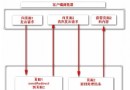
系統架構
- 前端頁面:
sayMessage.jsp 提供發布表單。
- 處理邏輯:
recordMessage.jsp 接收表單資料並寫入資料庫。
- 資料存取:JavaBean
ymbean.opDb 封裝 Oracle JDBC 操作。
1. 發布表單頁面 (sayMessage.jsp)
<HTML><HEAD><TITLE>資訊發布</TITLE>
<META content="text/html; charset=GB2312" http-equiv="Content-Type">
<LINK href="css_01.css" rel="stylesheet"></HEAD>
<BODY>
<%@ page contentType="text/html; charset=GB2312" language="java" import="java.sql.*" %>
<jsp:useBean id="recommend" scope="page" class="ymbean.opDb"/>
<form action="recordMessage.jsp" method="post" name="sign">
    <input name="dtkey" type="hidden" value="ta_routes">
    <table bgcolor="#d5e8fd" border="0" cellspacing="1" width="97%">
        <tbody><tr><td nowrap width="45%" height="185">
        <div align="left"><table bgcolor="#d5e8fd" border="0" cellspacing="1" width="100%">
            <tbody>
                <tr><td nowrap width="100%">線路名稱:<input maxlength="100" name="routename" size="36"></td></tr>
                <tr><td nowrap width="100%">顯示序號:<input maxlength="3" name="routeno" size="36"></td></tr>
                <tr><td width="100%">遊覽內容 (超過一行請按 Enter 換行)</td></tr>
                <tr><td width="100%" height="162">
                    <TEXTAREA cols="55" name="c04" rows="9"></TEXTAREA>
                </td></tr>
            </tbody></table></div></td></tr>
            <tr><td align="middle" colspan="2" nowrap>
                <input name="cmdcommit" type="submit" value="提交">
            </td></tr>
        </tbody></table>
</form></center></body></HTML>
2. 資料庫操作 JavaBean (opDb.java)
package ymbean;
import java.sql.*;

public class opDb {
    public opDb() {}

    // 查詢
    public ResultSet executeQuery(String sql) {
        ResultSet rs = null;
        Statement stmt = null;
        try {
            stmt = connectdb();
            rs = stmt.executeQuery(sql);
            System.out.println("executeQuery: " + sql);
        } catch(SQLException ex) { return null; }
        return rs;
    }

    // 更新/插入/刪除
    public String executeUpdate(String sql) {
        Statement stmt = null;
        try {
            stmt = connectdb();
            stmt.executeUpdate(sql);
            System.out.println("executeUpdate: " + sql);
            stmt.executeUpdate("commit");
        } catch(SQLException ex) {}
        return "executeUpdate ok";
    }

    // 取得資料庫連線 Statement
    public Statement connectdb() {
        Statement stmt = null;
        Connection conn = null;
        final String connect_string = "jdbc:oracle:thin:scott/tiger@192.168.0.1:1521:test";
        final String driver_string = "oracle.jdbc.driver.OracleDriver";
        try {
            Class.forName(driver_string);
            conn = DriverManager.getConnection(connect_string);
            stmt = conn.createStatement();
        } catch (Exception e) { return null; }
        return stmt;
    }
}
3. 改良建議 (現代化重構)
- 使用連線池:採用
DataSource (如 DBCP、HikariCP) 替代每次建立連線。
- PreparedStatement:防止 SQL 注入,提升效能。
- 分層架構:DAO / Service / Controller 分離,避免 JSP 混雜業務邏輯。
- 異常處理:拋出具體異常而非吞沒,記錄完整堆疊追蹤。
- 資源關閉:使用 try-with-resources (Java 7+) 確保
Connection/Statement/ResultSet 正確釋放。