jQuery 表單清空核心程式碼
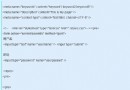
$(':input', '#myform')
  .not(':button, :submit, :reset, :hidden')
  .val('')
  .removeAttr('checked')
  .removeAttr('selected');
實作關鍵點
- 按鈕不可置於 <form> 內部: 避免觸發預設提交行為導致頁面重載
- 直接綁定 onclick 事件:
<input type="button" value="清空表單"
  onclick="$(':input','#myform').not(':button,:submit,:reset,:hidden').val('').removeAttr('checked').removeAttr('selected');" />
程式碼逐步解析
| 選取器/方法 | 功能 |
|---|
(':input', '#myform') | 選取表單內所有 input、textarea、select 元素 |
.not(':button, :submit, :reset, :hidden') | 排除按鈕類、隱藏欄位,保留文字框、核取方塊、下拉選單 |
.val('') | 清空 value 值 |
.removeAttr('checked') | 移除 checked 屬性 (核取方塊/單選按鈕) |
.removeAttr('selected') | 移除 selected 屬性 (下拉選單選項) |
與原生 reset() 差異
form.reset():恢復至頁面初始載入狀態,無法清除動態設定的值- jQuery 方案:強制清空 當前所有使用者輸入與程式設定的值
適用情境
- 查詢條件表單重置
- 新增/編輯模式切換時清空表單
- 多步驟精靈介面步驟間資料清理