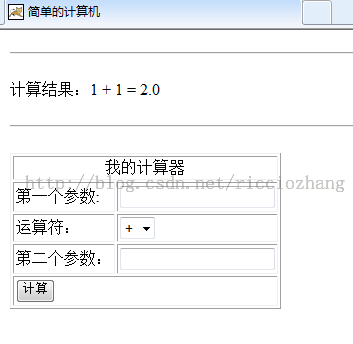
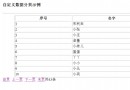
以文章管理頁面為例,展示 JSP 分頁核心邏輯與頁面渲染。
<%@ page contentType="text/html; charset=gb2312" language="java" import="java.sql.*" errorPage="" %>
<%@include file="../inc/ChkPwd.jsp"%>
<%@include file="../DB.jsp"%>
<!DOCTYPE html ...>
<html xmlns="https://www.w3.org/1999/xhtml">
<head>
  <meta name="robots" content="noindex,nofollow" />
  <meta http-equiv="Content-Type" content="text/html; charset=gb2312" />
  <title>文章管理</title>
  <link href="Style.css" rel="stylesheet" type="text/css" />
</head>
<body>
  <table width="98%" height="77%" border="0" cellpadding="0" cellspacing="0">
    <!-- 標題列 -->
    <tr class="STYLE1">
      <td width="100%" height="26" background="images/admin_bg_1.gif">
        <strong><font color="#FFFFFF">--<span class="STYLE1">內容管理</span></font></strong>
      </td>
    </tr>
    <!-- 分類導航 -->
    <tr class="title">
      <td height="25" background="images/admin_bg_1.gif" class="t2">|
      <%
        String op, ID = request.getParameter("id");
        op = request.getParameter("op");
        if (op == null) op = "my";
        if (op.equals("del") && ID != null) {
          // 刪除邏輯...
        }
        Statement stmtA = conn.createStatement(...);
        String SqlA = "Select * from hl_smallclass WHERE bigname='行業新聞' order by id asc";
        ResultSet RsA = stmtA.executeQuery(SqlA);
        while (RsA.next()) {
      %>
        <a class='t2' href='Hanye_Manages.jsp?modi=新聞&BigClassName=<%=RsA.getString("smallname")%>'><%=RsA.getString("smallname")%></a> |
      <% } RsA.close(); stmtA.close(); %>
      </td>
    </tr>
    <!-- 文章列表表格 -->
    <tr>
      <td align="center" valign="top" bgcolor="#ECF5FF">
        <form name="form2" ...>
        <table width="100%" ...>
          <tr class="t2">
            <td width="32" ...>ID</td>
            <td width="80" ...>新聞大類</td>
            <td width="88" ...>新聞小類</td>
            <td width="291" ...>新聞標題</td>
            <td width="179" ...>新聞圖片</td>
            <td width="76" ...>發布時間</td>
            <td width="64" ...>操作</td>
          </tr>
          <%
            int pageSize = 10, showPage = 1, recCount = 0, pageCount = 0;
            String toPage = request.getParameter("page");
            String bgname = new String(request.getParameter("BigClassName").getBytes("iso8859_1"));
            Statement stmt_Article = conn.createStatement(...);
            String SqlArticle = "Select * from hl_news where smallname='" + bgname + "' order by ID DESC";
            ResultSet RsArticle = stmt_Article.executeQuery(SqlArticle);
            if (RsArticle.next()) {
              RsArticle.last(); recCount = RsArticle.getRow();
              pageCount = (recCount % pageSize == 0) ? (recCount/pageSize) : (recCount/pageSize)+1;
              if (toPage != null) showPage = Integer.parseInt(toPage);
              RsArticle.absolute((showPage-1)*pageSize + 1);
              for (int i=1; i<=pageSize; i++) {
                int NID = RsArticle.getInt("ID");
                String img = RsArticle.getString("img");
                String ttt = RsArticle.getString("times");
          %>
                <tr class="STYLE1">
                  <td ...><%=NID%></td>
                  <td ...><%=RsArticle.getString("bigname")%></td>
                  <td ...><%=RsArticle.getString("smallname")%></td>
                  <td ...><%=RsArticle.getString("Title")%></td>
                  <td ...><a href="/<%=img%>" target="_blank"><%=img%></a></td>
                  <td ...><%=ttt%></td>
                  <td ...>
                    <a href="Hanye_edit.jsp?id=<%=NID%>&modi=新聞">修改</a>|
                    <a href="Hanye_Manages.jsp?id=<%=NID%>&op=del&BigClassName=<%=bgname%>" onclick="return confirm('刪除後將不能恢復,你確定刪除麼?')">刪除</a>
                  </td>
                </tr>
          <%
                if (!RsArticle.next()) break;
              }
            }
          %>
        </table>
        <!-- 分頁導航列 -->
        <table width="100%" border="0" align="center" cellpadding="0" cellspacing="0">
          <tr class="STYLE1">
            <td width="56%" align="center" background="images/admin_bg_1.gif">
              <div align="left" class="t2">
                共<%=pageCount%>頁
                <% for (int i=1; i<=pageCount; i++) { %>
                  <% if (i == showPage) { %><b><%=i%></b><% } else { %>
                    [<a href='Hanye_Manages.jsp?BigClassName=<%=bgname%>&page=<%=i%>&modi=新聞'><%=i%></a>]
                  <% } } %>
              </div>
            </td>
          </tr>
        </table>
        <!-- 查詢表單 -->
        <form name="form1" method="post" action="Hanye_Manage.jsp">...</form>
      </td>
    </tr>
  </table>
  <% RsArticle.close(); stmt_Article.close(); conn.close(); %>
</body></html>RsArticle.last(); recCount = RsArticle.getRow();(recCount % pageSize == 0) ? recCount/pageSize : recCount/pageSize + 1RsArticle.absolute((showPage-1)*pageSize + 1)for (int i=1; i<=pageSize; i++) 配合 RsArticle.next()<c:forEach> 替代 Scriptlet 迴圈