SELECT * FROM tablename LIMIT startPoint, numberPerPage;
-- startPoint: 起始位置-1
-- numberPerPage: 每頁筆數
-- 例:SELECT * FROM comment LIMIT 20,5;  -- 取第 21-25 筆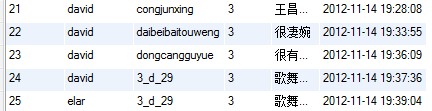
function goToPage(page) {
    $('body').load("getComments.do?page=" + page);
}

// 或雙參數版本
function goToPage(page, numberPerPage) {
    $('body').load("getComments.do?page=" + page + "&npp=" + numberPerPage);
}int page = Integer.parseInt(req.getParameter("page"));int total = sm.getCommentCount();
int totalPage = total / itemsPerPage;
if (total % itemsPerPage != 0) totalPage += 1;
Vector<Integer> pageArr = new Vector<Integer>();
int start = 1;
if (page >= 10) start = page / 10 * 10;
int num = start;
while (!(num > totalPage || num > start + 10)) {
pageArr.add(new Integer(num));
++num;
}處理特殊情況:總頁數不足 10 頁、非 10 倍數。
<div id="pageControl">
  <!-- 上一頁 -->
  <c:choose>
    <c:when test="${page != 1}">
      <a href="checkComments.do?page=${page-1}"><input type="button" name="lastPage" value="上一頁" /></a>
    </c:when>
    <c:otherwise>
      <input type="button" disabled="true" name="lastPage" value="上一頁" />
    </c:otherwise>
  </c:choose>

  <!-- 頁碼列表 -->
  <c:forEach items="${pageList}" var="item">
    <c:choose>
      <c:when test="${item == page}">
        <a href="checkComments.do?page=${item}" class="currentPage">${item}</a>
      </c:when>
      <c:otherwise>
        <a href="checkComments.do?page=${item}">${item}</a>
      </c:otherwise>
    </c:choose>
  </c:forEach>

  <!-- 下一頁 -->
  <c:choose>
    <c:when test="${page != totalPages}">
      <a href="checkComments.do?page=${page+1}"><input type="button" name="nextPage" value="下一頁" /></a>
    </c:when>
    <c:otherwise>
      <input type="button" disabled="true" name="nextPage" value="下一頁" />
    </c:otherwise>
  </c:choose>

  <!-- 直接跳轉 -->
  共${totalPages}頁 - 向<input type="text" id="jumpTo" />頁 <input type="button" value="跳轉" onclick="jumpTo(${totalPages})" />
</div>function jumpTo(maxPage) {
var page = $("#jumpTo").val();
if (page > maxPage || page < 1) {
alert("對不起,無法到達該頁");
} else {
$('body').load('checkComments.do?page=' + page);
}
}.currentPage {
font-weight: bold;
color: #ff9a00;
}
#jumpTo { width: 20px; }
#pageControl a { text-decoration: none; }