傳統驗證碼:用戶輸入錯誤 → 整頁重載 → 表單數據丟失(除非用 Session 保存)→ 用戶體驗極差。且驗證碼圖片常因干擾線難以辨識,導致多次錯誤。
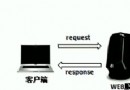
onblur 或提交前觸發 AJAX 請求 num.jsp?num=用戶輸入。validate_successful 或錯誤提示。random.jsp?d=timestamp),避免圖片不可識別導致死循環。img.jsp(含 JS 邏輯)<%@ page contentType="text/html; charset=GBK" pageEncoding="GBK" %>
<html><head><title>AJAX 驗證碼示例</title>
<script src="net.js"></script> <!-- 簡易 AJAX 封裝庫 -->
<script>
var times = 0;
function validateForm(form) {
var name = form.name.value.trim();
var num = form.num.value.trim();
if (!name) { showMsg("請輸入姓名"); return false; }
if (!num) { showMsg("請輸入驗證碼"); return false; }
var url = "num.jsp?num=" + encodeURIComponent(num);
new net.ContentLoader(url, handleResponse, "GET");
return false; // 阻止默認提交,等待 AJAX 回調
}
function handleResponse() {
var text = this.req.responseText;
var info = document.getElementById("info");
if (text.indexOf("validate_successful") != -1) {
document.forms["myform"].submit(); // 校驗通過,真正提交
} else {
times++;
showMsg("第 " + times + " 次驗證碼錯誤,請注意大小寫");
form.num.select();
if (times >= 3) refreshCaptcha(); // 3次失敗刷新圖片
}
}
function showMsg(msg) {
document.getElementById("info").innerHTML = '<span style="color:red">' + msg + '</span>';
}
function refreshCaptcha() {
var img = document.getElementById("random");
img.src = "random.jsp?d=" + new Date().getTime();
times = 0;
}
</script>
</head>
<body>
<form name="myform" action="img.jsp" method="post" onsubmit="return validateForm(this)">
姓名:<input type="text" name="name" size="10"><br>
驗證碼:<input type="text" name="num" size="10" maxlength="4">
<img id="random" src="random.jsp" align="absmiddle" hspace="5">
<a href="javascript:refreshCaptcha()">看不清換一張</a><br>
<input type="submit" value="提交">
<div id="info" style="padding:10px;color:red;font-size:12px"></div>
</form>
</body></html>random.jsp<%@ page import="java.awt.*,java.awt.image.*,javax.imageio.*,java.util.*" contentType="image/jpeg" %>
<%
response.setHeader("Pragma", "No-cache");
response.setHeader("Cache-Control", "no-cache");
response.setDateHeader("Expires", 0);
int w = 60, h = 20;
BufferedImage img = new BufferedImage(w, h, BufferedImage.TYPE_INT_RGB);
Graphics g = img.getGraphics();
g.setColor(new Color(0xDCCCCC)); g.fillRect(0,0,w,h);
g.setColor(Color.BLACK); g.drawRect(0,0,w-1,h-1);
String code = "";
for (int i=0; i<4; i++) code += "0123456789".charAt((int)(Math.random()*10));
session.setAttribute("random", code); // 存入 Session
g.setColor(Color.RED); g.setFont(new Font("Atlantic Inline", Font.PLAIN, 14));
g.drawString(code.substring(0,1), 8, 14);
g.drawString(code.substring(1,2), 20, 15);
g.drawString(code.substring(2,3), 35, 18);
g.drawString(code.substring(3,4), 45, 15);
g.dispose();
ImageIO.write(img, "JPEG", response.getOutputStream());
%>num.jsp<%@ page contentType="text/plain; charset=GBK" %>
<%
String input = request.getParameter("num");
String real = (String) session.getAttribute("random");
if (input != null && real != null && input.equalsIgnoreCase(real)) {
out.print("validate_successful");
} else {
out.print("validate_failed");
}
%>equalsIgnoreCase 降低輸入難度。同模式可用於:用戶名唯一性檢查、郵箱格式驗證、庫存實時查詢、優惠碼驗證等「輸入即校驗」場景。
AJAX 驗證碼預校驗以極低成本大幅提升表單交互體驗,是 Web 2.0 時代前端優化的經典範例。現代項目建議結合前端框架(Vue/React)實現更優雅的表單驗證流程。