MailExample.jsp
<%@ page import="java.util.*, javax.mail.*, javax.mail.internet.*, javax.activation.*" %>
<%@ page contentType="text/html;charset=UTF-8" %>
<html><head><title>郵件發送結果</title></head><body>
<%
    String host = "yourmailhost"; // 需替換為真實 SMTP 主機
    String to = request.getParameter("to");
    String from = request.getParameter("from");
    String subject = request.getParameter("subject");
    String messageText = request.getParameter("body");

    Properties props = System.getProperties();
    props.put("mail.host", host);
    props.put("mail.transport.protocol", "smtp");
    Session mailSession = Session.getDefaultInstance(props, null);
    mailSession.setDebug(false);

    Message msg = new MimeMessage(mailSession);
    msg.setFrom(new InternetAddress(from));
    msg.setRecipients(Message.RecipientType.TO, new InternetAddress[]{new InternetAddress(to)});
    msg.setSubject(subject);
    msg.setSentDate(new Date());
    msg.setText(messageText);
    Transport.send(msg);

    out.println("郵件已發送給 " + to);
    out.println("
寄件人: " + from);
    out.println("
SMTP 主機: " + host + ".");
%>
</body></html>
改進版本建議
- 輸入驗證:檢查
to/from 格式、subject/body 非空、長度限制。
- 例外處理:
try-catch MessagingException 友善提示錯誤(如主機不可達、認證失敗、地址拒收)。
- 編碼設定:
msg.setSubject(subject, "UTF-8")、msg.setText(messageText, "UTF-8") 確保中文正常。
- SMTP 認證:若主機需認證,改用
Session.getInstance(props, new Authenticator(){...})。
- MVC 分離:邏輯移至 Servlet/Service,JSP 僅顯示結果。
完整發送流程圖
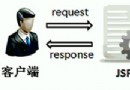
mailform.html (GET) → 填寫表單 → POST → MailExample.jsp (處理發送) → 顯示結果