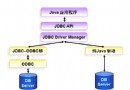
結合 HTML、JavaScript 與 JDBC 實現動態網頁。以用戶登入為例:輸入帳號密碼,正確跳轉主頁,錯誤提示或跳轉錯誤頁。
MySQL 建立 test 資料庫與 users 表。
<%@ page language="java" contentType="text/html" pageEncoding="utf-8" %>
<html><head><title>登錄頁面</title>
<script type="text/javascript">
function chkData() {
  if (frmLogin.username.value == "") { alert("請輸入用戶名。"); return false; }
  if (frmLogin.userpassword.value == "") { alert("請輸入密碼。"); return false; }
  return true;
}
</script></head>
<body><center><h4>用戶登錄</h4></center>
<form name="frmLogin" action="doLogin.jsp" method="post">
<table align="center" border="1">
  <tr><td>用戶名:</td><td><input type="text" name="username"/></td></tr>
  <tr><td>密碼:</td><td><input type="password" name="userpassword"/></td></tr>
  <tr><td colspan="2" align="center">
    <input type="submit" value="登錄" onClick="return chkData();"/>
    <input type="reset" value="重置"/>
  </td></tr>
</table></form></body></html>
後續需撰寫 doLogin.jsp 處理 JDBC 連線與驗證邏輯。