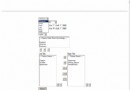
左側面板顯示分組標題(我的好友、黑名單),點擊標題切換展開/收起,好友項顯示頭像、昵稱、個性簽名,鼠標懸停變色、顯示工具提示。
BoxLayout(Y_AXIS) 垂直堆疊分組標題與好友項,實現展開/收起邏輯。JScrollPane 支援滾動。public class MemberModel {
public JPanel jPanel = new JPanel(); // 容器面板
public JButton jButton; // 頭像按鈕
private JLabel lb_nickName, lb_mood; // 昵稱、心情標籤
public MemberModel(int picIndex, String nickname, int len) {
this.nickname = nickname;
initialize(picIndex);
}
private void initialize(int picIndex) {
jPanel.setLayout(null); // 絕對佈局(教學演示,生產建議 MigLayout/GridBagLayout)
jPanel.setPreferredSize(new Dimension(185, 60));
jPanel.setBackground(Color.WHITE);
// 頭像
jButton = new JButton(new ImageIcon(picIndex + ".jpg"));
jButton.setBounds(8, 10, 40, 40);
jButton.setBackground(new Color(236, 255, 236));
jButton.setBorderPainted(false);
// 昵稱
lb_nickName = new JLabel(nickname);
lb_nickName.setFont(new Font("Dialog", Font.BOLD, 14));
lb_nickName.setBounds(52, 10, 80, 20);
// 個性簽名
lb_mood = new JLabel("世界上最遙遠的距離不是生與死...");
lb_mood.setFont(new Font("Dialog", Font.PLAIN, 12));
lb_mood.setBounds(51, 30, 131, 20);
lb_mood.setToolTipText(lb_mood.getText()); // 完整顯示
// 懸停效果:面板變色
jPanel.addMouseListener(new MouseAdapter() {
public void mouseEntered(MouseEvent e) { jPanel.setBackground(new Color(192,224,248)); }
public void mouseExited(MouseEvent e) { jPanel.setBackground(Color.WHITE); }
});
// 同樣為頭像按鈕添加懸停監聽...
jPanel.add(jButton);
jPanel.add(lb_nickName);
jPanel.add(lb_mood);
}
}public class TestPane extends JPanel {
private JLabel groupLabel, blackLabel; // 分組標題標籤
private JLabel[] friendLabels; // 好友項容器標籤
private JLabel[] blackLabels; // 黑名單項容器標籤
private int friendClick = 0, blackClick = 0;
public TestPane() {
setLayout(new BoxLayout(this, BoxLayout.Y_AXIS));
setPreferredSize(new Dimension(200, 408));
initComponents();
addComponents();
}
private void initComponents() {
// 分組標題:帶圖標、邊框、點擊監聽
groupLabel = createGroupLabel("我的好友", "img/ico.jpg", "img/ico2.jpg", e -> toggleGroup());
blackLabel = createGroupLabel("黑名單", "img/ico2.jpg", "img/ico.jpg", e -> toggleBlack());
// 好友項:每個 JLabel 包裝一個 MemberModel.jPanel
friendLabels = new JLabel[4]; // 0: 標題, 1-3: 好友
friendLabels[0] = groupLabel;
for (int i = 1; i < 4; i++) {
friendLabels[i] = new JLabel(new ImageIcon("img/bg.jpg"));
friendLabels[i].add(new MemberModel(i, "CoolBabY" + i, 200).jPanel);
friendLabels[i].setBorder(BorderFactory.createEmptyBorder(2,2,2,2));
}
// 黑名單項:類似構建,初始隱藏
blackLabels = new JLabel[7];
blackLabels[0] = blackLabel;
for (int i = 1; i < 7; i++) {
blackLabels[i] = new JLabel(new ImageIcon("img/bg.jpg"));
blackLabels[i].add(new MemberModel(i+3, "CoolBabY" + (i+3), 200).jPanel);
blackLabels[i].setVisible(false); // 初始收起
blackLabels[i].setBorder(BorderFactory.createEmptyBorder(2,2,2,2));
}
}
private JLabel createGroupLabel(String text, String icon1, String icon2, MouseListener listener) {
JLabel label = new JLabel(text, new ImageIcon(icon1), JLabel.LEFT);
label.setBorder(BorderFactory.createEmptyBorder(2,2,2,2));
label.addMouseListener(listener);
return label;
}
private void toggleGroup() {
friendClick++;
boolean expand = (friendClick % 2 == 1); // 奇數展開
for (int i = 1; i < friendLabels.length; i++)
friendLabels[i].setVisible(expand);
groupLabel.setIcon(new ImageIcon(expand ? "img/ico2.jpg" : "img/ico.jpg"));
revalidate(); repaint(); // 關鍵:重新佈局與重繪
}
// toggleBlack() 同理...
}public class TestFrame {
public static void main(String[] args) {
SwingUtilities.invokeLater(() -> {
JFrame frame = new JFrame("模仿 QQ 面板");
frame.setDefaultCloseOperation(JFrame.EXIT_ON_CLOSE);
frame.setSize(230, 700);
JScrollPane scrollPane = new JScrollPane(new TestPane());
scrollPane.setHorizontalScrollBarPolicy(JScrollPane.HORIZONTAL_SCROLLBAR_NEVER);
frame.add(scrollPane, BorderLayout.CENTER);
frame.setLocationRelativeTo(null);
frame.setVisible(true);
});
}
}coolbaby6)。img/ 文件夾,放入圖片:1.jpg~9.jpg(頭像)、bg.jpg(項背景)、ico.jpg/ico2.jpg(展開/收起圖標)。TestFrame.main()。| 問題 | 影響 | 改進 |
|---|---|---|
絕對佈局 (null layout) | 跨平台適配差、DPI 縮放失效、維護困難 | 使用 MigLayout、GridBagLayout 或 JavaFX |
| JLabel 作為容器包裝 JPanel | 語義不清、事件傳播異常、無法自動適應尺寸 | 直接將 MemberModel.jPanel 加入 BoxLayout 面板 |
| 硬編碼好友數據 | 無法動態加載、擴展性差 | 抽象 Friend 數據模型,從服務/數據庫加載,動態創建組件 |
| 圖片路徑硬編碼 | 打包部署失效 | 使用 getClass().getResource() 加載類路徑資源 |
| 無模型-視圖分離 | 業務邏輯與 UI 耦合 | MVC/MVP 模式,引入 ListModel / CellRenderer |
ListView + CellFactory、TreeView、CSS 樣式、綁定屬性,原生支援動畫、高 DPI、觸控。JList + DefaultListCellRenderer、JTree + DefaultTreeCellRenderer、GlazedLists 排序過濾。本示例展示了 Swing 組件組合、事件監聽、動態顯隱、滾動面板等基礎 GUI 開發技巧。雖然代碼存在佈局硬編碼、組件濫用等問題,但作為理解 Swing 組件樹、事件分發、繪製機制的入門案例具有教學價值。實際項目中請採用成熟的佈局管理器、數據模型分離與現代 UI 框架。