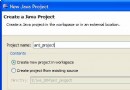
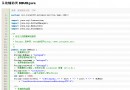
服務端:接收 Base64 字符串 → 解碼 → 寫入磁盤 → 返回存儲路徑。
客戶端:讀取文件 → Base64 編碼 → 調用服務 → 下載時解碼保存。
package com;

import javax.imageio.ImageIO;
import java.io.*;
import java.sql.Date;
import java.text.SimpleDateFormat;
import java.util.Random;
import sun.misc.BASE64Decoder;
import sun.misc.BASE64Encoder;

public class FileProgress {
    // 上傳
    public String uploadFile(String fileName, String fileType, String base64Data) {
        try {
            String dir = getDir(fileType);
            if (dir.isEmpty()) return "";
            BASE64Decoder decoder = new BASE64Decoder();
            byte[] bytes = decoder.decodeBuffer(base64Data);

            String saveName = dateTimeStr(true) + new Random().nextInt(10000)
                            + fileName.substring(fileName.lastIndexOf('.'));
            FileOutputStream fos = new FileOutputStream(dir + saveName);
            fos.write(bytes);
            fos.flush();
            fos.close();
            return dir + saveName;
        } catch (Exception e) { e.printStackTrace(); return ""; }
    }

    // 下載
    public String downloadFile(String filePath) {
        try (FileInputStream in = new FileInputStream(filePath)) {
            byte[] bytes = new byte[in.available()];
            in.read(bytes);
            return new BASE64Encoder().encode(bytes);
        } catch (Exception e) { e.printStackTrace(); return ""; }
    }

    // 目錄按類型/日期分層
    private String getDir(String type) {
        String base = "F:/youme/{0}/" + dateStr() + "/";
        String sub = "2".equals(type) ? "image" : "3".equals(type) ? "vedio" : "";
        if (sub.isEmpty()) return "";
        File dir = new File(base.replace("{0}", sub));
        return dir.mkdirs() || dir.exists() ? dir.getAbsolutePath() + "/" : "";
    }

    private String dateStr() {
        return new SimpleDateFormat("yyyy-MM-dd").format(new Date(System.currentTimeMillis()));
    }
    private String dateTimeStr(boolean forFile) {
        return new SimpleDateFormat(forFile ? "yyyyMMddHHmmss" : "yyyy-MM-dd HH:mm:ss")
               .format(new Date(System.currentTimeMillis()));
    }
}
sun.misc.BASE64Encoder 為內部 API,生產建議用 java.util.Base64 (Java 8+)。