MyBatis 作為一款輕量級 ORM 框架,以簡潔、易上手著稱,深受開發者喜愛。本系列將從零開始,手把手帶你搭建第一個 MyBatis 程式。
官網:https://www.mybatis.org/mybatis-3/。本文採用 3.3.0 版本。解壓後,將 mybatis-3.3.0.jar 及 lib 目錄下所有依賴包放入專案的 WEB-INF/lib(Web 專案)或類路徑中。
在 src 目錄下建立 Configuration.xml(慣用命名),配置資料源、別名、映射檔:
<?xml version="1.0" encoding="UTF-8"?>
<!DOCTYPE configuration PUBLIC "-//mybatis.org//DTD Config 3.0//EN" "https://mybatis.org/dtd/mybatis-3-config.dtd">
<configuration>
    <!-- 類型別名:簡化映射檔中的全限定類名 -->
    <typeAliases>
        <typeAlias alias="Message" type="com.cn.imooc.entity.Message"/>
    </typeAliases>

    <!-- 環境配置:資料源、事務管理 -->
    <environments default="development">
        <environment id="development">
            <transactionManager type="JDBC"/>
            <dataSource type="POOLED">
                <property name="driver" value="com.mysql.jdbc.Driver"/>
                <property name="url" value="jdbc:mysql://127.0.0.1:3306/weixin?useUnicode=true&characterEncoding=UTF-8"/>
                <property name="username" value="root"/>
                <property name="password" value="123456"/>
            </dataSource>
        </environment>
    </environments>

    <!-- 映射檔註冊 -->
    <mappers>
        <mapper resource="com/cn/mappers/message.xml"/>
    </mappers>
</configuration>
package com.cn.imooc.entity;
public class Message {
    private String id;
    private String command;
    private String description;
    private String comment;
    // 省略 getter/setter 及 toString()
}
屬性名與資料庫欄位可不一致,MyBatis 會自動映射;若需自定義映射,可在映射檔中使用 resultMap。
<mapper namespace="com.cn.inter.IMessageOperation">
    <select id="selectUserByID" parameterType="int" resultType="com.cn.imooc.entity.Message">
        select * from `message` where id = #{id}
    </select>
    <select id="selectMessages" resultType="Message">
        select id, command, description, comment from message;
    </select>
</mapper>
namespace:通常對應 DAO 介面的全限定名。parameterType:輸入參數類型。resultType:輸出結果類型,此處使用別名 Message。#{id}:安全的參數佔位符,防止 SQL 注入。package com.cn.test;
import java.io.Reader;
import org.apache.ibatis.io.Resources;
import org.apache.ibatis.session.SqlSession;
import org.apache.ibatis.session.SqlSessionFactory;
import org.apache.ibatis.session.SqlSessionFactoryBuilder;
import com.cn.imooc.entity.Message;
public class MyTest {
public static void main(String[] args) {
Reader reader = null;
SqlSession sqlSession = null;
try {
// 1. 建立 SqlSessionFactory
reader = Resources.getResourceAsReader("Configuration.xml");
SqlSessionFactory sqlSessionFactory = new SqlSessionFactoryBuilder().build(reader);
// 2. 開啟會話
sqlSession = sqlSessionFactory.openSession();
// 3. 執行查詢
Message message = sqlSession.selectOne("com.cn.inter.IMessageOperation.selectUserByID", 1);
System.out.println(message);
} catch (Exception e) {
e.printStackTrace();
} finally {
if (sqlSession != null) sqlSession.close();
}
}
}
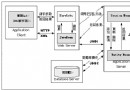
流程:SqlSessionFactoryBuilder → SqlSessionFactory → SqlSession → 執行映射語句。
本文完成了 MyBatis 的基礎環境搭建、核心配置、實體與映射檔編寫,並通過簡單測試驗證了查詢功能。下一篇將介紹「介面綁定」模式,進一步簡化 DAO 開發。