在 Eclipse 開發 Android 專案時,常遇到「Source not found:The JAR file ... android.jar has no source attachment」錯誤。這是因為 Eclipse 找不到對應 API 版本的 Android 原始碼,導致無法查看框架原始碼進行除錯。本文提供完整解決步驟。
當專案的 Target SDK 和 Compile With 選擇特定 API 版本(如 API 17 對應 Android 4.2.2)時,若本機 SDK 未安裝該版本的 Sources for Android SDK,Eclipse 就無法關聯原始碼,點擊類別或方法時只會顯示反編譯的 .class 檔案,而非原始 Java 碼。
安裝完成後,原始碼預設路徑為:<SDK目錄>/sources/android-<API版本>
例如:D:\adt-bundle-windows-x86_64-20130522\sdk\sources\android-17
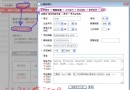
Activity),或按 F3 進入宣告D:/adt-bundle-windows-x86_64-20130522/sdk/sources/android-17)使用 Android 4.3 (API 18) 時,可能遇到「the source attachment does not contain the source for the file *.class」錯誤,且指定原始碼目錄無誤。實際原因是 編碼格式不匹配。
重新啟動 Eclipse,再次點擊 Android 框架類別(如 TextView、Intent),應可正常顯示原始碼並支援斷點除錯。
以上即為 Eclipse 解決 android.jar 無原始碼關聯問題的完整指南,包含基本安裝與進階編碼修正,希望能幫助開發者快速恢復原始碼檢視與除錯功能。