架構概覽
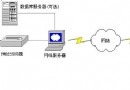
- Server:監聽埠、接受連線、讀取本地檔案、發送檔名/大小/內容。
- Client:連線伺服器、發送握手訊息、接收檔案資訊與內容、寫入磁碟。
- 工具類:封裝 Socket 連線、發送/接收流操作。
核心協議設計
- 客戶端連線後發送握手字串(如
"Windows"),伺服端讀取確認。
- 伺服端發送:
UTF-8 檔名 → long 檔案大小 → 檔案位元組流。
- 客戶端按序讀取,寫入本地檔案,顯示進度。
1. 工具類:ClientSocket
public class ClientSocket {
    private final String host;
    private final int port;
    private Socket socket;
    private DataOutputStream out;
    private DataInputStream in;

    public ClientSocket(String host, int port) { this.host = host; this.port = port; }

    public void connect() throws IOException {
        socket = new Socket(host, port);
        out = new DataOutputStream(socket.getOutputStream());
        in = new DataInputStream(new BufferedInputStream(socket.getInputStream()));
    }

    public void sendHandshake(String msg) throws IOException {
        out.writeUTF(msg); out.flush();
    }

    public DataInputStream getInputStream() { return in; }

    public void close() {
        try { if (out != null) out.close(); } catch (IOException ignored) {}
        try { if (in != null) in.close(); } catch (IOException ignored) {}
        try { if (socket != null) socket.close(); } catch (IOException ignored) {}
    }
}
2. 伺服端:FileServer
public class FileServer {
    private static final int PORT = 8821;
    private static final String FILE_PATH = "E:/lib.zip"; // 待傳送檔案
    private static final int BUFFER_SIZE = 8192;

    public static void main(String[] args) throws IOException {
        ServerSocket server = new ServerSocket(PORT);
        System.out.println("伺服器啟動,監聽埠:" + PORT);

        while (true) {
            Socket client = server.accept();
            System.out.println("客戶端連線:" + client.getInetAddress());

            new Thread(() -> handleClient(client)).start(); // 多線程併發
        }
    }

    private static void handleClient(Socket socket) {
        try (DataInputStream in = new DataInputStream(new BufferedInputStream(socket.getInputStream()));
             DataOutputStream out = new DataOutputStream(socket.getOutputStream());
             FileInputStream fis = new FileInputStream(FILE_PATH)) {

            File file = new File(FILE_PATH);
            // 讀取握手(簡單示範)
            in.readUTF();

            // 發送檔案元資料
            out.writeUTF(file.getName());
            out.writeLong(file.length());
            out.flush();

            // 發送檔案內容
            byte[] buffer = new byte[BUFFER_SIZE];
            int len;
            while ((len = fis.read(buffer)) != -1) {
                out.write(buffer, 0, len);
            }
            out.flush();
            System.out.println("檔案傳輸完成:" + file.getName());
        } catch (IOException e) {
            e.printStackTrace();
        } finally {
            try { socket.close(); } catch (IOException ignored) {}
        }
    }
}
3. 客戶端:FileClient
public class FileClient {
    private static final String SERVER_HOST = "localhost";
    private static final int SERVER_PORT = 8821;
    private static final String SAVE_DIR = "F:/";
    private static final int BUFFER_SIZE = 8192;

    public static void main(String[] args) {
        ClientSocket cs = new ClientSocket(SERVER_HOST, SERVER_PORT);
        try {
            cs.connect();
            cs.sendHandshake("Windows"); // 簡單握手

            DataInputStream in = cs.getInputStream();
            String fileName = in.readUTF();
            long fileSize = in.readLong();

            File outFile = new File(SAVE_DIR + fileName);
            try (DataOutputStream fos = new DataOutputStream(new BufferedOutputStream(new FileOutputStream(outFile)))) {
                byte[] buffer = new byte[BUFFER_SIZE];
                int len, totalRead = 0;
                while ((len = in.read(buffer)) != -1) {
                    fos.write(buffer, 0, len);
                    totalRead += len;
                    System.out.printf("進度:%.2f%%%n", (totalRead * 100.0) / fileSize);
                }
                System.out.println("接收完成,儲存至:" + outFile.getAbsolutePath());
            }
        } catch (IOException e) {
            e.printStackTrace();
        } finally {
            cs.close();
        }
    }
}
關鍵技術點總結
- DataInput/OutputStream:提供
writeUTF/readUTF(長度前綴字串)、writeLong/readLong 等跨平台序列化方法。
- 緩衝流包裝:
BufferedInput/OutputStream 大幅減少系統調用,提升吞吐。
- 檔案大小預傳:客戶端預知總大小,可顯示進度、分配空間、驗證完整性。
- 多線程併發:伺服端每連線開一執行緒(或用線程池),支援多客戶端同時下載。
- 資源關閉順序:流 → Socket,避免「寫端關閉導致讀端阻塞」或資源洩漏。
擴展建議
- 斷點續傳:客戶端發送已接收位移,伺服端
RandomAccessFile.seek() 續傳。
- 校驗完整性:傳輸前計算 MD5/SHA256,傳輸後驗證。
- SSL/TLS 加密:
SSLSocketFactory 保護資料機密性。
- NIO/Netty 重構:高併發場景下替換 BIO,提升擴展性。