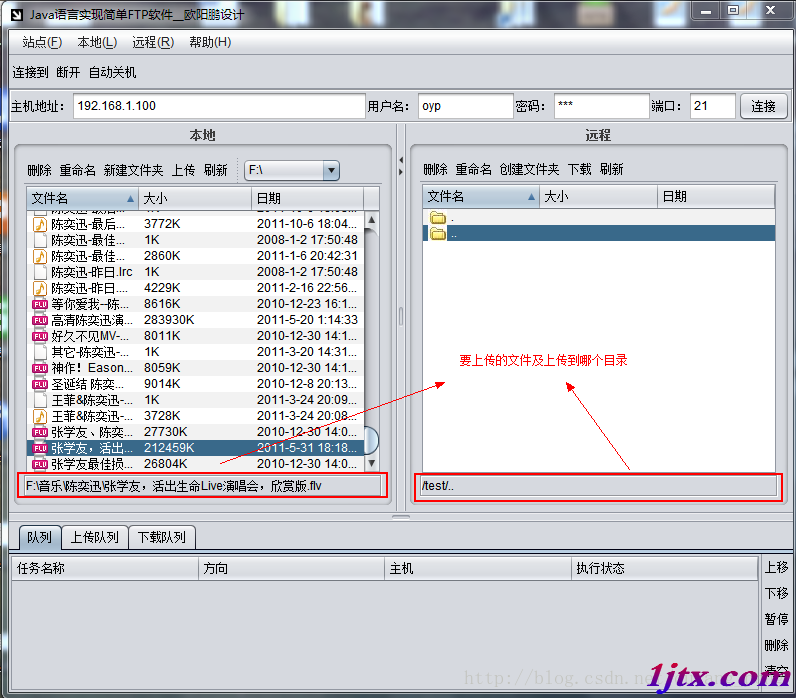
兩台獨立伺服器之間傳輸大文件,無共享存儲,需自建傳輸通道。採用 Socket 流式傳輸,支持斷點顯示進度。
package sterning;

import java.io.*;
import java.net.*;

public class ServerTest {
    private static final int PORT = 8821;
    private static final String FILE_PATH = "D:\\lib.rar"; // 待發送文件

    public static void main(String[] args) {
        new ServerTest().start();
    }

    public void start() {
        try (ServerSocket ss = new ServerSocket(PORT)) {
            System.out.println("Server 啟動,等待客戶端連接...");

            while (true) {
                File file = new File(FILE_PATH);
                System.out.println("準備發送: " + file.getName() + " (" + file.length() + " bytes)");

                try (Socket s = ss.accept();
                     DataInputStream in = new DataInputStream(new BufferedInputStream(s.getInputStream()));
                     DataInputStream fis = new DataInputStream(new BufferedInputStream(new FileInputStream(file)));
                     DataOutputStream out = new DataOutputStream(s.getOutputStream())) {

                    // 讀取客戶端就緒信號(1 byte)
                    in.readByte();

                    // 發送文件名與長度
                    out.writeUTF(file.getName());
                    out.writeLong(file.length());
                    out.flush();

                    // 流式傳輸文件內容
                    byte[] buf = new byte[8192];
                    int read;
                    while ((read = fis.read(buf)) != -1) {
                        out.write(buf, 0, read);
                    }
                    out.flush();
                    System.out.println("文件傳輸完成");
                } catch (IOException e) {
                    System.err.println("單次傳輸異常: " + e.getMessage());
                }
            }
        } catch (IOException e) {
            e.printStackTrace();
        }
    }
}
package sterning;

import java.io.*;
import java.net.*;

public class ClientSocket {
    private final String ip;
    private final int port;
    private Socket socket;
    private DataOutputStream out;
    private DataInputStream in;

    public ClientSocket(String ip, int port) {
        this.ip = ip;
        this.port = port;
    }

    public void connect() throws IOException {
        socket = new Socket(ip, port);
        out = new DataOutputStream(socket.getOutputStream());
        in = new DataInputStream(new BufferedInputStream(socket.getInputStream()));
        System.out.println("連接服務器成功");
    }

    public void sendReadySignal() throws IOException {
        out.writeByte(0x01); // 約定就緒信號
        out.flush();
    }

    public DataInputStream getInputStream() {
        return in;
    }

    public void close() {
        try { if (out != null) out.close(); } catch (IOException ignored) {}
        try { if (in != null) in.close(); } catch (IOException ignored) {}
        try { if (socket != null) socket.close(); } catch (IOException ignored) {}
    }
}
package sterning;

import java.io.*;

public class ClientTest {
    private static final String SERVER_IP = "localhost";
    private static final int PORT = 8821;
    private static final String SAVE_DIR = "E:\\";

    public static void main(String[] args) {
        new ClientTest().receive();
    }

    public void receive() {
        ClientSocket cs = new ClientSocket(SERVER_IP, PORT);
        try {
            cs.connect();
            cs.sendReadySignal();

            DataInputStream in = cs.getInputStream();
            String fileName = in.readUTF();
            long fileLen = in.readLong();

            File outFile = new File(SAVE_DIR + fileName);
            try (DataOutputStream fos = new DataOutputStream(new BufferedOutputStream(new FileOutputStream(outFile)))) {
                byte[] buf = new byte[8192];
                long received = 0;
                int read;
                while ((read = in.read(buf)) != -1) {
                    fos.write(buf, 0, read);
                    received += read;
                    System.out.printf("接收進度: %d%% (%d/%d bytes)%n",
                            received * 100 / fileLen, received, fileLen);
                }
                System.out.println("文件接收完成,保存至: " + outFile.getAbsolutePath());
            }
        } catch (IOException e) {
            System.err.println("接收失敗: " + e.getMessage());
        } finally {
            cs.close();
        }
    }
}
0x01)。UTF-8 文件名 + long 文件長度 + 文件二進制內容。RandomAccessFile.seek() 續傳。GZIPOutputStream / CipherOutputStream。