FillLayout 是 SWT 中最簡單的佈局管理器。它將父容器的客戶區域平均劃分給所有子元件,每個元件獲得相同尺寸,排列方向可選水平或垂直。適合工具欄、狀態欄、單元件填滿等簡單場景。
// 構造:指定方向
FillLayout layout = new FillLayout(SWT.HORIZONTAL); // 預設水平
FillLayout layout = new FillLayout(SWT.VERTICAL);   // 垂直

// 屬性
layout.marginWidth = 5;   // 左右邊距
layout.marginHeight = 5;  // 上下邊距
layout.spacing = 3;       // 元件間距

// 套用
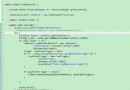
shell.setLayout(layout);public class FillLayoutSample {
public static void main(String[] args) {
Display display = new Display();
Shell shell = new Shell(display);
shell.setText("FillLayout Demo");
FillLayout layout = new FillLayout(SWT.VERTICAL);
layout.marginHeight = 5;
layout.marginWidth = 5;
layout.spacing = 1;
shell.setLayout(layout);
new Button(shell, SWT.PUSH).setText("button1");
new Button(shell, SWT.PUSH).setText("button number 2");
new Button(shell, SWT.PUSH).setText("3");
shell.pack();
shell.open();
while (!shell.isDisposed()) {
if (!display.readAndDispatch()) display.sleep();
}
display.dispose();
}
}| 場景 | 是否適合 | 說明 |
|---|---|---|
| 工具欄按鈕組 | ✅ 適合 | 水平等分,間距固定 |
| 狀態欄分區 | ✅ 適合 | 垂直/水平等分 |
| 單元件填滿容器 | ✅ 完美 | 唯一子元件自動佔滿 |
| 表單佈局 | ❌ 不適合 | 需標籤/輸入框對齊,用 GridLayout/FormLayout |
| 複雜響應式介面 | ❌ 不適合 | 無 span、grab、alignment 機制 |
| 元件數量動態變化 | ⚠️ 勉強 | 會重新等分,尺寸劇烈跳動 |
shell.setLayout(new FillLayout()); // 預設水平
Text text = new Text(shell, SWT.MULTI | SWT.BORDER | SWT.H_SCROLL | SWT.V_SCROLL);
// Text 自動填滿整個 Shell 客戶區// 頂層垂直分區:工具欄 + 內容區
FillLayout mainLayout = new FillLayout(SWT.VERTICAL);
shell.setLayout(mainLayout);
Composite toolbar = new Composite(shell, SWT.NONE);
toolbar.setLayout(new FillLayout(SWT.HORIZONTAL));
new Button(toolbar, SWT.PUSH).setText("New");
new Button(toolbar, SWT.PUSH).setText("Open");
new Button(toolbar, SWT.PUSH).setText("Save");
Composite content = new Composite(shell, SWT.BORDER);
content.setLayout(new FillLayout()); // 單元件填滿
new Text(content, SWT.MULTI | SWT.BORDER);FillLayout layout = new FillLayout(SWT.HORIZONTAL);
shell.setLayout(layout);
// 運行時切換
Button toggle = new Button(shell, SWT.CHECK);
toggle.setText("Vertical");
toggle.addListener(SWT.Selection, e -> {
layout.type = toggle.getSelection() ? SWT.VERTICAL : SWT.HORIZONTAL;
shell.layout(true); // 重新佈局
});| 佈局 | 複雜度 | 彈性 | 典型用途 |
|---|---|---|---|
| FillLayout | 最低 | 僅等分 | 工具欄、單元件填滿、簡單分區 |
| RowLayout | 低 | 換行、間距、尺寸 | 流式排列、標籤雲、動態按鈕組 |
| GridLayout | 中 | 網格、span、grab、對齊 | 表單、屬性頁、複雜對話框 |
| FormLayout | 高 | 像素級附著、相對定位 | 精確對話框、響應式重疊介面 |
FillLayout 是「簡單場景的最佳選擇」:
記住:簡單就是力量。當 FillLayout 滿足需求時,不要引入更複雜的佈局。