| 層級 | 技術選型 | 角色 |
|---|---|---|
| 基礎框架 | Spring Boot 2.x | 自動配置、啟動器 |
| 安全框架 | Spring Security | 認證授權、Principal 注入 |
| 通訊協議 | WebSocket + STOMP | 全雙工、幀協議、訊息路由 |
| 消息代理 | SimpleBroker (內存) / RabbitMQ (生產) | 訂閱分發、廣播、點對點 |
| 前端庫 | SockJS + STOMP.js | 降級傳輸、瀏覽器相容 |
| 模板引擎 | Thymeleaf | 頁面渲染 |
| 數據庫 | MongoDB | 聊天記錄持久化 |
<dependencies>
    <!-- WebSocket + STOMP -->
    <dependency>
        <groupId>org.springframework.boot</groupId>
        <artifactId>spring-boot-starter-websocket</artifactId>
    </dependency>
    <!-- Undertow 替代 Tomcat(WebSocket 效能更優) -->
    <dependency>
        <groupId>org.springframework.boot</groupId>
        <artifactId>spring-boot-starter-undertow</artifactId>
    </dependency>
    <!-- Security -->
    <dependency>
        <groupId>org.springframework.boot</groupId>
        <artifactId>spring-boot-starter-security</artifactId>
    </dependency>
    <!-- MongoDB -->
    <dependency>
        <groupId>org.springframework.boot</groupId>
        <artifactId>spring-boot-starter-data-mongodb</artifactId>
    </dependency>
    <!-- Thymeleaf -->
    <dependency>
        <groupId>org.springframework.boot</groupId>
        <artifactId>spring-boot-starter-thymeleaf</artifactId>
    </dependency>
    <!-- 前端 WebJars -->
    <dependency>
        <groupId>org.webjars</groupId>
        <artifactId>sockjs-client</artifactId>
        <version>1.6.1</version>
    </dependency>
    <dependency>
        <groupId>org.webjars</groupId>
        <artifactId>stomp-websocket</artifactId>
        <version>2.3.4</version>
    </dependency>
    <dependency>
        <groupId>org.webjars</groupId>
        <artifactId>bootstrap</artifactId>
        <version>5.3.0</version>
    </dependency>
    <dependency>
        <groupId>org.webjars</groupId>
        <artifactId>jquery</artifactId>
        <version>3.7.0</version>
    </dependency>
    <dependency>
        <groupId>org.projectlombok</groupId>
        <artifactId>lombok</artifactId>
    </dependency>
    <dependency>
        <groupId>com.alibaba</groupId>
        <artifactId>fastjson</artifactId>
        <version>1.2.83</version>
    </dependency>
</dependencies>
server:
  port: 8080

spring:
  data:
    mongodb:
      uri: mongodb://user:pass@localhost:27017/chatdb
  cache:
    type: caffeine
@SpringBootApplication
@EnableWebSocketMessageBroker
public class ChatApplication {
    public static void main(String[] args) {
        SpringApplication.run(ChatApplication.class, args);
    }
}
@Configuration
@EnableWebSocketMessageBroker
@Slf4j
public class WebSocketConfig implements WebSocketMessageBrokerConfigurer {

    @Override
    public void registerStompEndpoints(StompEndpointRegistry registry) {
        // 客戶端連接端點,支援 SockJS 降級
        registry.addEndpoint("/ws-chat")
                .setAllowedOriginPatterns("*")
                .withSockJS();
    }

    @Override
    public void configureMessageBroker(MessageBrokerRegistry registry) {
        // 客戶端發送消息的目標前綴
        registry.setApplicationDestinationPrefixes("/app");

        // 簡單代理:主題前綴
        registry.enableSimpleBroker("/topic", "/queue");

        // 用戶專屬隊列前綴(點對點)
        registry.setUserDestinationPrefix("/user");
    }

    @Override
    public void configureWebSocketTransport(WebSocketTransportRegistration registration) {
        registration.setMessageSizeLimit(64 * 1024)  // 64KB
                    .setSendTimeLimit(15 * 1000)
                    .setSendBufferSizeLimit(512 * 1024);

        // 連接建立/關閉事件監聽
        registration.addDecoratorFactory(new WebSocketHandlerDecoratorFactory() {
            @Override
            public WebSocketHandler decorate(WebSocketHandler handler) {
                return new WebSocketHandlerDecorator(handler) {
                    @Override
                    public void afterConnectionEstablished(WebSocketSession session) throws Exception {
                        String username = session.getPrincipal().getName();
                        log.info("用戶上線: {}", username);
                        // 可在此處發送在線用戶列表、未讀消息等
                        super.afterConnectionEstablished(session);
                    }

                    @Override
                    public void afterConnectionClosed(WebSocketSession session, CloseStatus status) throws Exception {
                        String username = session.getPrincipal().getName();
                        log.info("用戶下線: {}", username);
                        super.afterConnectionClosed(session, status);
                    }
                };
            }
        });
    }
}
@Controller
@Slf4j
@RequiredArgsConstructor
public class ChatController {
    private final SimpMessagingTemplate messagingTemplate;
    private final ChatMessageService messageService;

    /** 群聊廣播:/app/chat.broadcast -> /topic/public */
    @MessageMapping("/chat.broadcast")
    public void broadcast(Principal principal, @Payload ChatMessageRequest request) {
        String from = principal.getName();
        ChatMessage msg = ChatMessage.builder()
            .fromUser(from)
            .content(request.getContent())
            .type(MessageType.PUBLIC)
            .timestamp(Instant.now())
            .build();

        messageService.save(msg);

        // 廣播給所有訂閱 /topic/public 的在線用戶
        messagingTemplate.convertAndSend("/topic/public", msg);
    }

    /** 私聊:/app/chat.private -> /user/{toUser}/queue/private */
    @MessageMapping("/chat.private")
    public void privateChat(Principal principal, @Payload PrivateChatRequest request) {
        String from = principal.getName();
        String to = request.getToUser();

        ChatMessage msg = ChatMessage.builder()
            .fromUser(from)
            .toUser(to)
            .content(request.getContent())
            .type(MessageType.PRIVATE)
            .timestamp(Instant.now())
            .build();

        messageService.save(msg);

        // 發送給特定用戶(無論是否在線,離線消息由 SimpleBroker 暫存)
        messagingTemplate.convertAndSendToUser(to, "/queue/private", msg);

        // 同時回送給發送者確認
        messagingTemplate.convertAndSendToUser(from, "/queue/private", msg);
    }

    /** 獲取歷史消息 */
    @MessageMapping("/chat.history")
    public void history(Principal principal, @Payload HistoryRequest request) {
        String user = principal.getName();
        List<ChatMessage> history = messageService.getHistory(
            user, request.getTargetUser(), request.getType(), request.getLimit()
        );
        messagingTemplate.convertAndSendToUser(user, "/queue/history", history);
    }
}
<!DOCTYPE html>
<html xmlns:th="https://www.thymeleaf.org">
<head>
    <title>即時通訊演示</title>
    <link th:href="@{/webjars/bootstrap/5.3.0/css/bootstrap.min.css}" rel="stylesheet" />
    <script th:src="@{/webjars/sockjs-client/1.6.1/sockjs.min.js}"></script>
    <script th:src="@{/webjars/stomp-websocket/2.3.4/stomp.min.js}"></script>
    <script th:src="@{/webjars/jquery/3.7.0/jquery.min.js}"></script>
</head>
<body>
    <div class="container mt-4">
        <div class="row">
            <div class="col-md-4">
                <h5>在線用戶</h5>
                <ul id="userList" class="list-group"></ul>
            </div>
            <div class="col-md-8">
                <div class="card">
                    <div class="card-header">
                        <select id="chatMode" class="form-select d-inline w-auto">
                            <option value="public">大廳群聊</option>
                            <option value="private">私聊</option>
                        &select>
                        <input id="targetUser" type="text" class="form-control d-inline w-auto" placeholder="私聊目標用戶" style="display:none">
                    </div>
                    <div class="card-body" style="height: 400px; overflow-y: auto;">
                        <div id="messages"></div>
                    </div>
                    <div class="card-footer">
                        <div class="input-group">
                            <input id="messageInput" type="text" class="form-control" placeholder="輸入消息...">
                            <button id="sendBtn" class="btn btn-primary">發送</button>
                        </div>
                    </div>
                </div>
            </div>
        </div>
    </div>

    <script th:inline="javascript">
        /**/
    </script>
    <script th:src="@{/js/chat.js}"></script>
</body>
</html>
let stompClient = null;
const username = document.currentScript.getAttribute('data-username') || 'anonymous';

function connect() {
    const socket = new SockJS('/ws-chat');
    stompClient = Stomp.over(socket);
    stompClient.debug = null; // 關閉調試日誌

    stompClient.connect({}, function(frame) {
        console.log('已連接: ' + frame);

        // 1. 訂閱群聊廣播
        stompClient.subscribe('/topic/public', function(message) {
            showMessage(JSON.parse(message.body), 'public');
        });

        // 2. 訂閱私聊隊列
        stompClient.subscribe('/user/queue/private', function(message) {
            showMessage(JSON.parse(message.body), 'private');
        });

        // 3. 訂閱歷史消息回調
        stompClient.subscribe('/user/queue/history', function(message) {
            renderHistory(JSON.parse(message.body));
        });

        // 4. 請求在線用戶列表(可選)
        // stompClient.send("/app/user.online", {}, JSON.stringify({}));
    }, function(error) {
        console.error('連接失敗:', error);
        setTimeout(connect, 5000); // 重連
    });
}

function sendMessage() {
    const input = $('#messageInput');
    const content = input.val().trim();
    if (!content) return;

    const mode = $('#chatMode').val();
    if (mode === 'public') {
        stompClient.send("/app/chat.broadcast", {}, JSON.stringify({ content }));
    } else {
        const target = $('#targetUser').val().trim();
        if (!target) { alert('請輸入目標用戶'); return; }
        stompClient.send("/app/chat.private", {}, JSON.stringify({
            content, toUser: target
        }));
    }
    input.val('');
}

function showMessage(msg, type) {
    const div = document.createElement('div');
    div.className = 'message ' + (msg.fromUser === username ? 'sent' : 'received');
    const time = new Date(msg.timestamp).toLocaleTimeString();
    div.innerHTML = `${msg.fromUser} ${time}
${msg.content}`;
    $('#messages').append(div).scrollTop($('#messages')[0].scrollHeight);
}

$('#sendBtn').click(sendMessage);
$('#messageInput').keypress(e => e.which === 13 && sendMessage());
$('#chatMode').change(function() {
    $('#targetUser').toggle($(this).val() === 'private');
});

$(document).ready(connect);
@Configuration
@EnableWebSecurity
public class SecurityConfig extends WebSecurityConfigurerAdapter {
    @Override
    protected void configure(HttpSecurity http) throws Exception {
        http
            .authorizeRequests()
                .antMatchers("/", "/login", "/webjars/**", "/ws-chat/**").permitAll()
                .anyRequest().authenticated()
            .and()
            .formLogin()
                .loginPage("/login").permitAll()
            .and()
            .logout().permitAll()
            .and()
            .csrf().ignoringAntMatchers("/ws-chat/**"); // WebSocket 握手豁免 CSRF
    }
}
關鍵:Principal 自動從 SecurityContext 獲取,@MessageMapping 方法參數直接注入當前用戶。
@Configuration
public class RabbitMqBrokerConfig {
    @Bean
    public MessageBrokerRegistry configureMessageBroker(MessageBrokerRegistry registry) {
        registry.enableStompBrokerRelay("/topic", "/queue")
                .setRelayHost("localhost")
                .setRelayPort(61613)
                .setClientLogin("guest")
                .setClientPasscode("guest")
                .setSystemLogin("system")
                .setSystemPasscode("system");
        return registry;
    }
}
優勢:多實例水平擴展、消息持久化、集群高可用。
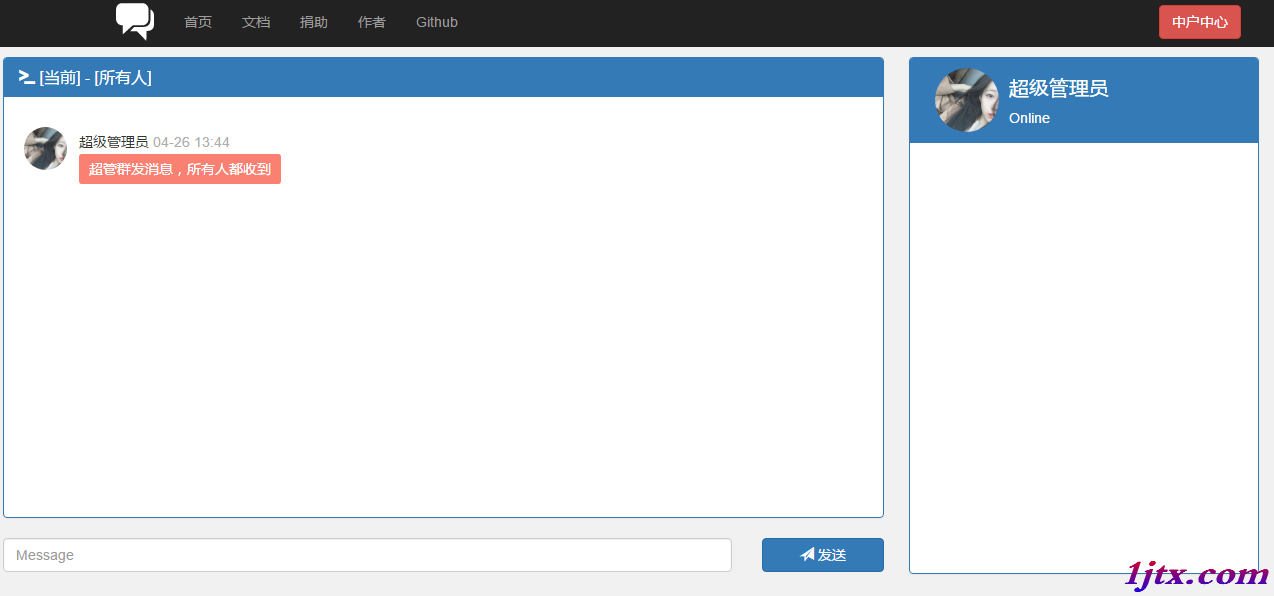
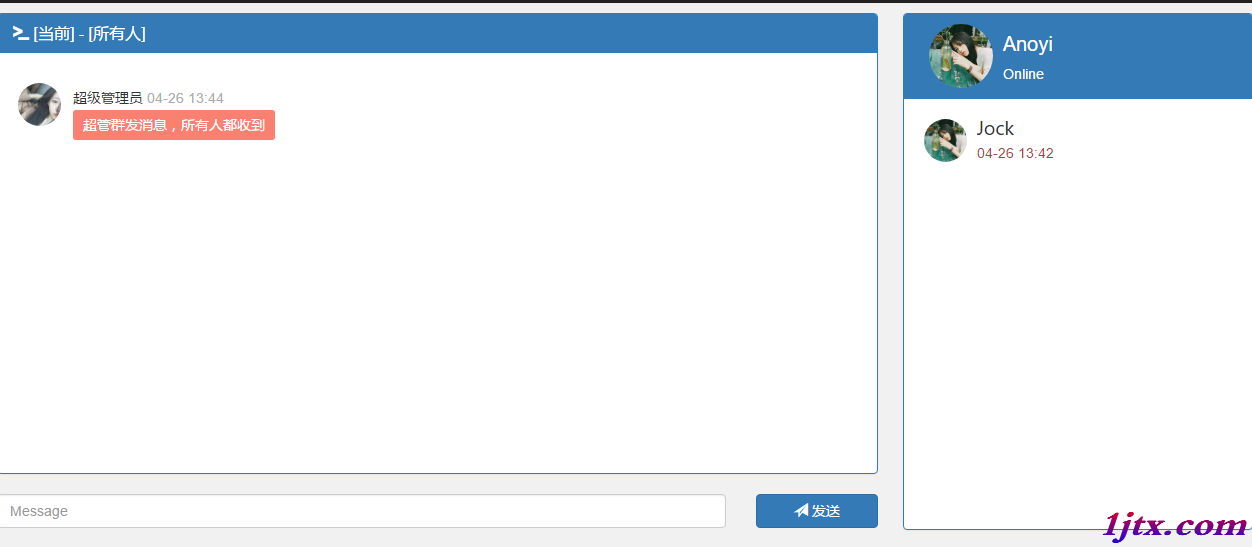
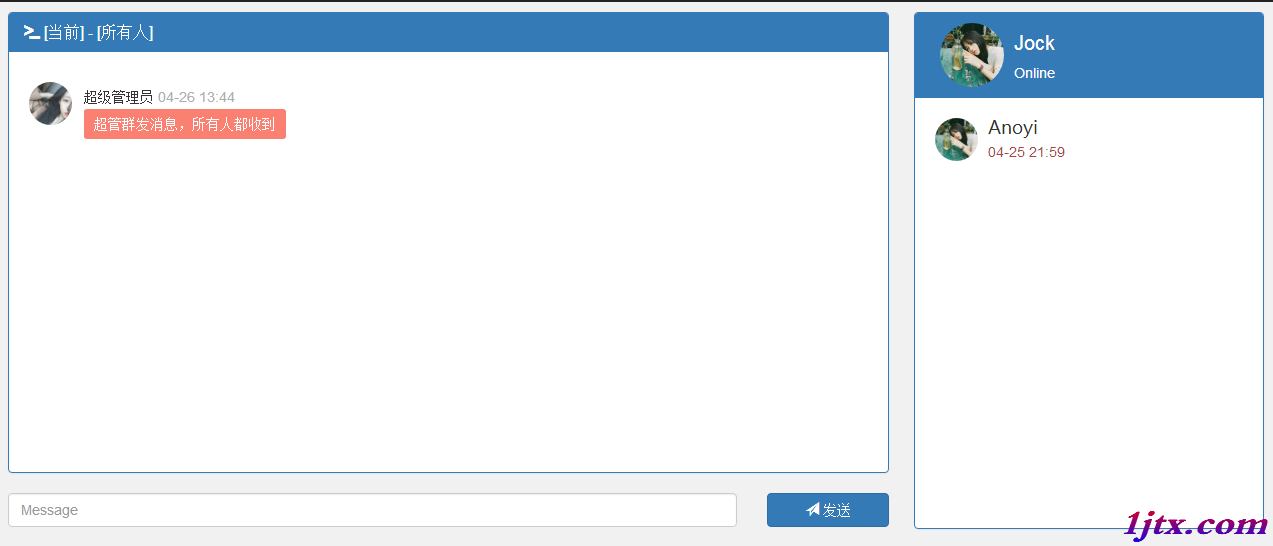
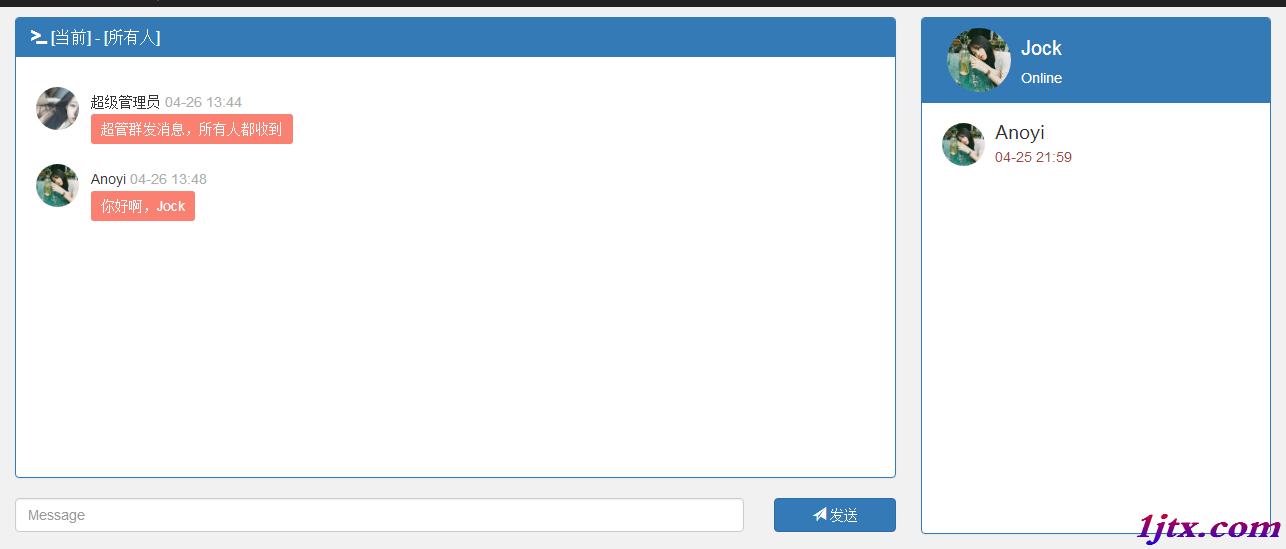
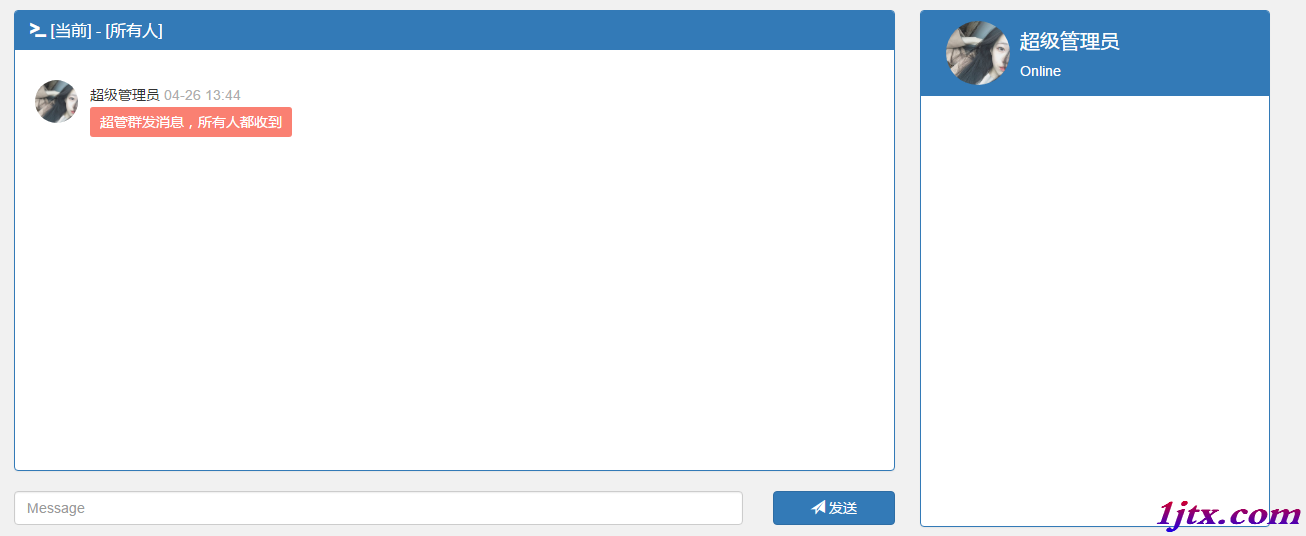
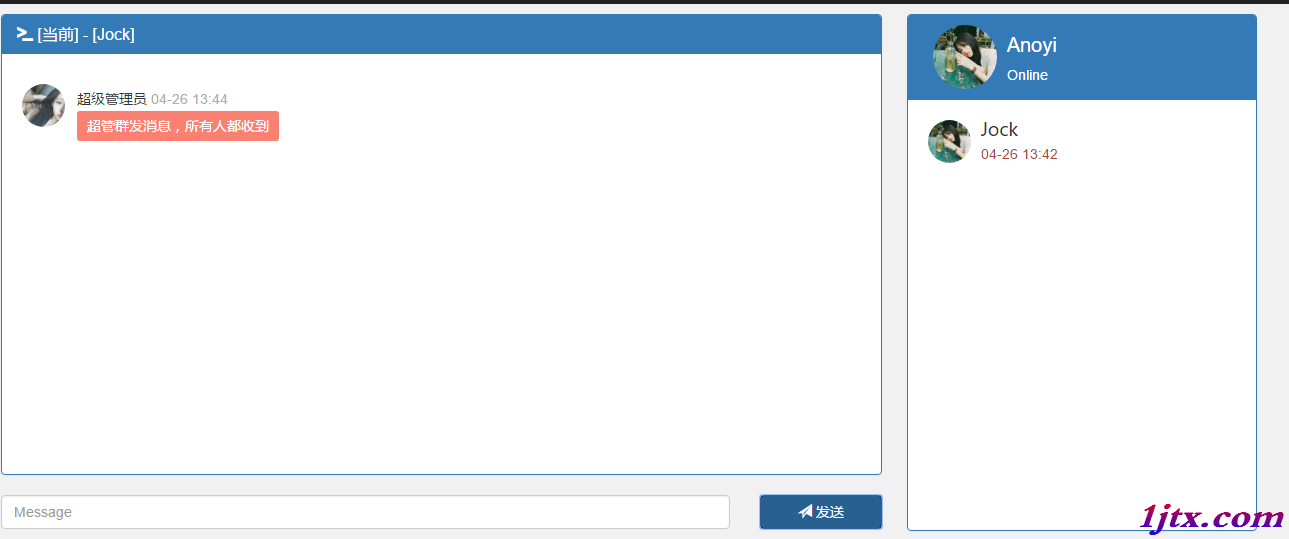
啟動三個瀏覽器窗口以不同用戶登錄:
Spring Boot + WebSocket + STOMP 構建即時通訊系統核心要點:
/ws-chat + SockJS 降級/app(入站)、/topic(廣播)、/user(點對點)convertAndSend(廣播)、convertAndSendToUser(私聊)Principal 自動注入/topic/public、/user/queue/private由內存 SimpleBroker 起步,平滑遷移至 RabbitMQ/ActiveMQ 實現生產級擴展。