Servlet 可透過設定回應標頭 Content-Disposition: attachment,讓瀏覽器彈出「另存新檔」對話框,實現二進位檔案下載。本文示範建立 ExcelFileServlet,依 URL 參數(年/月)下載對應的系統日誌 Excel 檔。
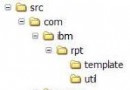
File → New → Web → Standard ServletExcelFileServlet,Package: bookstore.servletdoGet(),Content type 留空(手動設定)year、month(型別 String)/excelfileservlet,Finishpublic void doGet(HttpServletRequest req, HttpServletResponse resp)
throws ServletException, IOException {
// 1. 解析參數(含錯誤處理)
int year = parseInt(req.getParameter("year"), 2005);
int month = parseInt(req.getParameter("month"), 1);
// 2. 組檔名與路徑
String fileName = "log_" + year + "_" + month + ".xls";
File file = new File("D:\\serverLog\\" + fileName);
// 3. 設定下載標頭(關鍵!)
resp.setContentType("application/x-msdownload");
resp.setContentLength((int) file.length());
resp.setHeader("Content-Disposition", "attachment;filename=" + fileName);
// 4. 串流輸出
FileInputStream fis = new FileInputStream(file);
BufferedInputStream bis = new BufferedInputStream(fis);
byte[] buffer = new byte[1024];
OutputStream out = resp.getOutputStream();
int bytesRead, total = 0;
while (total < file.length() && (bytesRead = bis.read(buffer)) != -1) {
out.write(buffer, 0, bytesRead);
total += bytesRead;
}
out.flush();
// 關閉串流...
}
private int parseInt(String s, int defaultVal) {
try { return Integer.parseInt(s); }
catch (NumberFormatException e) { return defaultVal; }
}
| 標頭 | 值 | 作用 |
|---|---|---|
| Content-Type | application/x-msdownload | 宣告二進位下載類型 |
| Content-Length | 檔案大小 | 讓瀏覽器顯示進度條 |
| Content-Disposition | attachment;filename=xxx.xls | 強制彈出下載對話框,指定預設檔名 |
<a href="/WebModule/excelfileservlet?year=2005&month=1">下載系統啟動日誌</a>
實際專案中年/月可來自表單輸入或下拉選單。
welcome.jsp