將既有的 H.264 解碼庫(C/C++ 實現)移植至 OPhone 作業系統(NDK + C 環境),並編寫 Java 測試程式(OPhone SDK)驗證解碼功能。解碼器曾優化至 Nokia 6600(120MHz CPU)可流暢播放,效能有保障。
javah 生成 JNI 頭文件。Android.mk,使用 NDK 工具鏈編譯生成 libH264Decode.so。/system/lib 與 /tmp,整合測試。Java 層 H264decode 類封裝三個 native 方法:
private native static long Initialize();
private native static int DecodeOneFrame(long decodePtr, ByteBuffer in, ByteBuffer out);
private native static void Destroy(long decodePtr);
使用 long 儲存 C++ 物件指針,ByteBuffer 傳遞輸入/輸出資料。
GetObjectClass、GetMethodID 取得 ByteBuffer 的 position、remaining、array 等屬性。GetByteArrayElements 獲取直接記憶體指針,避免資料拷貝。ByteBuffer 的 position,並釋放陣列元素。// 核心解碼邏輯片段
H264Decode *pDecode = (H264Decode *)decode;
unsigned char *In = (unsigned char*)InJbyte + InPosition;
unsigned char *Out = (unsigned char*)OutJbyte;
DecodeSize = pDecode->DecodeOneFrame(In, InRemaining, Out, OutSize);
// 更新 Buffer position ...
env->ReleaseByteArrayElements(InByteArrary, InJbyte, 0);
env->ReleaseByteArrayElements(OutByteArrary, OutJbyte, 0);
在 $NDK/apps/H264Decode/Android.mk 定義模組:
APP_PROJECT_PATH := $(call my-dir)
APP_MODULES := H264Decode
在 $NDK/sources/H264Decode/Android.mk 列出所有源文件:
LOCAL_SRC_FILES := common.c cabac.c utils.c golomb.c mpegvideo.c \
                     mem.c imgconvert.c h264decode.cpp h264.c dsputil.c \
                     ophone_streaming_video_h264_H264decode.cpp
include $(BUILD_SHARED_LIBRARY)
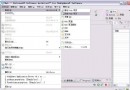
啟動 Cygwin 執行 make,出現 Install: 即編譯成功。
typedef signed char int8_t;,因 NDK 已內建。adb remount 後才能寫入 /system/lib。Eclipse 執行 OPhone 專案,載入 Demo.264 視頻流,解碼後透過自製 BMPImage 工具類將 RGB 資料轉為 BMP 顯示於 ImageView,並計算 FPS。截圖顯示解碼畫面正常輸出。
本文完整記錄了從 JNI 封裝、Native 實現、NDK 編譯到整合測試的全過程,展示了核心 C/C++ 庫移植到 Android 衍生平台(OPhone)的標準化路徑,經驗可推廣至其他類似移植任務。