手動添加 Struts JAR 包後,雙擊 struts-config.xml 報錯:
org.eclipse.ui.PartInitException: Project xxx is not configured as a MyEclipse Web-Struts Project. Therefore the MyEclipse Struts Editor may not be used with struts-config.xml. The default XML Editor has been used to open the file instead.
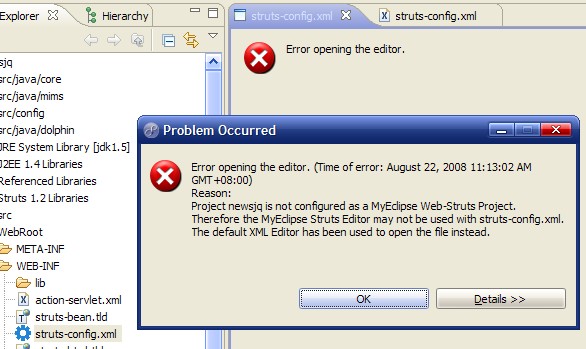
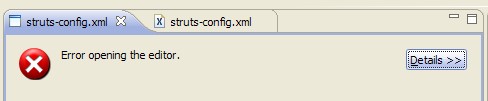
MyEclipse 通過專案 .project 文件中的 Nature (項目性質) 識別 Struts 專案,手動添加 JAR **不會自動註冊 Nature**,導致編輯器拒絕啟動。
<!-- 手動添加 JAR 的專案 .project 缺失 -->
<natures>
  <nature>org.eclipse.jdt.core.javanature</nature>
  <nature>org.eclipse.wst.common.project.facet.core.nature</nature>
</natures>

<!-- MyEclipse 自動添加 Struts 的專案 .project 包含 -->
<natures>
  <nature>org.eclipse.jdt.core.javanature</nature>
  <nature>org.eclipse.wst.common.project.facet.core.nature</nature>
  <nature>com.genuitec.eclipse.cross.easystruts.eclipse.easystrutsnature</nature>
</natures>.*).project 文件<natures> 區塊添加:<nature>com.genuitec.eclipse.cross.easystruts.eclipse.easystrutsnature</nature>struts-config.xml 正常打開 Struts 圖形化編輯器| 概念 | 說明 |
|---|---|
| Nature ID | 唯一標識字符串,如 com.genuitec.eclipse.cross.easystruts.eclipse.easystrutsnature |
| 註冊位置 | 專案 .project 文件 <natures> 節點 |
| 作用 | 觸發對應插件初始化:編輯器、驗證器、向導、構建參與者、圖標裝飾等 |
| 常見 Nature | javanature、wst.jsdt.web.nature、spring.nature、maven2Nature |