J2SE 1.4 引入 java.awt.DisplayMode 封裝螢幕尺寸、刷新率、色深。透過 GraphicsEnvironment 獲取預設 GraphicsDevice,列舉支援模式、獲取當前模式。切換模式前需檢查 isDisplayChangeSupported(),建議在 try/finally 中恢復原始模式。
GraphicsDevice gd = GraphicsEnvironment.getLocalGraphicsEnvironment().getDefaultScreenDevice();
DisplayMode original = gd.getDisplayMode();
DisplayMode[] modes = gd.getDisplayModes();
try {
  if (gd.isDisplayChangeSupported()) gd.setDisplayMode(modes[0]);
} finally {
  gd.setDisplayMode(original);
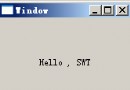
}gd.setFullScreenWindow(window) 進入全屏,傳 null 退出。先檢查 isFullScreenSupported()。範例:隨機選擇顯示模式,展示全屏視窗繪製「Hello, World!」。
JWindow w = new JWindow() { public void paint(Graphics g) { g.setColor(Color.blue); g.drawString("Hello, World!", 50, 50); } };
try {
  if (gd.isFullScreenSupported()) gd.setFullScreenWindow(w);
  gd.setDisplayMode(modes[new Random().nextInt(modes.length)]);
  Thread.sleep(1000);
} finally {
  gd.setDisplayMode(original);
  gd.setFullScreenWindow(null);
}
全屏下標準被動渲染 (paint) 開銷大。主動渲染採用緊湊循環直接繪製顯存。BufferStrategy 封裝雙緩衝/頁面翻轉,createBufferStrategy(2) 創建雙緩衝,getDrawGraphics() 獲取下一幀繪圖上下文,show() 翻轉顯示。必須處理 contentsLost() 重繪。
frame.createBufferStrategy(2);
BufferStrategy bs = frame.getBufferStrategy();
while (!done) {
  Graphics g = null;
  try {
    g = bs.getDrawGraphics();
    drawNextScene(g);
  } finally { if (g != null) g.dispose(); }
  bs.show();
}
BufferCapabilities 可查詢策略支援能力(如全屏、頁面翻轉)。
隨機顯示模式、全屏、雙緩衝,每 0.1 秒繪製隨機矩形 100 次。故意不同步緩衝以展示多緩衝並行。
public class MultipleBuffers {
  public static void main(String[] args) {
    GraphicsDevice gd = GraphicsEnvironment.getLocalGraphicsEnvironment().getDefaultScreenDevice();
    DisplayMode original = gd.getDisplayMode();
    JFrame frame = new JFrame();
    frame.setUndecorated(true); frame.setIgnoreRepaint(true);
    try {
      if (gd.isFullScreenSupported()) gd.setFullScreenWindow(frame);
      gd.setDisplayMode(gd.getDisplayModes()[new Random().nextInt(gd.getDisplayModes().length)]);
      frame.createBufferStrategy(2);
      BufferStrategy bs = frame.getBufferStrategy();
      int w = frame.getWidth(), h = frame.getHeight();
      for (int i=0; i<100; i++) {
        Graphics g = bs.getDrawGraphics();
        g.setColor(new Color(new Random().nextInt()));
        g.fillRect(new Random().nextInt(w), new Random().nextInt(h), 100, 100);
        bs.show(); g.dispose(); Thread.sleep(100);
      }
    } finally {
      gd.setDisplayMode(original); gd.setFullScreenWindow(null);
    }
  }
}
可增強:緩衝同步、內容丟失重繪。FEM API 讓 Java 遊戲開發無需 DirectX/OpenGL 平台專用 API,跨平台標準 API 即可實現高性能圖形控制。