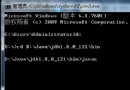
Java 「一次編寫,到處執行」的跨平台特性,要求程式在運行時能動態感知作業系統、JDK 版本、用戶目錄等環境差異。java.util.Properties 類作為系統屬性的核心載體,提供了統一的訪問介面。本文系統梳理系統屬性的獲取、自定義屬性文件操作及安全策略配置。
| 方法 | 說明 |
|---|---|
getProperty(String key) | 獲取指定鍵的值,不存在返回 null |
getProperty(String key, String default) | 指定預設值,避免空指針 |
setProperty(String key, String value) | 設定屬性(內部調用 put) |
load(InputStream) / load(Reader) | 從流載入屬性文件(支援 ISO-8859-1 / UTF-8) |
store(OutputStream, String) / store(Writer, String) | 輸出屬性文件,String 為註釋 |
list(PrintStream/PrintWriter) | 調試用,格式化輸出所有鍵值對 |
stringPropertyNames() | 返回鍵值皆為 String 的鍵集合(JDK 1.6+) |
| 鍵 | 含義 | 典型值示例 |
|---|---|---|
os.name | 作業系統名稱 | Windows 11, Linux, Mac OS X |
os.version | OS 版本 | 10.0, 5.15.0-91-generic |
os.arch | CPU 架構 | amd64, aarch64 |
file.separator | 檔案分隔符 | \ (Win), / (Unix) |
path.separator | 路徑分隔符 | ; (Win), : (Unix) |
line.separator | 換行符 | \r\n (Win), \n (Unix) |
user.home | 用戶主目錄 | C:\Users\Admin, /home/user |
user.dir | 當前工作目錄 | 專案根目錄 |
java.home | JRE 安裝目錄 | C:\Program Files\Java\jre1.8.0_361 |
java.version | JDK 版本 | 1.8.0_361, 17.0.5 |
java.class.path | 類路徑 | .:lib/*:bin |
user.name | 登錄用戶名 | admin, zhangsan |
public class PathResolver {
    private static final String SEP = System.getProperty("file.separator");

    public static String buildPath(String... parts) {
        return String.join(SEP, parts);
    }

    public static void main(String[] args) {
        // Windows: config\app.properties
        // Linux:   config/app.properties
        String path = buildPath("config", "app.properties");
        System.out.println("Resolved path: " + path);
    }
}將易變配置(資料庫連線、功能開關、閾值參數)剝離出代碼,放入 .properties 文件:
# app-config.properties
# 資料庫配置
db.url=jdbc:mysql://localhost:3306/mydb?useSSL=false
db.username=app_user
db.password=encrypted_pwd

# 功能開關
feature.newDashboard.enabled=true
feature.legacyReport.enabled=false

# 業務閾值
batch.maxRecords=5000
cache.ttlSeconds=3600public final class ConfigLoader {
private static final Logger log = LoggerFactory.getLogger(ConfigLoader.class);
private static final String CONFIG_FILE = "app-config.properties";
private static volatile Properties props = new Properties();
private static long lastModified = 0;
private static final Object lock = new Object();
public static String get(String key) {
return get(key, null);
}
public static String get(String key, String defaultValue) {
maybeReload();
return props.getProperty(key, defaultValue);
}
public static int getInt(String key, int defaultValue) {
String val = get(key);
try { return val != null ? Integer.parseInt(val) : defaultValue; }
catch (NumberFormatException e) { return defaultValue; }
}
private static void maybeReload() {
File file = new File(CONFIG_FILE);
if (file.exists() && file.lastModified() > lastModified) {
synchronized (lock) {
if (file.lastModified() > lastModified) {
try (InputStream in = new FileInputStream(file)) {
Properties newProps = new Properties();
newProps.load(in);
props = newProps;
lastModified = file.lastModified();
log.info("配置已熱重載: {}", CONFIG_FILE);
} catch (IOException e) {
log.error("配置重載失敗", e);
}
}
}
}
}
}Java 安全管理器依賴 policy 文件授予代碼權限。三級策略加載順序:
${java.home}/conf/security/java.policy (JDK 9+) 或 lib/security/java.policy${user.home}/.java.policy-Djava.security.policy=app.policy// app.policy
grant codeBase "file:/opt/myapp/-" {
// 僅允許讀取特定系統屬性
permission java.util.PropertyPermission "user.dir", "read";
permission java.util.PropertyPermission "app.config.*", "read,write";
// 資料庫連線權限
permission java.net.SocketPermission "db-server:3306", "connect,resolve";
// 檔案讀寫權限(限定目錄)
permission java.io.FilePermission "/var/data/myapp/-", "read,write,delete";
// 禁止危險操作
// permission java.lang.RuntimePermission "createClassLoader"; // 不授予
};java -Djava.security.manager \
-Djava.security.policy==app.policy \
-jar myapp.jar注意 == 表示僅使用指定策略,忽略系統/用戶策略;單 = 表示追加。
Spring Boot / MicroProfile Config 提供了更強大的配置管理:
@ConfigurationProperties 映射到 POJO@RefreshScope / ConfigSource 變更事件新專案建議直接採用框架級配置體系,僅在獨立 Java 應用或舊系統維護中使用原生 Properties。
System.getProperties() 提供唯讀系統環境視圖,跨平台開發必備。.properties 實現配置外部化,結合熱重載提升運維效率。