本篇詳細記錄在 Eclipse 中建立標準 Dynamic Web Project 的完整步驟,配置 Tomcat 6.0、輸出目錄、UTF-8 編碼,為後續計數器各版本開發奠定環境基礎。
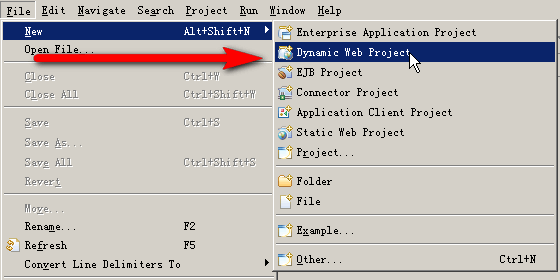
counter,Target Runtime 選 Apache Tomcat v6.0,Configuration 使用預設,點 Next。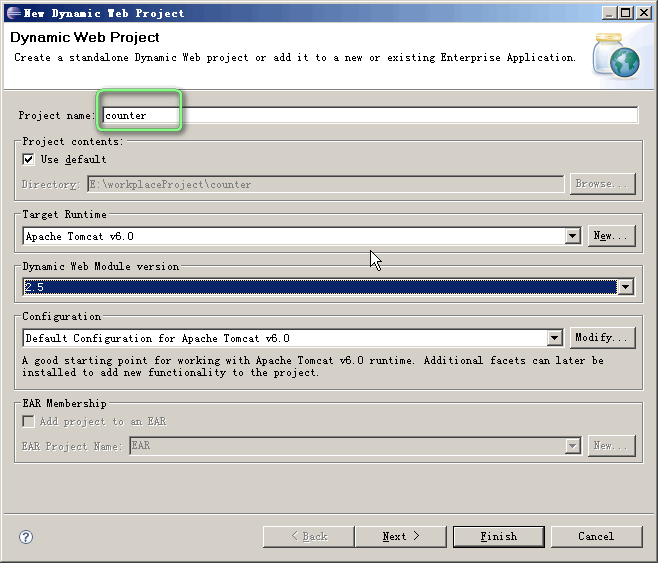
counter、Content directory WebContent、Generate web.xml deployment descriptor 勾選,Finish。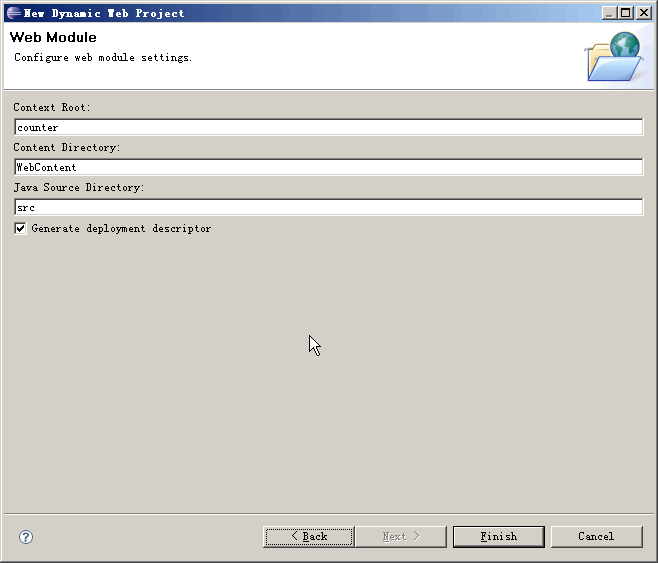
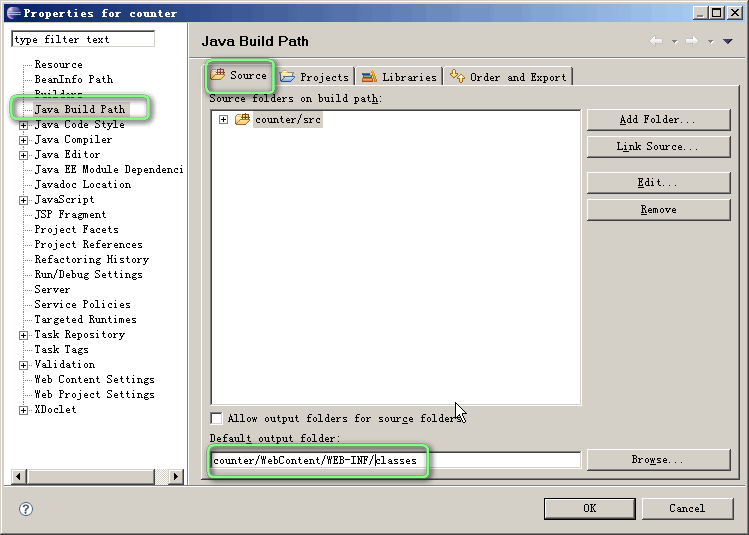
counter/WebContent/WEB-INF/classes,確保編譯類別直接輸出到 Web 應用類路徑。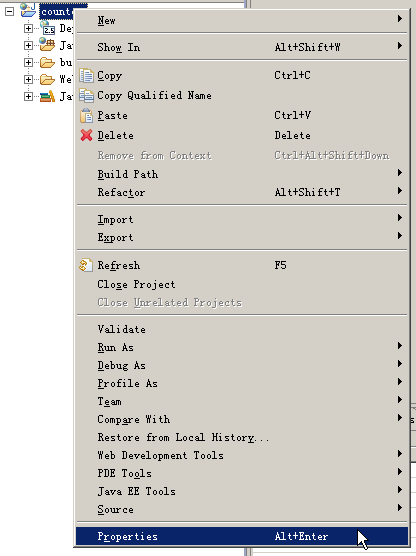
| 配置項 | 設定值 | 作用 |
|---|---|---|
| Target Runtime | Apache Tomcat v6.0 | 提供 Servlet/JSP API、啟動伺服器 |
| Default output folder | WebContent/WEB-INF/classes | 類別編譯後直接可被 Web 應用載入 |
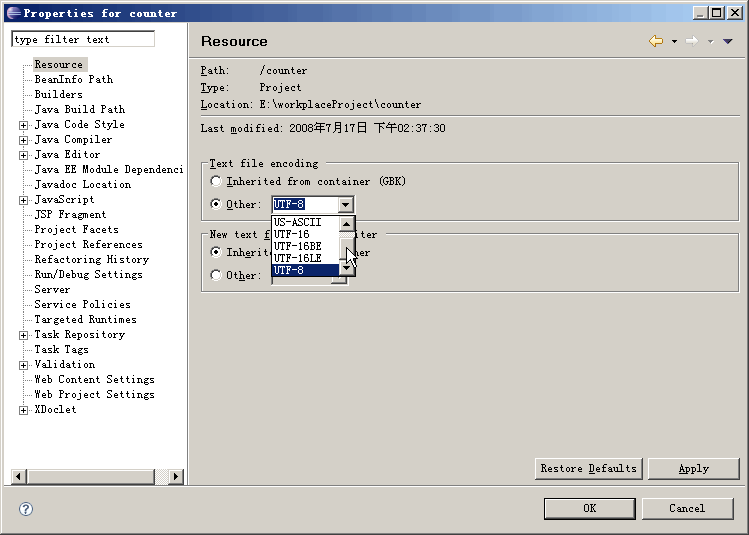
| Text file encoding | UTF-8 | 統一專案編碼,防止 JSP/JS/Properties 亂碼 |
| web.xml | 自動生成 | Servlet 2.5 規範部署描述符 |