Eclipse 長期以 Java 著稱,但通過 Emonic 插件與 NAnt 構建工具,亦可構建完整的 C#/.NET 開發體驗。本文面向熟悉 .NET 與 Eclipse 的開發者,詳述安裝配置、現有專案遷移、構建運行調試全流程,並以 .NET SDK 範例 WebClientSample 實戰演示。
Help → Software Updates → Find and Install → New Remote Site → https://emonic.sourceforge.net/updatesite/internap/site.xmlTechnologies\Networking\WebClientSample\CS。WebClientSample,目標框架選 Microsoft-2.0。Import → File System 導入源碼目錄。build.xml(NAnt 腳本),指定輸出 exe、源碼目錄、資源文件、引用組件(System.dll 等)。<?xml version='1.0'?>
<project basedir='.' default='all' name='WebClientSample'>
<property name='nant.settings.currentframework' value='net-2.0'/>
<property name='build' value='bin'/>
<property name='src' value='src'/>
<target depends='WebClientSample' name='all'/>
<target name='WebClientSample'>
<csc debug='true' optimize='true' output='${build}/WebClientSample.exe' target='exe' warninglevel='4'>
<sources><include name='**/*.cs'/></sources>
<resources dynamicprefix="true">
<include name='**/*.resx'/>
<include name='${src}/Resources/*.bmp'/>
</resources>
<references>
<include name='System.dll'/>
<include name='System.Data.dll'/>
<include name='System.XML.dll'/>
</references>
</csc>
</target>
</project>
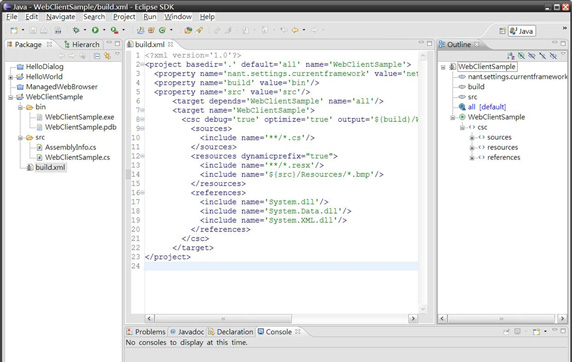
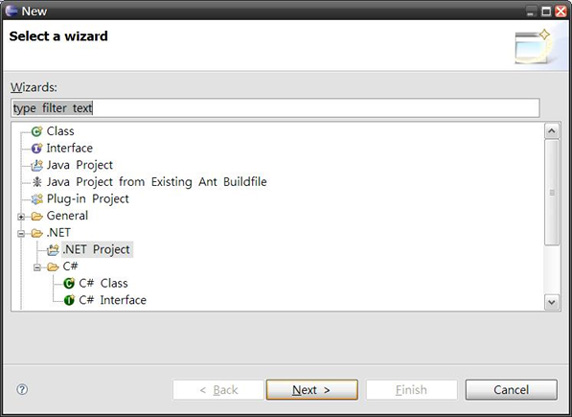
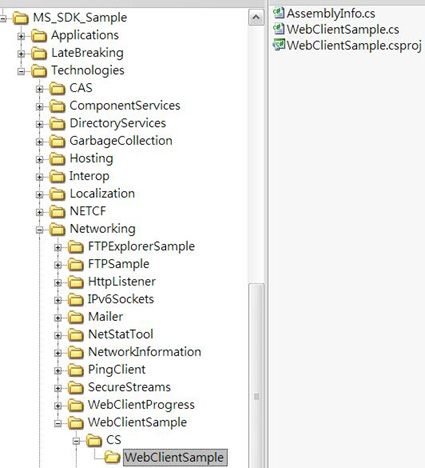
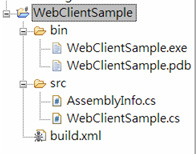
在 Eclipse External Tools** 配置兩個外部程序:
NAnt.exe,Working Directory 為專案根目錄,Arguments 留空(默認執行 build.xml 的 all 目標)。NAnt.exe,Arguments 傳入運行參數(如 www.google.com)。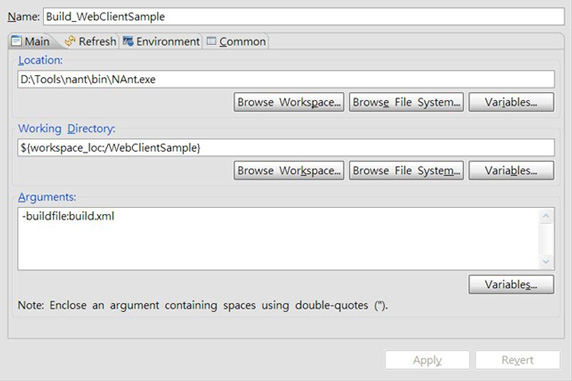
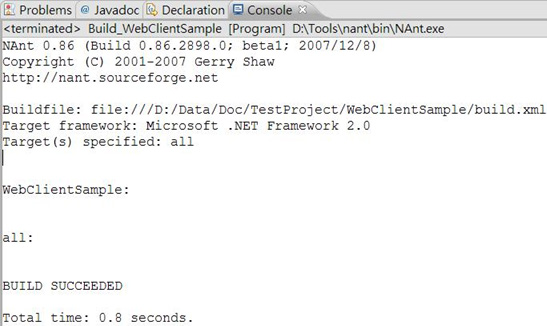
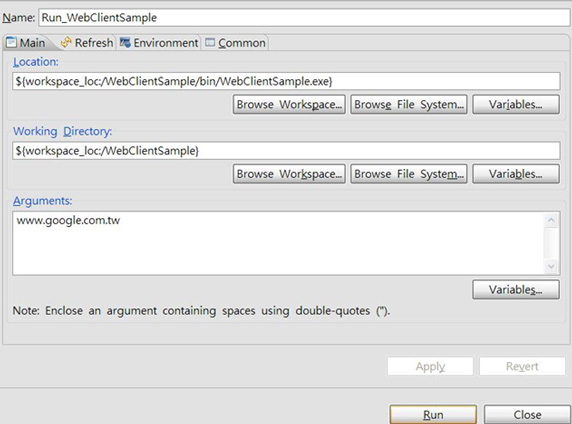

Emonic 提供 IDE 集成體驗,NAnt 處理工業級構建與運行。兩者結合,讓 .NET 開發者在 Eclipse 中獲得「專案導航、語法高亮、一鍵構建、參數化運行」的完整閉環,平滑遷移既有 Visual Studio 專案。