MyResources)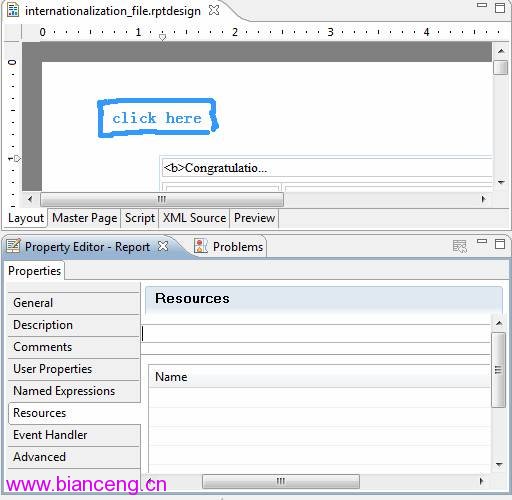
MyResources_zh.properties, MyResources_en_US.properties (符合 Java I18N Locale 格式)web.xml 定義 BIRT_RESOURCE_PATH 參數指向的目錄下<context-param>
<param-name>BIRT_RESOURCE_PATH</param-name>
<param-value>/WEB-INF/birt/resources</param-value>
</context-param>resource["name"] (對應 properties 檔的 name=...)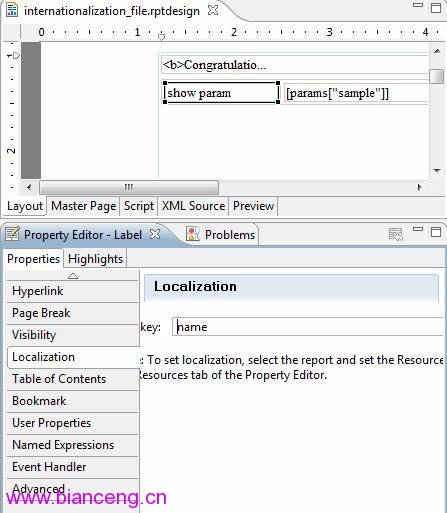
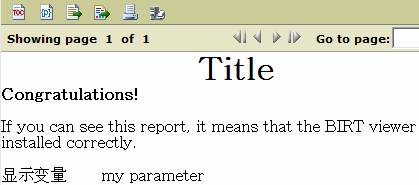
__locale=en_US → 顯示英文__locale=zh → 顯示中文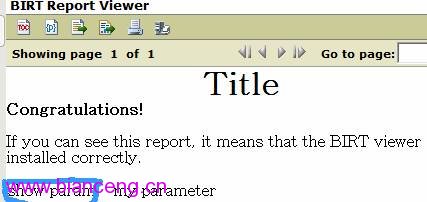
Console 國際化檔內建於 viewservlets.jar!/Messages.properties,直接在 JAR 內新增語系檔 無效,且難以維護。
// BirtResources.getMessage()
ViewerResourceHandle handle = getResourceHandle();
return handle.getMessage(key);

// ViewerResourceHandle extends ResourceHandle
// ResourceHandle 建構子:
String bundleName = this.getClass().getName(); // 以類名為基底
bundleName = bundleName.substring(0, lastDot) + "." + BUNDLE_NAME; // "Messages"
resources = UResourceBundle.getBundleInstance(bundleName, locale, classLoader);
資源檔由 classLoader 載入,固定在 JAR 內類路徑下。
ReportEngineService.createGetParameterDefinitionTask() 注入 locale:task.setLocale(ParameterAccessor.getLocale(request));ResourceHandle 建構子,從 BIRT_RESOURCE_PATH 讀取外部檔案:public ResourceHandle(ULocale locale) {
if (locale == null) locale = ULocale.getDefault();
String birtResourceFolder = ParameterAccessor.processRealPath(context,
context.getInitParameter("BIRT_RESOURCE_PATH"), null, false);
String bundleName = birtResourceFolder + "/" + BUNDLE_NAME + "_" + locale.getLanguage() + "_" + locale.getCountry();
try (Reader reader = new FileReader(bundleName)) {
resources = new PropertyResourceBundle(reader);
} catch (IOException e) { e.printStackTrace(); }
}如此即可將 Console 國際化檔與報表資源檔統一放在 BIRT_RESOURCE_PATH 目錄下,脫離 JAR 管理。
| 現象 | 原因 | 解決 |
|---|---|---|
| Viewer 顯示紅叉圖片 | viewer.properties 的 base_url 設定錯誤 | 設定正確的代理/公開 URL |
| 調整 Log 等級 | 需在 web.xml 設定 | 加入 BIRT_VIEWER_LOG_LEVEL context-param (ALL~OFF) |
| View Example 拋異常 | 缺少 commons-logging.jar | 放入 WEB-INF/lib/ |
Resources 屬性 + BIRT_RESOURCE_PATH 即可ResourceHandle 並注入 locale 才能外部化birt-custom.jar,避免升級覆蓋