本教學示範如何在 NetBeans 6.0 環境下,結合 JAX-WS 2.1 從 WSDL 起手建立 SOAP Web Service,並部署至 Tomcat 測試。後續文章將探討 SOAP 訊息攔截與預處理。
先定義服務契約(WSDL 與 XSD),再產生伺服器端骨架程式碼,最後填入商業邏輯。範例服務提供單一操作 getCalculateValues,輸入兩數,回傳總和。
<?xml version="1.0" encoding="UTF-8" standalone="yes"?>
<definitions xmlns:ns1="soapwebservices.jdevelop.eu"
             xmlns:xsd="https://www.w3.org/2001/XMLSchema"
             xmlns:soap="https://schemas.xmlsoap.org/wsdl/soap/"
             xmlns="https://schemas.xmlsoap.org/wsdl/"
             xmlns:ns="https://schemas.xmlsoap.org/soap/encoding/"
             name="SOAPWebServices"
             targetNamespace="soapwebservices.jdevelop.eu">
  <types>
    <xsd:schema>
      <xsd:import namespace="soapwebservices.jdevelop.eu" schemaLocation="webservices.xsd"/>
    </xsd:schema>
  </types>
  <message name="calculateValues">
    <part name="calculateValues" element="ns1:calculateValues"/>
  </message>
  <message name="calculateValuesResponse">
    <part name="calculateValuesResponse" element="ns1:calculateValuesResponse"/>
  </message>
  <portType name="SOAPWebServices">
    <operation name="getCalculateValues">
      <input message="ns1:calculateValues"/>
      <output message="ns1:calculateValuesResponse"/>
    </operation>
  </portType>
  <binding name="SOAPWebServicesPortBinding" type="ns1:SOAPWebServices">
    <soap:binding style="document" transport="https://schemas.xmlsoap.org/soap/http"/>
    <operation name="getCalculateValues">
      <soap:operation soapAction="urn:https://blog.jdevelop.eu/services/getCalculateValues"/>
      <input><soap:body use="literal"/></input>
      <output><soap:body use="literal"/></output>
    </operation>
  </binding>
  <service name="SOAPService">
    <port name="WebServices" binding="ns1:SOAPWebServicesPortBinding">
      <soap:address location="https://blog.jdevelop.eu:80/services"/>
    </port>
  </service>
</definitions><?xml version="1.0" encoding="UTF-8" standalone="yes"?>
<xs:schema xmlns:ns1="https://blog.jdevelop.eu/soapwebservices.xsd"
xmlns:tns="soapwebservices.jdevelop.eu"
xmlns:xs="https://www.w3.org/2001/XMLSchema"
targetNamespace="soapwebservices.jdevelop.eu"
version="1.0">
<xs:element name="calculateValues">
<xs:complexType>
<xs:sequence>
<xs:element name="value1" type="xs:decimal"/>
<xs:element name="value2" type="xs:decimal"/>
</xs:sequence>
</xs:complexType>
</xs:element>
<xs:element name="calculateValuesResponse">
<xs:complexType>
<xs:sequence>
<xs:element name="result" type="xs:decimal"/>
<xs:element name="errormessage" type="xs:string" minOccurs="0"/>
</xs:sequence>
</xs:complexType>
</xs:element>
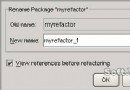
</xs:schema>SOAPWebServices,取消 Context Path。Tools → Plugins → Available Plugins 搜尋並安裝。File → New File → Web Services → Web Service from WSDL,服務名 ServiceImpl,套件 eu.jdevelop.soapwebservices.service,選取 webservices.wsdl。sun-jaxws.xml 與 web.xml,將 URL Pattern 改為 /soapwebservices。<jsp:forward page="soapwebservices"/> 導向服務頁。https://localhost:8084 驗證 WSDL 可存取。採用 Wrapper → Logic 雙層設計,利於單元測試與擴充:
@WebService(serviceName = "SOAPService", portName = "WebServices",
            endpointInterface = "eu.jdevelop.soapwebservices.SOAPWebServices",
            targetNamespace = "soapwebservices.jdevelop.eu",
            wsdlLocation = "WEB-INF/wsdl/ServiceImpl/webservices.wsdl")
public class ServiceImpl implements SOAPWebServices {
    public CalculateValuesResponse getCalculateValues(CalculateValues params) {
        try {
            CalculateValuesWrapper wrapper = new CalculateValuesWrapper();
            return wrapper.getResult(params);
        } catch (Exception x) {
            throw new IllegalStateException(x);
        }
    }
}public interface ILogic<T, V> { T doAction(V var) throws Exception; }
public class CalculateValuesLogic implements ILogic<CalculateValuesResponse, CalculateValues> {
public CalculateValuesResponse doAction(CalculateValues var) throws Exception {
CalculateValuesResponse resp = new CalculateValuesResponse();
try {
BigDecimal v1 = var.getValue1();
BigDecimal v2 = var.getValue2();
double sum = v1.doubleValue() + v2.doubleValue();
resp.setResult(BigDecimal.valueOf(sum));
} catch (Exception x) {
resp.setResult(BigDecimal.valueOf(0.0));
resp.setErrormessage("An error has occurred!");
}
return resp;
}
}public interface IWrapper<T, V> { T getResult(V var) throws Exception; }
public class CalculateValuesWrapper implements IWrapper<CalculateValuesResponse, CalculateValues> {
public CalculateValuesResponse getResult(CalculateValues var) throws Exception {
return new CalculateValuesLogic().doAction(var);
}
}SOAPWebServices-soapui-project.xml。若遇 LinkageError: JAXB 2.0 API is being loaded from the bootstrap classloader... needs 2.1 API,表示 JDK 6 內建 JAXB 2.0 與 NetBeans 附帶的 JAX-WS 2.1 衝突。
解法:將 $NETBEANS_HOME/java1/modules/ext/jaxws21/api/ 下所有 JAR 複製至 $TOMCAT_INSTALL_DIR/endorsed/(若無目錄請自建),重啟 Tomcat 即可。
本教學完整展示 Contract-First 開發 SOAP Web Service 流程:WSDL/XSD 設計 → NetBeans 產生骨架 → URL Pattern 調整 → 分層邏輯實作 → SOAPUI 測試 → 版本衝突排除。掌握此流程可快速建立符合標準的企業級 Web Service。