早期 Java 對資料庫支援較弱,現已成熟。本文以 Microsoft Access 為例,示範 Applet 如何透過 JDBC-ODBC Bridge 開啟、查詢、關閉資料庫連線。
TextArea theVisits = new TextArea(6, 80);   // 顯示查詢結果
TextField theStatus = new TextField("", 80); // 狀態列
Connection theConnection;
Statement theStatement;
ResultSet theResult;
ResultSetMetaData theMetaData;
String theDataSource = "jdbc:odbc:MyAccess"; // ODBC 資料源名稱
String theUser = "", thePassword = "";init()public void init() {
add(theVisits); add(theStatus);
theVisits.setEditable(false); theStatus.setEditable(false);
openConnection();
execSqlCommand("select * from MyTable");
closeConnection();
}openConnection()public void openConnection() {
try {
Class.forName("sun.jdbc.odbc.JdbcOdbcDriver"); // 載入驅動
theConnection = DriverManager.getConnection(theDataSource, theUser, thePassword);
theStatus.setText("Status:OK");
} catch (Exception e) { handleException(e); }
}JDBC URL 格式: jdbc:odbc:資料源名稱。ODBC 不需主機/連接埠,資料源須在控制台預先建立。
execSQLCommand()public void execSQLCommand(String command) {
try {
theStatement = theConnection.createStatement();
theResult = theStatement.executeQuery(command);
theMetaData = theResult.getMetaData();
int columnCount = theMetaData.getColumnCount();
theVisits.setText("");
while (theResult.next()) {
for (int i = 1; i <= columnCount; i++) {
String val = theResult.getString(i);
theVisits.append((val == null ? "" : val) + ";");
}
theVisits.append("\n");
}
} catch (Exception e) { handleException(e); }
}流程:createStatement() → executeQuery() → getMetaData() → 逐列逐欄讀取 → 顯示。
public void closeConnection() {
    try { theConnection.close(); } catch (Exception e) { handleException(e); }
}
public void handleException(Exception e) {
    theStatus.setText("Error:" + e.getMessage());
    e.printStackTrace();
    if (e instanceof SQLException) {
        while ((e = ((SQLException)e).getNextException()) != null) System.out.println(e);
    }
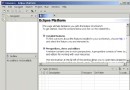
}MyAccess安全性提醒: Applet 存取本地資料庫需簽署憑證或調整安全性政策,否則會被沙箱阻擋。