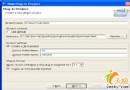
以 Position 與 User 多對多關聯(中間表 test_user_position)為例,示範在 POJO 加入 XDoclet 標籤,經 MyEclipse 執行 XDoclet 自動產生 .hbm.xml。
/** @hibernate.class table="test_position" */
public class Position {
    private int id;
    private String name;
    private Set users = new TreeSet<>();

    /** @hibernate.id generator-class="identity" type="int" */
    public int getId() { return id; }
    public void setId(int id) { this.id = id; }

    /** @hibernate.property length="25" */
    public String getName() { return name; }
    public void setName(String name) { this.name = name; }

    /** @hibernate.set inverse="true" lazy="true" table="test_user_position"
     *  @hibernate.collection-key column="position_id"
     *  @hibernate.collection-many-to-many class="test.User" column="user_id" */
    public Set getUsers() { return users; }
    public void setUsers(Set users) { this.users = users; }
}

/** @hibernate.class table="test_user" */
public class User {
    private int id;
    private String name;
    private Set positions = new TreeSet<>();

    /** @hibernate.id generator-class="identity" type="int" */
    public int getId() { return id; }
    public void setId(int id) { this.id = id; }

    /** @hibernate.property length="25" */
    public String getName() { return name; }
    public void setName(String name) { this.name = name; }

    /** @hibernate.set table="test_user_position" lazy="true"
     *  @hibernate.collection-key column="user_id"
     *  @hibernate.collection-many-to-many class="test.Position" column="position_id" */
    public Set getPositions() { return positions; }
    public void setPositions(Set positions) { this.positions = positions; }
}
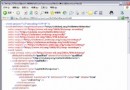
Hibernate.cfg.xml 設定 SessionFactory 與資料源。.hbm.xml。產生的 hbm 中會出現多餘的 role 與 readonly 屬性,需手動將 role 改為 name,移除 readonly 後方可正常使用。