商業智慧與報表工具(BIRT)的擴展點模型在 V2.3 版本發生重大變化。早期版本透過擴充 org.eclipse.birt.data.aggregation 點,在全域 Total 物件中新增函數,類似腳本函數擴展點。新模型雖較複雜,但能在「聚合元件」下拉選單中顯示,提供參數與運算式的精美文字框,結果可作為表格欄位綁定存取。
核心是實作 IAggregationFactory 介面的物件,需實作三項操作:
每個聚合實例需實作 IAggrFunction 介面,包含 getName、getDataType、getParameterDefn 等明確方法,以及 getNumberOfPasses()、getType() 等較隱晦方法:
getType():SUMMARY_AGGR(僅摘要列計算)或 RUNNING_AGGR(每列或表尾計算)getNumberOfPasses():基於評級的聚合(TopNpercent 等)回傳 2,其餘回傳 1實作類別必須在 newAccumulator() 回傳 Accumulator 子類別實例,負責實際計算。核心方法 onRow() 每列呼叫一次,解析參數執行計算;getValue() 取得最終或當前值。
統計欄位中所有句子的單字數,回傳整數。建議使用 Eclipse BIRT All-in-One 版本。
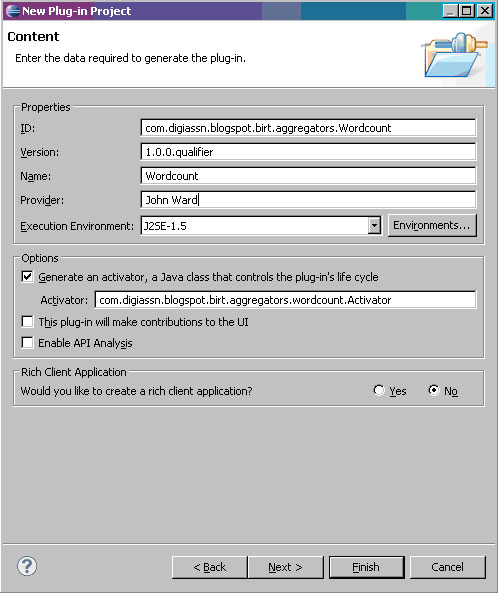
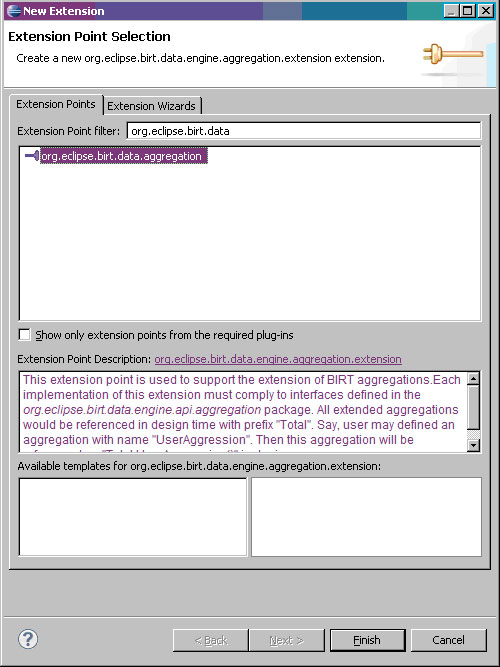
plugin.xml > Extensions 標籤 > Addorg.eclipse.birt.data,選擇聚合擴展點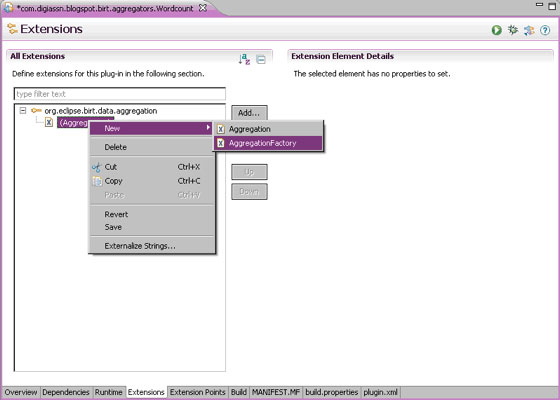
com.digiassn.blogspot.birt.aggregators.wordcount.WordCountFactory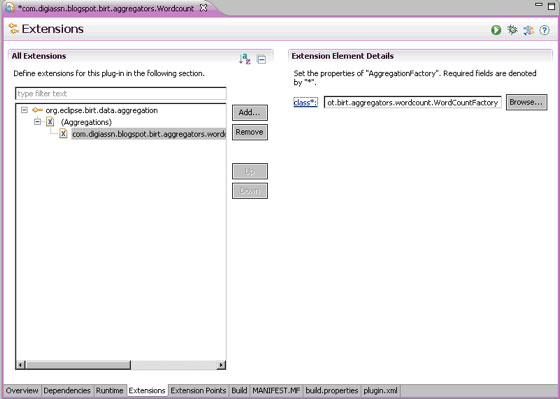
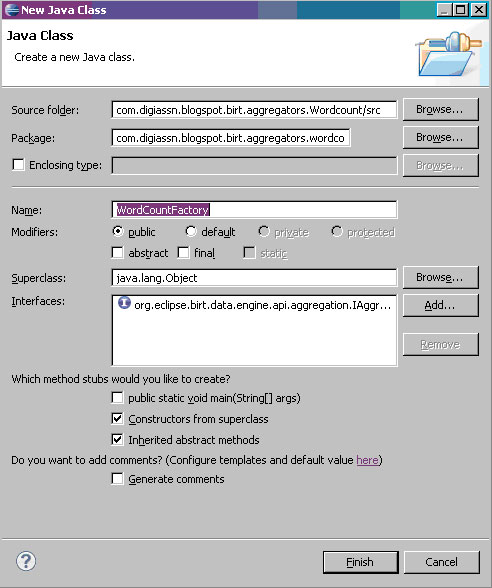
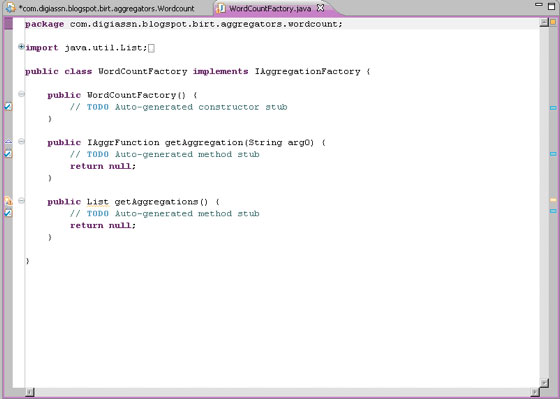
public class WordCountFactory implements IAggregationFactory {
    HashMap<String, IAggrFunction> aggregateMap;

    public WordCountFactory() {
        aggregateMap = new HashMap<String, IAggrFunction>();
        BasicWordcount wordCountAggregation = new BasicWordcount();
        aggregateMap.put(wordCountAggregation.getName(), wordCountAggregation);
    }

    public IAggrFunction getAggregation(String aggregationName) {
        return aggregateMap.get(aggregationName);
    }

    public List getAggregations() {
        return new ArrayList<IAggrFunction>(aggregateMap.values());
    }
}
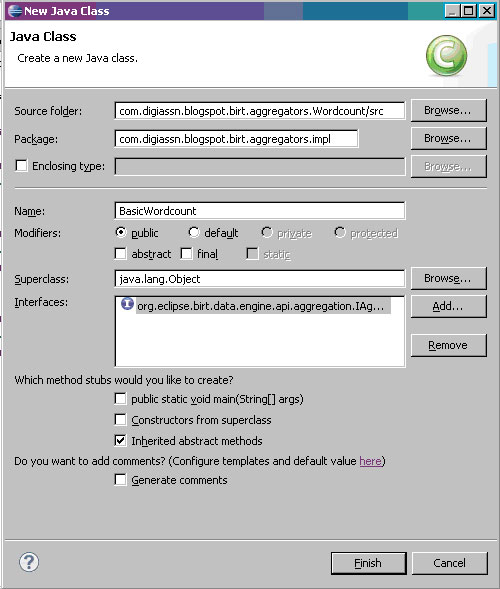
com.digiassn.blogspot.birt.aggregators.implInBasicWordCount,實作 org.eclipse.birt.data.engine.api.aggregation.IAggrFunction,勾選 "Inherited abstract methods"
public class BasicWordcount implements IAggrFunction {
    private final static String sDescription = "This aggregation will count all words in a column and return the count.";
    private final static String sName = "Word Count";
    private final static String sDisplayName = "Basic Word Count Aggregator";

    public int getDataType() { return DataType.INTEGER_TYPE; }
    public Object getDefaultValue() { return new Integer(0); }
    public String getDescription() { return sDescription; }
    public String getDisplayName() { return sDisplayName; }
    public String getName() { return sName; }
    public int getNumberOfPasses() { return 1; }

    public IParameterDefn[] getParameterDefn() {
        IParameterDefn paramDef = new IParameterDefn() {
            public boolean supportDataType(int paramType) {
                return paramType == DataType.STRING_TYPE;
            }
            public boolean isOptional() { return false; }
            public boolean isDataField() { return false; }
            public String getName() { return "StringColumn"; }
            public String getDisplayName() { return "String Column"; }
            public String getDescription() { return "A column expression that is a String"; }
        };
        return new IParameterDefn[] { paramDef };
    }

    public int getType() { return IAggrFunction.SUMMARY_AGGR; }
    public boolean isDataOrderSensitive() { return false; }

    public Accumulator newAccumulator() {
        return new Accumulator() {
            int sum;
            @Override
            public Object getValue() throws DataException { return new Integer(sum); }
            @Override
            public void onRow(Object[] incomingStrings) throws DataException {
                String localString = (String) incomingStrings[0];
                sum += localString.split(" ").length;
            }
        };
    }
}
getParameterDefn():描述聚合所需參數(本例單一字串欄位運算式)newAccumulator():建立 Accumulator 實例,onRow() 處理每列資料,getValue() 回傳結果getType():SUMMARY_AGGR 表示僅在表頭/表尾計算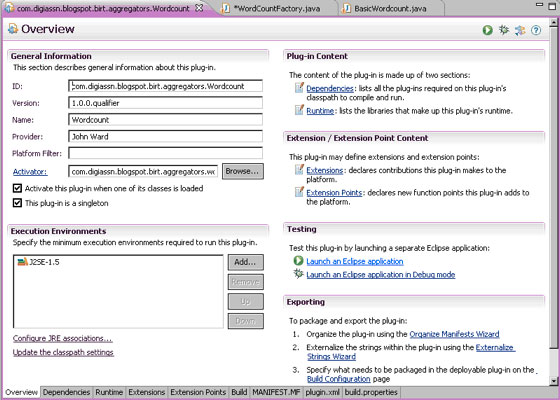
plugin.xml > Overview 標籤 > Testing 區域 > "Launch an Eclipse application"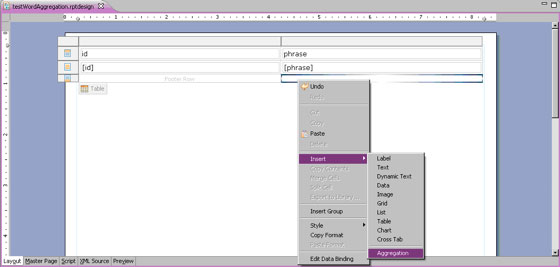 )
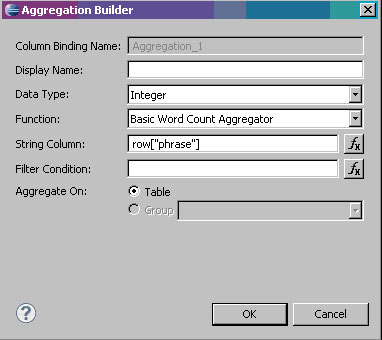 )
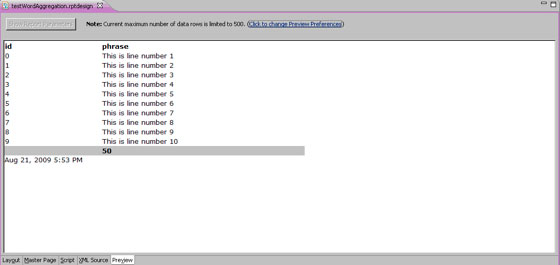 )
使用 plugin.xml 的 Export Wizard 導出外掛,複製至 BIRT 目標環境(Web 應用或設計器)的 Plugins 資料夾。否則部署報表無法執行,編輯者需移除聚合定義。
本文範例讓您掌握 BIRT 擴展點框架,可自行建構報表所需聚合,展現 BIRT 擴展開箱即用功能的能力。