說明系統往往是開發最後才考慮的項目,但對使用者而言卻是學習軟體的關鍵資源。Java 平台內建 JavaHelp 2.0 API,提供標準化、全功能、可擴展的說明系統框架,支援目錄導航、全文搜尋、上下文敏感說明、嵌入式說明、多幫助集合併等企業級功能,讓開發者能以最小成本構建專業級線上說明。
每個 JavaHelp 系統由一個 HelpSet 組成,包含三類檔案:
.hs 主控制檔、.jhm 對應檔<helpset version="2.0">
<maps>
<homeID>overview</homeID>
<mapref location="TaxCalculatorMap.jhm"/>
</maps>
<view>
<name>TOC</name> <label>目錄</label>
<type>javax.help.TOCView</type>
<data>TaxCalculatorTOC.xml</data>
<image>toc_icon</image>
</view>
<view>... IndexView ...</view>
<view>... GlossaryView ...</view>
<view>... SearchView ...</view>
<presentation default="true">
<name>Main_Window</name> <title>Tax Calculator</title>
<size width="640" height="480"/> <location x="0" y="0"/>
<image>icon</image>
<toolbar>
<helpaction>javax.help.BackAction</helpaction>
<helpaction image="addfav_icon">javax.help.FavoritesAction</helpaction>
</toolbar>
</presentation>
<impl>
<helpsetregistry helpbrokerclass="javax.help.DefaultHelpBroker"/>
<viewerregistry viewertype="text/html" viewerclass="com.sun.java.help.impl.CustomKit"/>
<viewerregistry viewertype="application/pdf" viewerclass="Your PDF Editor Kit"/>
</impl>
</helpset>
四大區塊說明:
maps:指定對應檔與首頁 IDview:定義導航視圖類型、資料來源、標籤圖示presentation:視窗尺寸、標題、工具列按鈕(支援 8 種標準動作)impl:註冊內容檢視器支援的檔案類型<map version="2.0">
<mapID target="overview" url="TaxCalculator/overview.htm"/>
<mapID target="icon" url="images/icon.gif"/>
<mapID target="glossary_icon" url="images/g.gif"/>
<mapID target="addfav_icon" url="images/addfav_icon.gif"/>
</map>
TOC(目錄):<tocitem text="Pages" image="topLevel"><tocitem text="About Page" target="about" image="secondLevel"/></tocitem>
Index(索引):<indexitem text="Color"><indexitem text="Changing Color" target="changeColor"/></indexitem>
Glossary(詞彙表):結構同 Index,提供術語定義導航。
ClassLoader loader = MyApp.class.getClassLoader();
URL url = HelpSet.findHelpSet(loader, "TaxCalculatorHelpSet");
HelpSet hs = new HelpSet(loader, url);
HelpBroker hb = hs.createHelpBroker("Main_Window");

// 方式一:按鈕直接綁定主題
hb.enableHelpOnButton(helpButton, "overview", hs);

// 方式二:動態顯示(支援上下文敏感)
ActionListener listener = new CSH.DisplayHelpFromSource(hb);
CSH.setHelpIDString(helpButton, "overview");
helpButton.addActionListener(listener);
切換方式:hb.enableHelpOnButton(btn, "id", hs, "javax.help.SecondaryWindow", "main") 或在 HTML 主題檔嵌入 <object CLASSID="java:com.sun.java.help.impl.JHSecondaryViewer">...</object>。
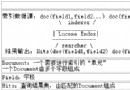
image 屬性<presentation displayviewimages="false"><toolbar> 區塊hb.setFont(new Font("SansSerif", Font.ITALIC, 10))cd src/TaxCalculator%JAVAHELP_HOME%/javahelp/bin/jhindexer TaxCalculator%JAVAHELP_HOME%/javahelp/bin/jhsearch JavaHelpSearch自訂停用詞:建立 stopWords.txt(每行一詞)與 config.txt(StopWordsFile stopWords.txt),索引時指定 jhindexer -c config.txt TaxCalculator。
JHelpContentViewer viewer = new JHelpContentViewer(hs);
JHelpTOCNavigator nav = (JHelpTOCNavigator) hs.getNavigatorView("TOC").createNavigator(viewer.getModel());
JPanel panel = new JPanel(new BorderLayout());
panel.add(nav, BorderLayout.WEST);
panel.add(viewer, BorderLayout.CENTER);
四種合併策略:SortMerge(字母排序)、UniteAppendMerge(保留階層合併同名節點再附加)、AppendMerge(直接附加)、NoMerge(不合併)。靜態合併在 .hs 加入 <subhelpset location="..."/>;動態合併用 hs.add(hs1) / hs.remove(hs1)。
實作 ViewAwareComponent 介面,透過 <object CLASSID="java:YourClass"> 在主題檔嵌入自訂元件(如播放音效的圖示按鈕)。
基於 Tomcat + JSP 的 ServerHelp 架構,提供 TOC、Index、Search 三種視圖(無次視窗、彈出視窗、輕量級元件支援)。核心元件:
ServletHelpBroker:Session 級 Bean 管理說明狀態<jh:validate>、<jh:navigators>、<jh:tocItem> 等tree.js 建立導航樹、searchList.js 搜尋結果列表部署步驟:將 jhall.jar 放入 WEB-INF/lib,複製 demo 檔案至 Web 應用目錄,設定 helpset 路徑即可。
JavaHelp 2.0 以 XML 驅動的架構將內容、導航、呈現徹底分離,支援從桌面應用到 Web 應用的完整說明系統生命週期。掌握其核心概念(HelpSet、Map、View、Presentation)與擴展點(自訂視窗、輕量級元件、伺服器端部署),即可為任何 Java 應用程式快速建置專業、可維護的線上說明系統。