net.bjzhanghao.osgi.testRequire-Bundle: org.eclipse.equinox.http.jetty,
org.eclipse.equinox.http.servlet,
org.mortbay.jetty,
org.apache.commons.logging,
javax.servlet,
org.eclipse.equinox.http.registry
專案根目錄下建立 web_files/,放入 index.html。
<?xml version="1.0" encoding="UTF-8"?>
<plugin>
    <extension point="org.eclipse.equinox.http.registry.resources">
        <resource alias="/web" base-name="/web_files"/>
    </extension>
</plugin>
若 MANIFEST.MF 報錯,在 Bundle-SymbolicName 後加 ;singleton:=true。
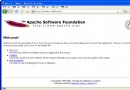
瀏覽器訪問 https://localhost/web/index.html 應顯示靜態頁面。
public class ExampleServlet extends HttpServlet {
    protected void doGet(HttpServletRequest req, HttpServletResponse resp)
            throws ServletException, IOException {
        resp.getWriter().println("Hello from OSGi Servlet!");
    }
}
<extension point="org.eclipse.equinox.http.registry.servlets">
    <servlet alias="/exampleServlet"
             class="net.bjzhanghao.osgi.example.servlet.ExampleServlet"/>
</extension>
訪問 https://localhost/exampleServlet 應看到輸出。
在 web_files/ 下建立 index.jsp。
Require-Bundle: org.eclipse.equinox.jsp.jasper,
 org.apache.jasper,
 org.eclipse.equinox.jsp.jasper.registry,
 javax.servlet.jsp,
 org.apache.commons.el,
 org.eclipse.equinox.http.helper,
 org.eclipse.osgi,
 org.eclipse.osgi.services
注意:org.eclipse.equinox.http.helper 需從 CVS (/cvsroot/eclipse/equinox-incubator) 取得,非標準發布包內含。
public class Activator implements BundleActivator {
    private ServiceTracker httpServiceTracker;
    private static final String JSP_CONTEXT = "/jsps";
    private static final String JSP_FOLDER = "/web_files";

    public void start(BundleContext context) throws Exception {
        httpServiceTracker = new HttpServiceTracker(context);
        httpServiceTracker.open();
    }

    public void stop(BundleContext context) throws Exception {
        httpServiceTracker.close(); // 原文有誤,應為 close()
    }

    private class HttpServiceTracker extends ServiceTracker {
        public HttpServiceTracker(BundleContext context) {
            super(context, HttpService.class.getName(), null);
        }

        public Object addingService(ServiceReference reference) {
            HttpService httpService = (HttpService) context.getService(reference);
            try {
                HttpContext commonContext = new BundleEntryHttpContext(context.getBundle(), JSP_FOLDER);
                httpService.registerResources(JSP_CONTEXT, "/", commonContext);

                Servlet adaptedJspServlet = new ContextPathServletAdaptor(
                    new JspServlet(context.getBundle(), JSP_FOLDER), JSP_CONTEXT);
                httpService.registerServlet(JSP_CONTEXT + "/*.jsp", adaptedJspServlet, null, commonContext);
            } catch (Exception e) {
                e.printStackTrace();
            }
            return httpService;
        }

        public void removedService(ServiceReference reference, Object service) {
            HttpService httpService = (HttpService) service;
            httpService.unregister(JSP_CONTEXT);
            httpService.unregister(JSP_CONTEXT + "/*.jsp");
            super.removedService(reference, service);
        }
    }
}
在啟動配置中額外勾選 org.eclipse.equinox.http.helper,重新 Debug。訪問 https://localhost/jsps/index.jsp 驗證 JSP 執行。
alias 與 base-name 路徑大小寫,Linux 區分大小寫。stop() 中務必呼叫 tracker.close() 而非 open()(原文筆誤)。此配置示範了 Equinox HTTP Service 的核心用法:資源映射、Servlet 註冊、JSP 引擎整合。掌握此基礎,可進一步建構模組化的 OSGi Web 應用系統。