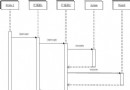
Java 進程透過 Runtime.exec 啟動 Python 解譯器執行爬蟲腳本,Python 負責網路請求與檔案存儲,Java 等待進程結束。
spider.py
# -*- coding: utf-8 -*-
import sys, os
from urllib import urlopen

class Spider:
    def __init__(self, url_file, download_dir):
        if not os.path.isfile(url_file): sys.exit("URL file not found")
        if not os.path.isdir(download_dir): sys.exit("Download dir not found")
        self.url_file = url_file
        self.download_dir = download_dir

    def download(self):
        with open(self.url_file) as f:
            for line in f:
                line = line.strip()
                if not line: continue
                fname = ''.join(c for c in line if c.isalnum()).replace('html', '') + '.html'
                self.download_one(line, os.path.join(self.download_dir, fname))

    def download_one(self, url, path):
        try:
            data = urlopen(url).read()
            with open(path, 'wb') as fp: fp.write(data)
        except Exception as e:
            print("Failed:", url, e)

if __name__ == '__main__':
    Spider(sys.argv[1], sys.argv[2]).download()
websites.txthttps://blog.csdn.net/fansy1990 https://www.baidu.com
public class PyTest {
    public static void main(String[] args) throws IOException, InterruptedException {
        String pyScript = "D:\\spider.py";
        String urlFile = "D:\\websites.txt";
        String outDir = "D:\\tmp";

        ProcessBuilder pb = new ProcessBuilder("python", pyScript, urlFile, outDir);
        pb.environment().put("PATH", "C:\\Python27;" + System.getenv("PATH")); // 確保 python 在 PATH
        Process p = pb.start();
        int exit = p.waitFor();
        System.out.println("Python exit code: " + exit);
    }
}
python.exe 在系統 PATH,或在 ProcessBuilder 明確指定完整路徑。# -*- coding: utf-8 -*-;Java 端讀取進程輸出流時需指定正確編碼。waitFor() 會阻塞主線程,長時間任務建議改用非同步讀取輸出流或設定超時(Java 8+ waitFor(timeout, unit))。exitValue() 非零即代表失敗,需讀取 getErrorStream() 獲取錯誤訊息。requests、lxml)。