承接上一篇「資料庫新增功能」,本文將示範如何更新資料庫記錄。核心概念幾乎相同,唯一關鍵差異在於 SQL 語法從 INSERT 改為 UPDATE,並需在 WHERE 條件中指定主鍵。若尚未閱讀前兩篇文章,建議先行回顧資料庫連線與 PreparedStatement 基礎操作。
同樣使用 PreparedStatement 以獲得預編譯效能與安全性優勢:
String sql = "UPDATE Names SET first_name=?, last_name=? WHERE ID=?";
PreparedStatement ps = con.prepareStatement(sql);
ps.setString(1, "New First Name");
ps.setString(2, "New Last Name");
ps.setInt(3, 1); // 主鍵 ID
ps.executeUpdate();
參數索引對應 SQL 中 ? 出現的順序(1、2、3)。
建立 UpdateServlet.java,放置於相同套件目錄。
public void doGet(HttpServletRequest req, HttpServletResponse res)
throws ServletException, IOException {
res.setContentType("text/html");
PrintWriter out = res.getWriter();
Connection con = null;
Statement stmt = null;
ResultSet rs = null;
try {
Class.forName("sun.jdbc.odbc.JdbcOdbcDriver");
con = DriverManager.getConnection("jdbc:odbc:odbc_exmp");
stmt = con.createStatement();
rs = stmt.executeQuery("SELECT * FROM Names");
out.println("First & Last Names
");
while (rs.next()) {
String id = rs.getObject(1).toString();
String first = rs.getObject(2).toString();
String last = rs.getObject(3).toString();
// 每筆記錄一個獨立表單,隱藏 ID 欄位
out.println("");
}
out.println("Back");
} catch (Exception e) {
throw new ServletException(e);
} finally {
try { if (rs != null) rs.close(); } catch (SQLException ignored) {}
try { if (stmt != null) stmt.close(); } catch (SQLException ignored) {}
try { if (con != null) con.close(); } catch (SQLException ignored) {}
}
out.close();
}public void doPost(HttpServletRequest req, HttpServletResponse res)
throws ServletException, IOException {
res.setContentType("text/html");
PrintWriter out = res.getWriter();
// 1. 取得參數
String first = req.getParameter("first").trim();
String last = req.getParameter("last").trim();
int id;
try {
id = Integer.parseInt(req.getParameter("id").trim());
} catch (NumberFormatException e) {
throw new ServletException("Invalid ID parameter", e);
}
boolean proceed = (first != null && last != null
&& first.length() > 0 && last.length() > 0);
Connection con = null;
PreparedStatement ps = null;
Statement stmt = null;
ResultSet rs = null;
try {
// 2. 連線與準備 UPDATE 語句
Class.forName("sun.jdbc.odbc.JdbcOdbcDriver");
con = DriverManager.getConnection("jdbc:odbc:odbc_exmp");
String sql = "UPDATE Names SET first_name=?, last_name=? WHERE ID=?";
ps = con.prepareStatement(sql);
stmt = con.createStatement();
// 3. 執行更新
if (proceed) {
ps.setString(1, first);
ps.setString(2, last);
ps.setInt(3, id);
ps.executeUpdate();
}
// 4. 查詢並顯示最新結果
rs = stmt.executeQuery("SELECT * FROM Names");
out.println("ID\tFirst Name\tLast Name\n");
while (rs.next()) {
out.println(rs.getObject(1) + "\t"
+ rs.getObject(2) + "\t\t"
+ rs.getObject(3));
}
out.println("");
out.println("Back");
} catch (Exception e) {
throw new ServletException(e);
} finally {
try { if (rs != null) rs.close(); } catch (SQLException ignored) {}
try { if (stmt != null) stmt.close(); } catch (SQLException ignored) {}
try { if (ps != null) ps.close(); } catch (SQLException ignored) {}
try { if (con != null) con.close(); } catch (SQLException ignored) {}
}
out.close();
}| 操作 | SQL 範例 | 參數綁定 |
|---|---|---|
| INSERT | INSERT INTO Names(first_name, last_name) VALUES (?,?) | setString(1, first); setString(2, last); |
| UPDATE | UPDATE Names SET first_name=?, last_name=? WHERE ID=? | setString(1, first); setString(2, last); setInt(3, id); |
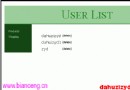
瀏覽器存取 https://localhost:8080/star/servlet/com.stardeveloper.servlets.db.UpdateServlet,畫面將列出所有記錄並提供編輯表單。提交後即時反映更新結果。
UPDATE ... WHERE 並綁定主鍵參數。doGet 讀取資料並產生多個獨立表單(各含隱藏 ID),doPost 執行更新並重新查詢顯示。下一篇將介紹資料刪除操作,完成 CRUD 完整教學系列。