WPF 採用 Web 風格的 Page & Navigation 模式,核心類別:
宿主模式:NavigationWindow (獨立視窗) 或 Frame (內嵌導航區)。
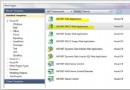
VS 專案範本無直接項目,需手動修改:
<NavigationWindow x:Class="Window1"
 xmlns="https://schemas.microsoft.com/winfx/2006/xaml/presentation"
 xmlns:x="https://schemas.microsoft.com/winfx/2006/xaml"
 Title="Window1" Height="300" Width="300"
 Source="Page1.xaml">
</NavigationWindow>
public partial class Window1 : NavigationWindow
{
public Window1() { InitializeComponent(); }
}<TextBlock>
<Hyperlink NavigateUri="Page2.xaml">Page2</Hyperlink>
</TextBlock><Hyperlink Click="Hyperlink_Click">Page2</Hyperlink>private void Hyperlink_Click(object sender, RoutedEventArgs e)
{
this.NavigationService.Navigate(new Uri("Page2.xaml", UriKind.Relative));
}NavigateUri="page.htm#anchor":捲動至指定名稱控制項Command="NavigationCommands.Refresh"Command="NavigationCommands.BrowseBack"Command="NavigationCommands.BrowseForward"適用於非預設建構子頁面、動態決定目標:
var page2 = new Page2();
page2.label1.Content = "Beijing 2008!";
this.NavigationService.Navigate(page2);// this.NavigationService.Content = page2;
this.NavigationService.Source = new Uri("Page2.xaml", UriKind.Relative);| 分類 | 成員 |
|---|---|
| 日誌操作 | AddBackEntry、RemoveBackEntry |
| 載入控制 | Navigate、Refresh、StopLoading |
| 導航切換 | GoBack、GoForward |
| 事件 | Navigating (可取消)、Navigated、NavigationFailed、LoadCompleted |
Journal 包含前進/後退兩個堆疊,記錄 JournalEntry(頁面顯示狀態資料,**非頁面物件參考**)。
預設情況:導航/後退均**重新建立 Page 實例**,再由 Journal 還原控制項狀態。
Application.Properties):var page2 = Application.Current.Properties["page2"] as Page2;
if (page2 == null)
{
page2 = new Page2();
page2.label1.Content = DateTime.Now.ToString();
Application.Current.Properties["page2"] = page2;
}
this.NavigationService.Navigate(page2);<Page KeepAlive="True" />限制: 僅對 Journal 操作 (前進/後退按鈕) 有效。Navigate() 或 Hyperlink.NavigateUri 仍會建立新實例。循環導航可能造成多實例記憶體洩漏。
類似 HTML <iframe>,可在一般 Window/Page 內嵌顯示其他 Page:
<Frame Source="Page1.xaml" />JournalOwnership="OwnsJournal" 強制使用獨立 Journal<Frame Source="https://www.example.com" />可作為嵌入式 IE WebBrowser 使用。
泛型參數 T 為回傳資料型別。封裝 OnReturn / Return 事件模式。
var modal = new PageFunction1();
modal.Return += (s, ex) => this.label1.Content = ex.Result.ToString();
this.NavigationService.Navigate(modal);public partial class PageFunction1 : PageFunction<int>
{
private void button1_Click(object sender, RoutedEventArgs e)
{
OnReturn(new ReturnEventArgs<int>(DateTime.Now.Millisecond));
}
}PageFunction<T> 實例 (可帶參數建構子傳資料)OnReturn(new ReturnEventArgs<T>(result)) 回傳結果Return 事件取得結果注意: 應及時解除 Return 事件訂閱避免記憶體洩漏。OnReturn(null) 可表示取消。