專案趕工導致延遲發布,請見諒。本篇涵蓋:字典式日誌、活動追蹤、事件過濾、格式客製化、自訂 Sink 與 Formatter。
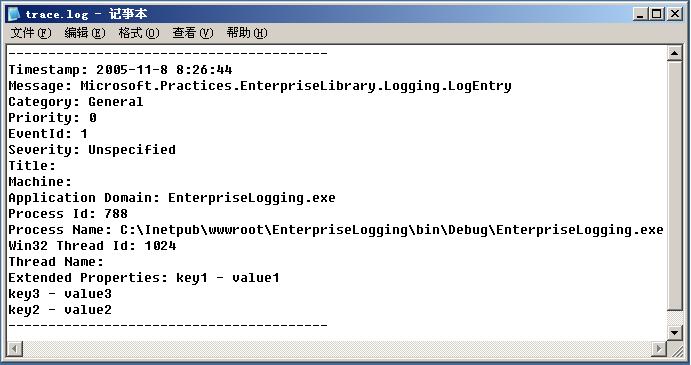
LogEntry log = new LogEntry();
Hashtable logtable = new Hashtable();
logtable["key1"] = "value1";
logtable["key2"] = "value2";
logtable["key3"] = "value3";

log.Message = this.txt_LogMessage.Text;
log.Category = Category.General;
log.Priority = Priority.Normal;

Logger.Write(log, logtable);
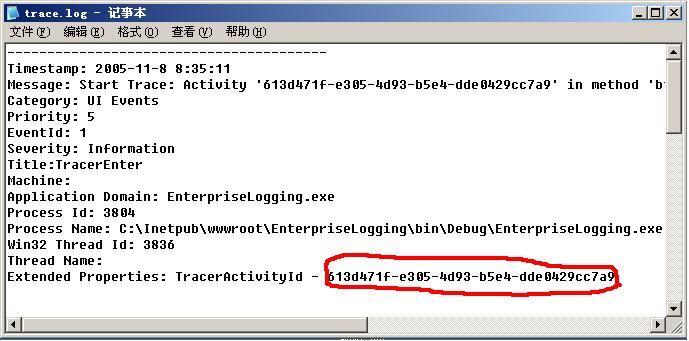
使用 Tracer 類別自動記錄開始/結束時間:
using (new Tracer("UI Events"))
{
    Logger.Write("Troubleshooting message");
}
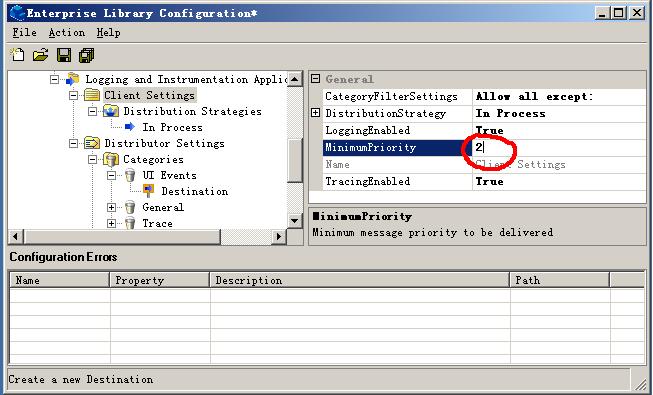
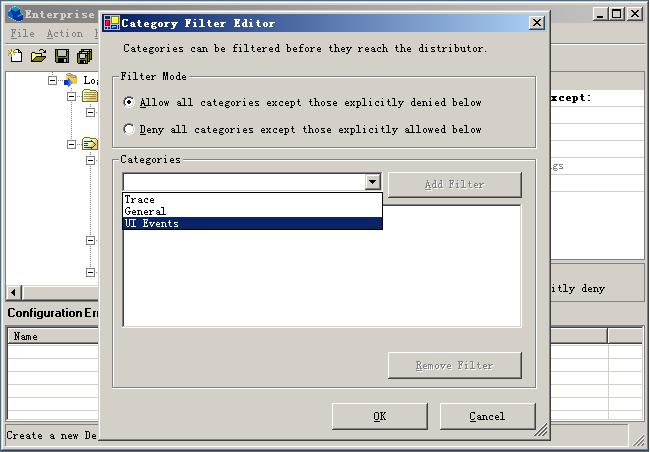
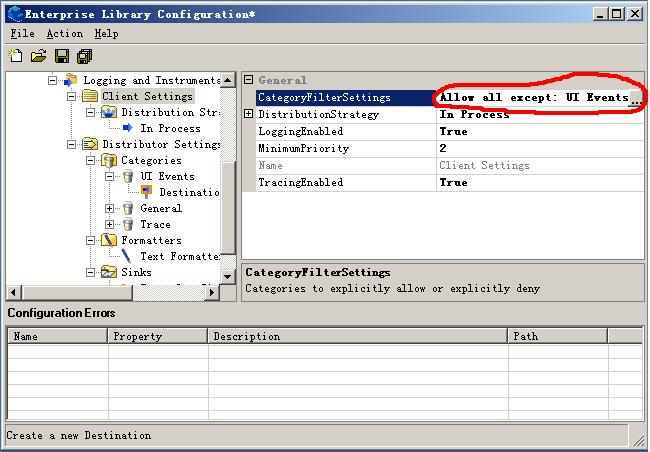
兩種過濾方式:
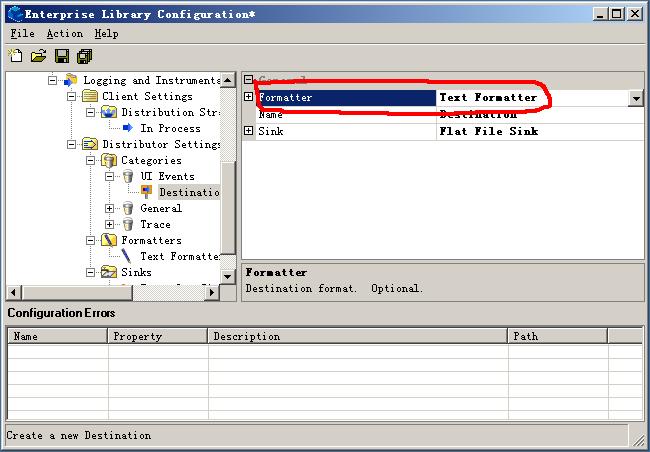
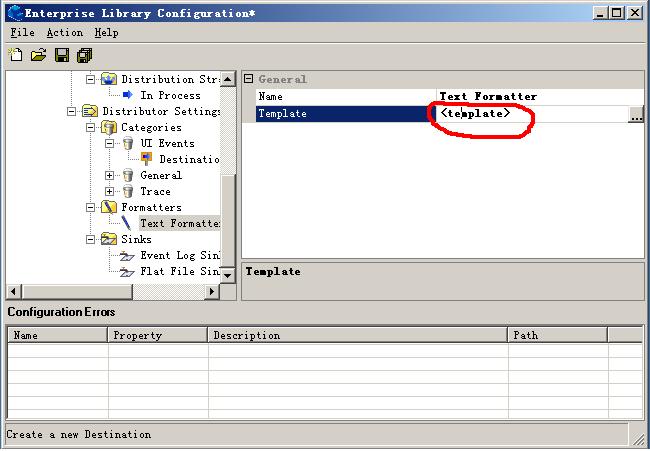
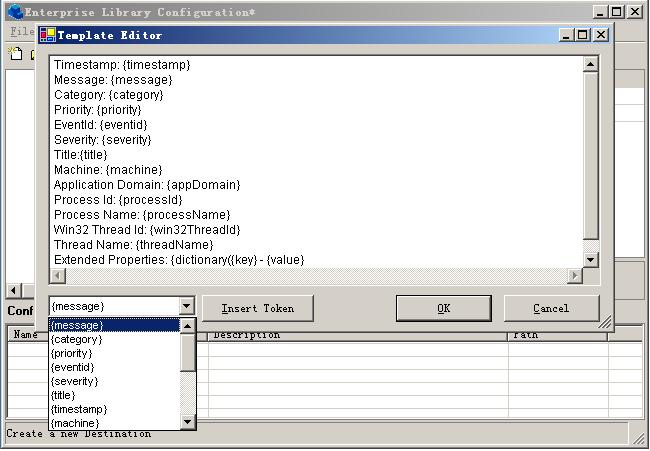
Formatter 接收 LogEntry 輸出格式化字串。Text Formatter 使用範本,{參數} 由 LogEntry 屬性填充。
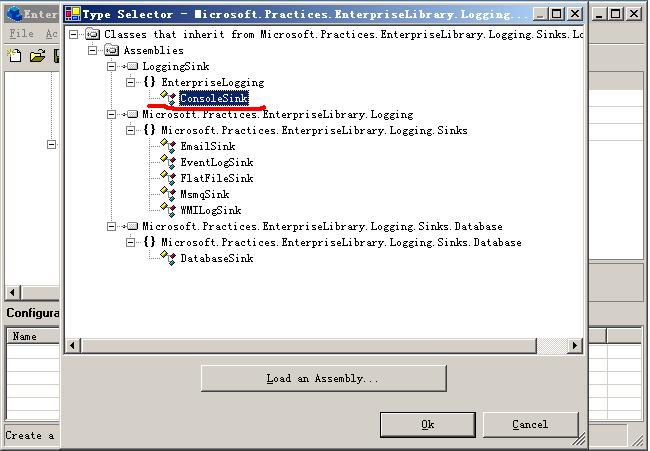
Microsoft.Practices.EnterpriseLibrary.Configuration.dll、Logging.dll、Logging.Sinks.dll、Logging.Distributor.Configuration.dllMicrosoft.Practices.EnterpriseLibrary.Configuration、Logging、Logging.Sinks、Logging.Distributor.ConfigurationLogSink,實作 Initialize、SendMessageCore:public class ConsoleSink : LogSink
{
private LoggingConfigurationView configView;
public override void Initialize(ConfigurationView configurationView)
{
this.configView = configurationView as LoggingConfigurationView;
}
protected override void SendMessageCore(LogEntry logEntry)
{
CustomSinkData sinkData = (CustomSinkData)this.configView.GetSinkData(this.ConfigurationName);
Console.WriteLine((string)sinkData.Attributes["delimiter"]);
Console.WriteLine(FormatEntry(logEntry));
}
}
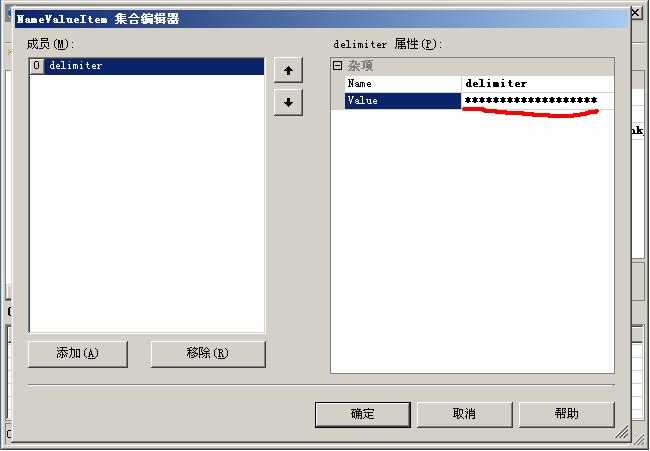
delimiter = ************************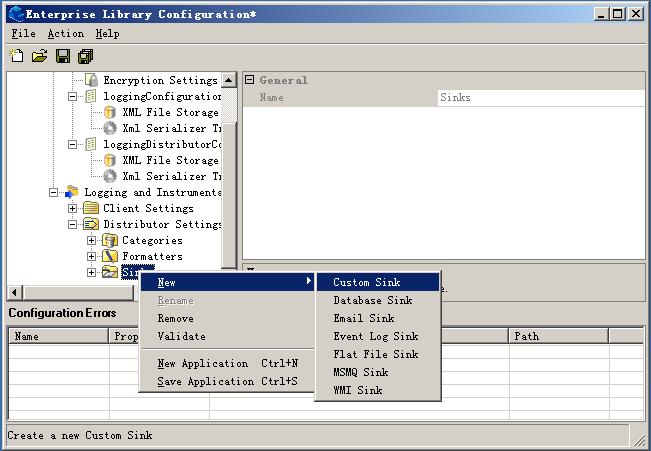
System.Globalization、System.IO、System.Xml、Configuration、Logging、Logging.Distributor.Configuration、Logging.FormattersConfigurationProvider 實作 ILogFormatter,實作 Initialize、Format:public class XmlFormatter : ConfigurationProvider, ILogFormatter
{
private LoggingConfigurationView configView = null;
public override void Initialize(ConfigurationView configurationView)
{
this.configView = (LoggingConfigurationView)configurationView;
}
public string Format(LogEntry log)
{
using (StringWriter sw = new StringWriter(CultureInfo.InvariantCulture))
{
XmlTextWriter w = new XmlTextWriter(sw);
w.Formatting = Formatting.Indented;
w.Indentation = 2;
w.WriteStartDocument(true);
w.WriteStartElement("logEntry");
w.WriteAttributeString("Category", log.Category);
w.WriteAttributeString("Priority", log.Priority.ToString(CultureInfo.InvariantCulture));
w.WriteElementString("Timestamp", log.TimeStampString);
w.WriteElementString("Message", log.Message);
w.WriteElementString("EventId", log.EventId.ToString(CultureInfo.InvariantCulture));
w.WriteElementString("Severity", log.Severity.ToString(CultureInfo.InvariantCulture));
w.WriteElementString("Title", log.Title);
w.WriteElementString("Machine", log.MachineName);
w.WriteElementString("AppDomain", log.AppDomainName);
w.WriteElementString("ProcessId", log.ProcessId);
w.WriteElementString("ProcessName", log.ProcessName);
w.WriteElementString("Win32ThreadId", log.Win32ThreadId);
w.WriteElementString("ThreadName", log.ManagedThreadName);
w.WriteEndElement();
w.WriteEndDocument();
return sw.ToString();
}
}
}
使用方式:組態工具新增 Custom Formatter,指定類型為 XmlFormatter。
進階篇介紹字典日誌、活動追蹤、過濾、格式客製化、自訂 Sink/Formatter。下一篇將介紹快取區塊。