使用區塊內建 SQL 腳本(路徑:C:\Program Files\Microsoft Enterprise Library\src\Logging\Sinks\Database\Scripts),執行 CreateLoggingDatabase.cmd 建立資料庫、資料表與預存程序 WriteLog。
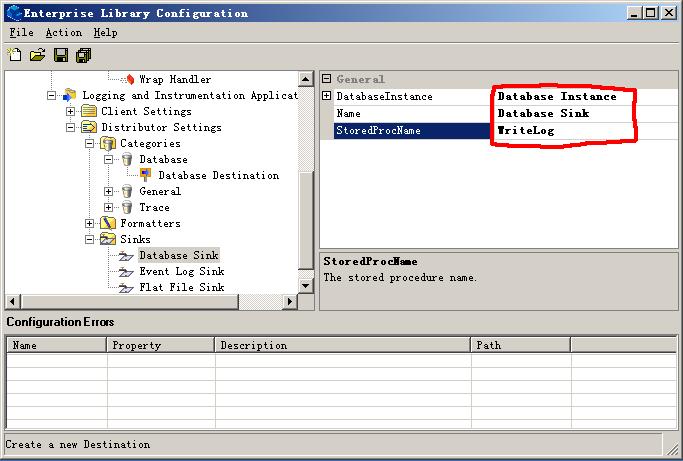
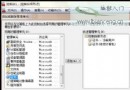
關鍵:StoredProcName 設為 WriteLog。
新增 Category 命名為 DataException,Sink 指向 Database Sink。
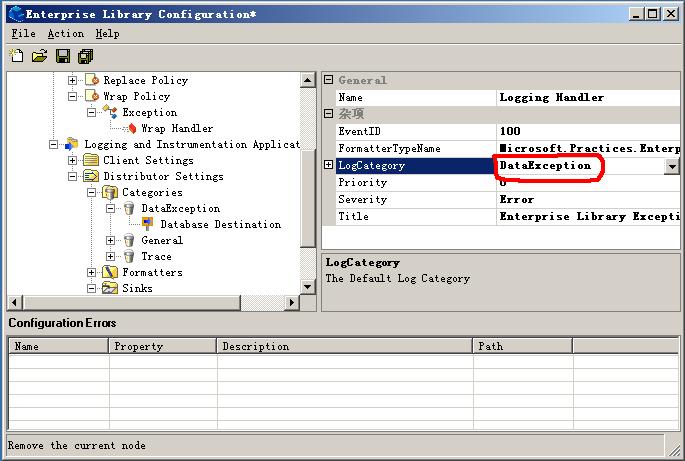
將 LogCategory 設為 DataException。程式碼無需修改,體現組態驅動優勢。
private void btn_Log_Click(object sender, System.EventArgs e)
{
    try { throw new Exception(); }
    catch (Exception ex)
    {
        bool Flag = ExceptionPolicy.HandleException(ex, "Log Policy");
        if (Flag) throw;
    }
}
注意:專案需參考 Microsoft.Practices.EnterpriseLibrary.Logging.Sinks.Database.dll。
catch { throw; } 保留堆疊區塊提供後處理動作:
None:不重拋NotifyRethrow:建議呼叫端重拋ThrowNewException:拋出最終異常(不一定是原始異常)public class AppTextExceptionFormatter : TextExceptionFormatter
{
public AppTextExceptionFormatter(TextWriter writer, Exception exception)
: base(writer, exception) { }
protected override void WriteDescription()
{
string line = String.Format("An exception of type {0} occurred and was caught.",
base.Exception.GetType().FullName);
this.Writer.WriteLine(line);
}
protected override void WriteExceptionType(Type exceptionType)
{
base.Indent();
base.Writer.WriteLine("Type : {0}", exceptionType.FullName);
}
public override void Format()
{
this.WriteDescription();
base.WriteMessage(base.Exception.Message);
}
}
繼承抽象類別 ExceptionHandler(實作 IExceptionHandler、繼承 ConfigurationProvider)。
public class AppMessageExceptionHandler : ExceptionHandler
{
    public override void Initialize(ConfigurationView configurationView) { }

    public override Exception HandleException(Exception exception, string policyName, Guid correlationID)
    {
        DialogResult result = this.ShowThreadExceptionDialog(exception);
        if (result == DialogResult.Abort) Application.Exit();
        return exception;
    }

    private DialogResult ShowThreadExceptionDialog(Exception e)
    {
        string errorMsg = e.Message + Environment.NewLine + Environment.NewLine;
        return MessageBox.Show(errorMsg, "Application Error",
            MessageBoxButtons.OK, MessageBoxIcon.Stop);
    }
}
異常處理進階篇涵蓋資料庫記錄、傳播策略、格式化客製化與自訂處理器開發,展現區塊的靈活擴展能力。