若上述場景令你痛心疾首,請繼續閱讀。
單元測試 的一個測試案例是一小段程式碼,用於驗證一個細小功能(通常是單一方法或幾個相關方法)行為是否正確。以下是實際專案中的測試案例:
///
/// 測試基本的新增與刪除角色功能
///
[Test]
public void TestAddAndRemoveRole()
{
    IRoleServices roleServ = UnityHelper.CreateContainer().Resolve<IRoleServices>();
    IRoleRepository roleRep = UnityHelper.CreateContainer().Resolve<IRoleRepository>();
    Assert.IsNotNull(roleServ);
    Assert.IsNotNull(roleRep);

    String timeStamp = DateTime.Now.ToString();
    RoleDto newRole = new RoleDto()
    {
        Name = "測試角色" + timeStamp,
        Desciption = "此角色僅供測試使用",
    };
    roleServ.AddRole(newRole);

    RoleDto addedRole = roleRep.GetRoleByName("測試角色" + timeStamp);
    Assert.AreNotEqual(-1, addedRole.ID); // 確認新增成功

    roleServ.RemoveRole(addedRole.ID);
    Assert.AreEqual(-1, roleRep.GetRoleByName("測試角色" + timeStamp).ID); // 確認刪除成功
}
此測試驗證 Services 層對角色的新增/刪除是否正常運作。
正解: 單元測試雖叫「測試」,實屬開發範疇,應由開發人員編寫。開發人員至少應保證自己寫的每個方法行為正確,這是開發完成的基本門檻。
正解: 它是一種品質保證工具,更是給團隊成員與後續重構提供的「安全網」。交付類別時附上單元測試,對方隨時可跑測試驗證功能是否完好,重構時更是救命稻草。
正解: 寫單元測試應成為開發人員的本能,如同使用 IDE 寫代碼一樣自然,無需外部強制。
正解: 受益最大的正是開發人員自己:隨時獲得可信任的元件、重構無恐懼、Debug 定位極快、長遠收益遠超短期投入。
NUnit 是開源、免費、輕量且強大的 .NET 單元測試框架(官網:nunit.org)。本文以國家 863 專案為例,該專案採敏捷開發、測試驅動、持續整合,要求:
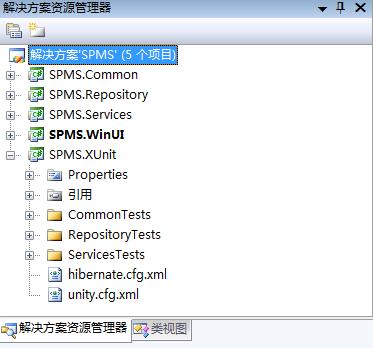
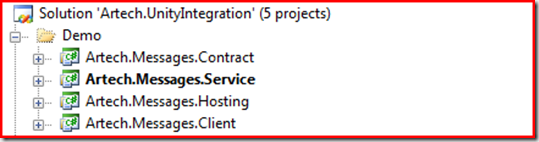
圖1:XUnit 專案為單元測試專案
專案使用 Unity 依賴注入,封裝 UnityHelper 取得容器單例:
public class UnityHelper
{
    private static IUnityContainer _container = null;
    public static IUnityContainer CreateContainer()
    {
        if (null == _container)
        {
            _container = new UnityContainer();
            // 從 unity.cfg.xml 讀取 IoC 配置
            ExeConfigurationFileMap map = new ExeConfigurationFileMap();
            map.ExeConfigFilename = "unity.cfg.xml";
            Configuration config = ConfigurationManager.OpenMappedExeConfiguration(map, ConfigurationUserLevel.None);
            UnityConfigurationSection section = config.GetSection("unity") as UnityConfigurationSection;
            section.Containers["defaultContainer"].Configure(_container);
        }
        return _container;
    }
}
測試四大核心點:
[TestFixture]
public class UnityHelperTests
{
    [Test]
    public void TestCreateUnityContainer()
    {
        Assert.IsNotNull(UnityHelper.CreateContainer());
        Assert.IsInstanceOf(typeof(IUnityContainer), UnityHelper.CreateContainer());
    }

    [Test]
    public void TestCreateObject()
    {
        IRoleRepository roleRepository = UnityHelper.CreateContainer().Resolve<IRoleRepository>();
        Assert.IsNotNull(roleRepository);
        Assert.IsInstanceOf(typeof(NHRoleRepository), roleRepository);

        IRoleServices roleServ = UnityHelper.CreateContainer().Resolve<IRoleServices>();
        Assert.IsNotNull(roleServ);
        Assert.IsInstanceOf(typeof(RoleServicesImpl), roleServ);
    }

    [Test]
    public void TestSingletonContainer()
    {
        Assert.AreSame(UnityHelper.CreateContainer(), UnityHelper.CreateContainer());
    }

    [Test]
    public void TestSingletonObject()
    {
        Assert.AreSame(
            UnityHelper.CreateContainer().Resolve<IRoleRepository>(),
            UnityHelper.CreateContainer().Resolve<IRoleRepository>()
        );
    }
}
nunit.framework.dll,引入 NUnit.Framework 命名空間[TestFixture],測試方法標記 [Test]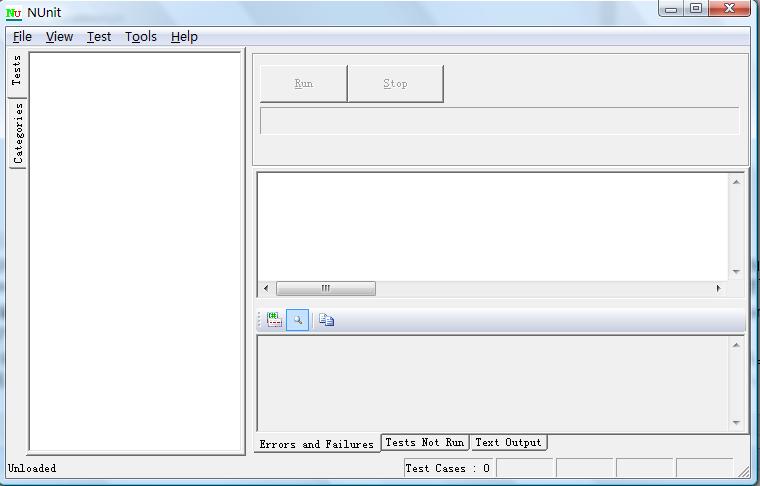
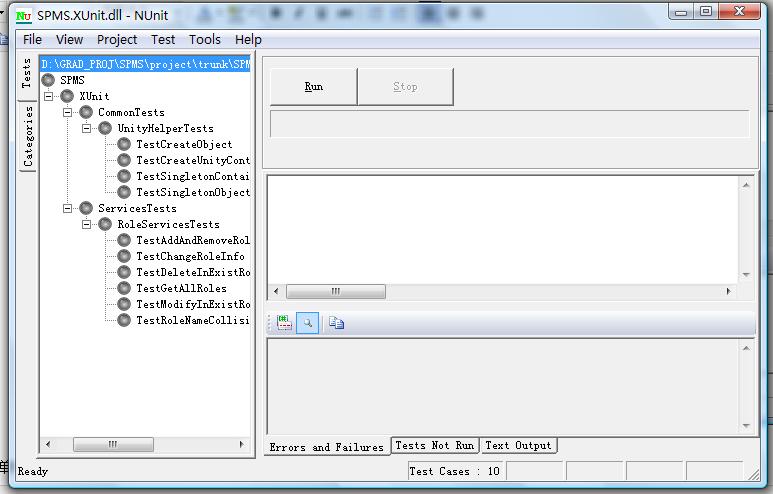
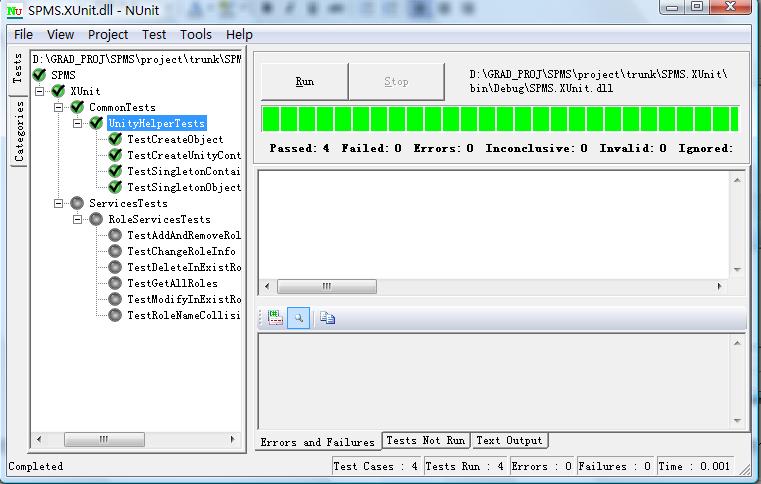
圖2-4:NUnit GUI 操作流程與通過結果
故意破壞單例邏輯後重跑,紅燈精準指出失敗點:
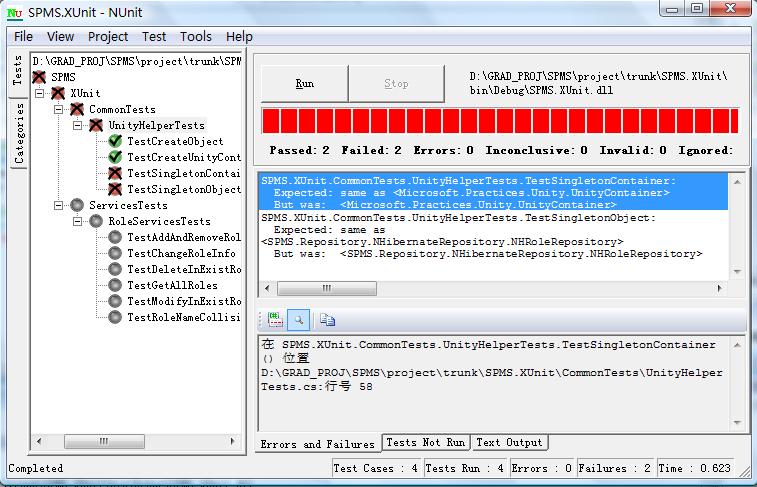
圖5:容器單例性被破壞,測試精準報錯
單元測試不是枯燥工作,每次看到綠燈通過都是最爽時刻。請從下一個專案、下一個類別、甚至下一個方法,開始你的單元測試之旅。推薦參考《Pragmatic Unit Testing in C# with NUnit》一書深入學習。