建立自訂活動設計器時,更換圖示通常是第一件想做的事。在 WF4 中這並不困難。以簡單的 WriteLine 活動為例:
[Designer(typeof(MyWriteLineDesigner))]
public sealed class MyWriteLine : CodeActivity
{
    // 定義字串型輸入參數
    public InArgument<string> Text { get; set; }

    protected override void Execute(CodeActivityContext context)
    {
        string text = context.GetValue(this.Text);
        Console.WriteLine(text);
    }
}
透過 Designer 屬性關聯自訂設計器,標準設計器 XAML 如下:
<sap:ActivityDesigner x:Class="WorkflowConsoleApplication10.MyWriteLineDesigner1"
    xmlns="https://schemas.microsoft.com/winfx/2006/xaml/presentation"
    xmlns:x="https://schemas.microsoft.com/winfx/2006/xaml"
    xmlns:sap="clr-namespace:System.Activities.Presentation;assembly=System.Activities.Presentation"
    xmlns:sapv="clr-namespace:System.Activities.Presentation.View;assembly=System.Activities.Presentation">
    <Grid></Grid>
</sap:ActivityDesigner>
將活動拖入工作流設計器,預設顯示如下:
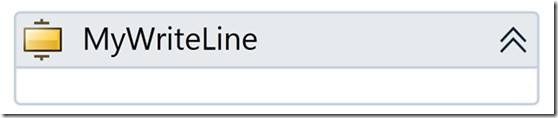
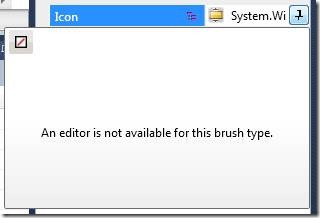
設計器雖有 Icon 屬性,但目前屬性視窗無法直接編輯:
需在 XAML 中加入 sap:ActivityDesigner.Icon 區段,使用 DrawingBrush + BitmapImage 指向圖片資源:
<sap:ActivityDesigner x:Class="WorkflowConsoleApplication10.MyWriteLineDesigner1"
    xmlns="https://schemas.microsoft.com/winfx/2006/xaml/presentation"
    xmlns:x="https://schemas.microsoft.com/winfx/2006/xaml"
    xmlns:sap="clr-namespace:System.Activities.Presentation;assembly=System.Activities.Presentation"
    xmlns:sapv="clr-namespace:System.Activities.Presentation.View;assembly=System.Activities.Presentation">
    <sap:ActivityDesigner.Icon>
        <DrawingBrush>
            <DrawingBrush.Drawing>
                <ImageDrawing>
                    <ImageDrawing.Rect>
                        <Rect Location="0,0" Size="16,16" />
                    </ImageDrawing.Rect>
                    <ImageDrawing.ImageSource>
                        <BitmapImage UriSource="Clipboard_edit.png" />
                    </ImageDrawing.ImageSource>
                </ImageDrawing>
            </DrawingBrush.Drawing>
        </DrawingBrush>
    </sap:ActivityDesigner.Icon>
    <Grid></Grid>
</sap:ActivityDesigner>
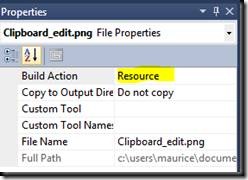
圖片檔 Clipboard_edit.png 的「建置動作」必須設為 Resource:
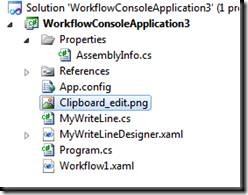
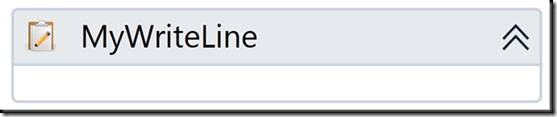
專案重新建置後,工作流設計器中的活動圖示即更新為新圖示: