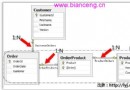
預設情況下,Blog.Find(1) 會一次性載入該 Blog 及其所有關聯 Posts。若 Blog 有 1000 篇 Post,記憶體壓力大且多數情況不需要立即存取集合。延遲載入讓關聯集合在第一次被存取時才發出 SQL 查詢。
[HasMany(typeof(Post), Table = "posts", ColumnKey = "post_blogid", Lazy = true)]
public IList Posts { get; set; }
Lazy = true 指示 NHibernate 建立 Proxy 物件,首次呼叫 blog.Posts.Count 或迭代時才觸發 SELECT * FROM posts WHERE post_blogid = ?。
延遲載入需要有效的 NHibernate Session。若在 using (new SessionScope()) 區塊外存取集合,會拋出:
NHibernate.LazyInitializationException: Failed to lazily initialize a collection - no session正確模式:
[Test]
public void TestLazyLoad() {
    using (new SessionScope()) { // 確保 Session 存活
        var blog = Blog.Find(8);
        var name = blog.Name; // 不觸發延遲載入
        var count = blog.Posts.Count; // 這裡才查詢 Posts
        Assert.AreEqual(2, count);
    }
}
Web 應用中通常在 HTTP Request 開始/結束處開啟/關閉 SessionScope(如 HttpModule)。
若只需載入特定條件的關聯物件(如分類為 "Castle" 的 Posts),可在 HasMany 指定 Where:
[HasMany(typeof(Post), Table = "posts", ColumnKey = "post_blogid",
    Where = "post_categories = 'Castle'")]
public IList CastlePosts { get; set; }注意:Where 寫的是**資料表欄位名**(post_categories),而非實體屬性名(Category)。
| 特性 | 延遲載入 | Where 子句 |
|---|---|---|
| 適用場景 | 需完整集合,但非立即使用 | 固定業務規則過濾子集(如只看已發布文章) |
| SQL 時機 | 首次存取集合時 | 載入主體時一併查詢(若非 Lazy)或首次存取時 |
| 靈活性 | 高,運行時決定是否存取 | 低,編譯期固定在映射屬性 |
| N+1 風險 | 迴圈中逐一存取會產生 N+1 查詢 | 單一查詢取回過濾後集合 |
HasMany 加上 BatchSize = 10,NHibernate 會用 IN 子句一次查詢多個主體的關聯集合。from Blog b left join fetch b.Posts where b.Id = ?,單一查詢取回主體與集合。SetFetchMode("Posts", FetchMode.Eager) 程式化控制。延遲載入(Lazy=true)是優化關聯查詢的基礎利器,但必須配合 SessionScope 管理 Session 生命週期。Where 子句適合固定業務過濾規則,靈活查詢仍建議使用 HQL 或 Criteria。理解兩者機制差異,能有效避免 N+1 查詢與 Session 斷開異常。