大量用戶端並發呼叫 WCF 服務時,頻繁出現 TimeoutException:「未在 00:01:00 內完成開啟操作」。根因在於預設服務節流限制過低,導致請求排隊超時。解決關鍵在於調整 serviceThrottling 行為參數。
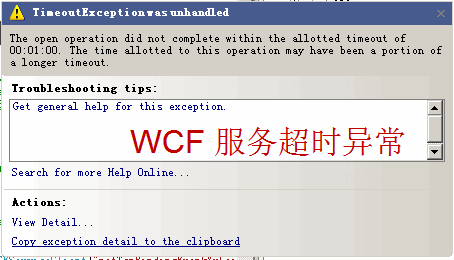
在 <serviceBehaviors> 中加入:
<behavior name="WCFService.WCFServiceBehavior">
  <serviceTimeouts transactionTimeout="00:01:00" />
  <serviceMetadata httpGetEnabled="true" />
  <serviceDebug includeExceptionDetailInFaults="false" />
  <serviceThrottling
      maxConcurrentCalls="1000"
      maxConcurrentInstances="1000"
      maxConcurrentSessions="1000" />
</behavior>
| 參數 | 說明 |
|---|---|
maxConcurrentCalls | 整個 ServiceHost 同時處理的訊息上限 |
maxConcurrentInstances | 服務同時執行的 InstanceContext 上限 |
maxConcurrentSessions | ServiceHost 可接受的會話上限 |
依實際硬體資源與服務模式(PerCall/PerSession/Singleton)調整數值,重啟服務即可生效。
reliableSession 或 wsHttpBinding 可靠會話時,需同步調整會話節流;ServiceModelService 4.0.0.0\Calls Outstanding 觀察佇列積壓;