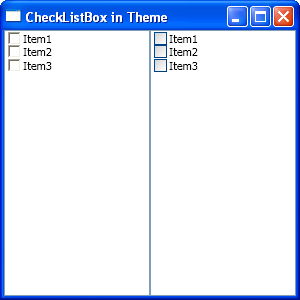
ListBox 內嵌 CheckBox 組成核取清單。當 ListBoxItem 被選中(藍底白字)時:
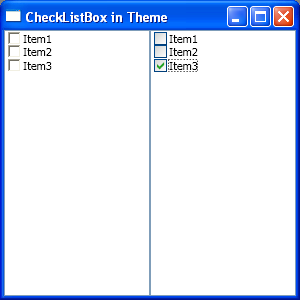
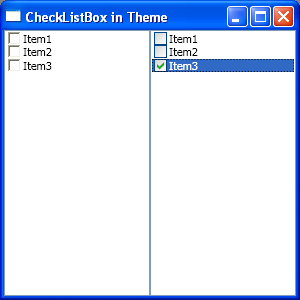
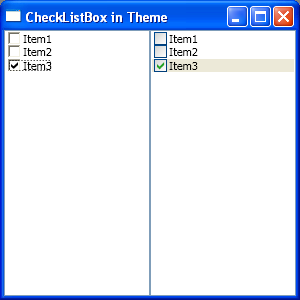
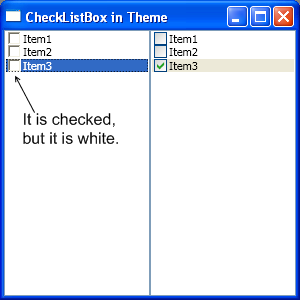
經 Blend 擷取預設模板:
<Path x:Name="CheckMarkPath" Fill="{TemplateBinding Foreground}" .../>
<Trigger Property="IsChecked" Value="false">
  <Setter TargetName="CheckMarkPath" Property="Visibility" Value="Hidden"/>
</Trigger>
勾號 Fill 綁定 Foreground,當 Item 選中觸發 ListBoxItem.Foreground=White 時,勾號跟著變白。
<Microsoft_Windows_Themes:BulletChrome
    IsChecked="{TemplateBinding IsChecked}" .../>
使用 BulletChrome 內建渲染勾號,不綁定 Foreground,故不受選中狀態文字顏色影響。
| 方案 | 優點 | 缺點 |
|---|---|---|
| 1. 不綁定 CheckBox.Foreground,改變選中藍條顏色 | 簡單 | 視覺規格可能不被 UX/客戶接受 |
| 2. 重寫 Classic 主題 CheckBox Template | 徹底解決 | 代碼量大,需運行時偵測主題動態載入 |
| 3. 隱藏選中藍條 | 避開問題 | 失去選中視覺回饋 |
ListBoxItem 選中背景改為非白色系(灰、橙),保留 Foreground 綁定。CheckMarkPath.Fill 固定為黑色或綁定獨立 Brush 資源。SystemParameters.HighContrast 或註冊表主題設定,動態合併 ResourceDictionary。WPF 內建控件跨主題一致性不足,類似問題存在於 FocusVisualStyle、Validation.ErrorTemplate 等。專案中建議統一覆寫核心控件模板,避免依賴系統預設主題。