Microsoft Sync Framework (MSF) 提供統一同步平台,Sync Services for ADO.NET 專注關係數據庫離線同步。本文演示 Visual Studio 向導「Local Database Cache」在 WinForms 中 5 分鐘生成 SQL Server Express ↔ SQL CE 3.5 雙向同步原型,含表篩選、變更追踪表、同步代理調用全流程。
// 同步代理
public partial class LocalDataCache1SyncAgent : SyncAgent
{
    public LocalDataCache1SyncAgent() { /* 初始化 Server/Client Provider */ }
}

// 強類型 DataSet
public partial class TestDbDataSet : DataSet { ... }

// TableAdapters
public partial class t1TableAdapter : TableAdapter { ... }
public partial class TableAdapterManager : TableAdapterManager { ... }public partial class Form1 : Form
{
private TestDbDataSet _dataSet = new TestDbDataSet();
private t1TableAdapter _t1Adapter = new t1TableAdapter();
private TableAdapterManager _mgr = new TableAdapterManager();
public Form1() { InitializeComponent(); }
private void Form1_Load(object sender, EventArgs e)
{
_t1Adapter.Fill(_dataSet.t1); // 本地緩存加載
dataGridView1.DataSource = _dataSet.t1;
}
private void btnSync_Click(object sender, EventArgs e)
{
// 1. 保存本地更改到緩存
_mgr.UpdateAll(_dataSet);
// 2. 執行同步 (雙向)
var agent = new LocalDataCache1SyncAgent();
SyncStatistics stats = agent.Synchronize();
// 3. 從服務器拉取最新合併到 UI
_dataSet.t1.Merge(_t1Adapter.GetData());
MessageBox.Show($"上傳:{stats.UploadChangesApplied} 下載:{stats.DownloadChangesApplied} 衝突:{stats.ConflictsOccurred}");
}
}| 組件 | 職責 |
|---|---|
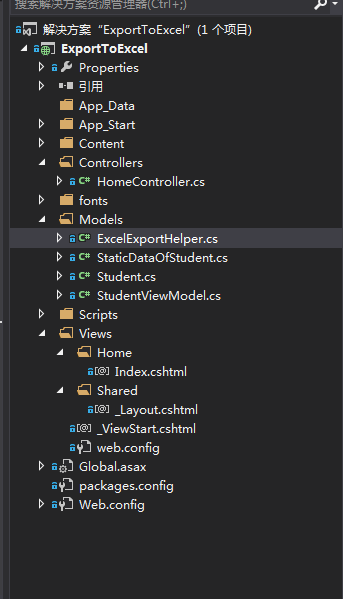
TestDbDataSet | 強類型內存緩存,斷開連接模式操作數據 |
t1TableAdapter | 封裝 Select/Insert/Update/Delete 命令,橋接 DataSet 與數據庫 |
TableAdapterManager | 協調多 TableAdapter 的層級更新 (父子表事務一致性) |
LocalDataCache1SyncAgent | 同步協調器,內含 ServerProvider (SQL Express) + ClientProvider (SQL CE) |
向導生成代碼雖有侷限性 (僅 WinForms、固定同步方向),但作為原型驗證、學習同步架構、小型離線應用極其高效。