WinForms 原生 ListBox 捲軸難以客製化外觀。本文實作一個 CustomScrollbar 使用者控制項,繪製自訂樣式捲軸(上下箭頭、軌道、拖曳塊),並透過 Win32 API 同步控制 ListBox 滾動位置,實現「皮膚化捲軸」效果。
專案資源加入四張 PNG:uparrow、downarrow、ThumbBottom(軌道背景)、ThumbMiddle(拖曳塊)。
public partial class CustomScrollbar : UserControl {
    public int LargeChange { get; set; } = 10;
    public int SmallChange { get; set; } = 1;
    public int Minimum { get; set; } = 0;
    public int Maximum { get; set; } = 100;
    public int Value { get; set; } = 0; // 設定時自動計算拖曳塊位置並 Invalidate()
    public Image UpArrowImage { get; set; }
    public Image DownArrowImage { get; set; }
    public Image ThumbBottomImage { get; set; }
    public Image ThumbMiddleImage { get; set; }
    public event EventHandler Scroll;
    public event EventHandler ValueChanged;

    protected override void OnPaint(PaintEventArgs e) {
        // 1. 繪製上箭頭
        // 2. 繪製軌道背景
        // 3. 計算拖曳塊高度與位置,繪製 ThumbMiddleImage
        // 4. 繪製下箭頭
        // 使用雙緩衝、ResizeRedraw 減少閃爍
    }
}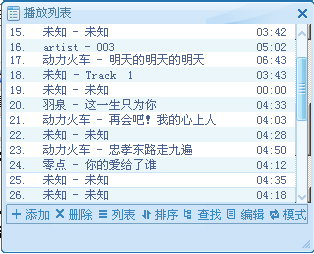


MouseDown:判斷點擊上/下箭頭(遞增 SmallChange)、拖曳塊(記錄點擊偏移、進入拖曳模式)、軌道空白區(可擴充頁面跳轉)。MouseMove:拖曳模式下依滑鼠 Y 座標更新 Value。MouseUp:結束拖曳。Scroll 與 ValueChanged 事件。無法直接隱藏 ListBox 捲軸(會失去滾動事件),採用「覆蓋法」:將 CustomScrollbar 置於 ListBox 原生捲軸上方。
public class Win32API {
    [StructLayout(LayoutKind.Sequential)]
    public struct SCROLLINFO { public uint cbSize; public uint fMask; public int nMin; public int nMax; public uint nPage; public int nPos; public int nTrackPos; }
    public enum ScrollBarDirection { SB_HORZ=0, SB_VERT=1, SB_CTL=2 }
    public const int WM_VSCROLL = 0x115;
    public const int SB_THUMBTRACK = 5;
    [DllImport("user32.dll")] public static extern bool GetScrollInfo(IntPtr hwnd, int fnBar, ref SCROLLINFO lpsi);
    [DllImport("user32.dll")] public static extern int SetScrollInfo(IntPtr hwnd, int fnBar, [In] ref SCROLLINFO lpsi, bool fRedraw);
    [DllImport("user32.dll")] public static extern IntPtr SendMessage(IntPtr hWnd, uint Msg, IntPtr wParam, IntPtr lParam);
    [DllImport("user32.dll")] public static extern bool PostMessage(IntPtr hWnd, uint Msg, long wParam, int lParam);
    public static int MakeLong(short low, short high) => (int)(((ushort)low) | (uint)(high << 16));
}// 取得 ListBox 當前捲軸資訊
public SCROLLINFO GetListBoxScrollInfo() {
var si = new SCROLLINFO { cbSize = (uint)Marshal.SizeOf(typeof(SCROLLINFO)), fMask = 0x1F };
Win32API.GetScrollInfo(listBox.Handle, (int)Win32API.ScrollBarDirection.SB_VERT, ref si);
return si;
}
// 自繪捲軸 Scroll 事件處理
void customScrollbar1_Scroll(object sender, EventArgs e) {
var info = GetListBoxScrollInfo();
info.nPos = customScrollbar1.Value;
Win32API.SetScrollInfo(listBox.Handle, (int)Win32API.ScrollBarDirection.SB_VERT, ref info, true);
Win32API.PostMessage(listBox.Handle, Win32API.WM_VSCROLL,
Win32API.MakeLong((short)Win32API.SB_THUMBTRACK, (short)info.nPos), 0);
}
// ListBox 滾動時更新自繪捲軸(可掛在 Timer 或 ListBox 相關事件)
void SyncCustomScrollbar() {
var info = GetListBoxScrollInfo();
if (info.nMax > 0) customScrollbar1.Value = Math.Max(0, info.nPos - 1);
}調整資源圖片尺寸以匹配 ListBox 原生捲軸寬度,最終效果無縫融合。
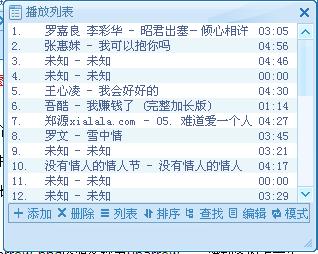
UserControl,啟用雙緩衝與 ResizeRedraw。OnPaint 繪製四大部件。GetScrollInfo/SetScrollInfo + PostMessage(WM_VSCROLL) 雙向同步。