行動裝置尋址困難,傳統輪詢方式影響伺服器擴展性與電池壽命。.NET Compact Framework 3.5 引入兩大郵件傳輸繫結元素 WindowsMobileMailTransport 與 ExchangeWebServiceMailTransport,善用 Exchange 郵件佇列特性實現真正的訊息推送,解決裝置尋址、連線維持、離線訊息暫存等難題。
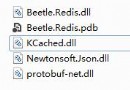
System.ServiceModel.dll
System.Runtime.Serialization.dll
Microsoft.ServiceModel.Channels.Mail.dll
Microsoft.ServiceModel.Channels.Mail.WindowsMobile.dllclass MessageSerializer : XmlObjectSerializer {
XmlSerializer serializer;
public MessageSerializer(Type type) { serializer = new XmlSerializer(type); }
public override void WriteObject(XmlDictionaryWriter writer, object graph)
=> serializer.Serialize(writer, graph);
public override object ReadObject(XmlDictionaryReader reader, bool verifyObjectName)
=> serializer.Deserialize(reader);
}using Microsoft.ServiceModel.Channels.Mail;
class Messaging<T> {
public delegate void IncomingMessageCallback(T body);
public const string DeviceToDesktopChannel = "toDesktop";
public const string DesktopToDeviceChannel = "toDevice";
public Messaging(MailBindingBase binding, string sendChannel, string listenChannel,
IncomingMessageCallback callback) { /* 建立通道、啟動接收迴圈 */ }
public void SendMessage(string recipient, T body) { /* 發送郵件訊息 */ }
public void Close() { /* 關閉通道 */ }
}// Form1.cs
Messaging<string> messaging;
void Form1_Load() {
messaging = new Messaging<string>(
new WindowsMobileMailBinding(),
Messaging<string>.DeviceToDesktopChannel, // 發送通道
Messaging<string>.DesktopToDeviceChannel, // 接收通道
incomingMessage);
}
void sendMenuItem_Click(object sender, EventArgs e) {
messaging.SendMessage(toTextBox.Text, messageTextBox.Text);
messageTextBox.Text = "";
}
void incomingMessage(string message) {
if (InvokeRequired) {
Invoke((Messaging<string>.IncomingMessageCallback)incomingMessage, message);
} else {
historyTextBox.Text += message + Environment.NewLine;
historyTextBox.ScrollToCaret();
}
}
void Form1_Closed(object sender, EventArgs e) => messaging.Close();Microsoft.ServiceModel.Channels.Mail.ExchangeWebService.dll將 MessageSerializer.cs、Messaging.cs 以「加入現有項目 → 連結」方式加入桌面專案。
Messaging<string> messaging;
readonly Uri exchangeUrl = new Uri("https://mail.wingtiptoys.com");

public Window1() {
    InitializeComponent();
    var binding = new ExchangeWebServiceMailBinding(exchangeUrl, null); // Windows 整合驗證
    ((ExchangeWebServiceMailTransport)binding.Transport).ServerQueryInterval = 2000; // 2秒輪詢

    messaging = new Messaging<string>(
        binding,
        Messaging<string>.DesktopToDeviceChannel,  // 發送通道 (對調)
        Messaging<string>.DeviceToDesktopChannel,   // 接收通道 (對調)
        incomingMessage);
}

void Window_Closed(object sender, EventArgs e) => messaging.Close();void incomingMessage(string message) {
if (historyBox.CheckAccess()) {
historyBox.AppendText(message + Environment.NewLine);
historyBox.ScrollToEnd();
} else {
historyBox.Dispatcher.Invoke(DispatcherPriority.Normal,
(Messaging<string>.IncomingMessageCallback)incomingMessage, message);
}
}.NET CF 3.5 PowerToys 提供 NetCFSvcUtil.exe 產生 Proxy:
NetCFSvcUtil.exe https://localhost:53222/Service/Service.svc?wsdlbasicHttpBinding 端點 (CF 不支援 wsHttpBinding)Service.cs、CFClientBase.csEndpointAddress 為實際主機名稱 (非 localhost)client.GetData(5)郵件傳輸讓行動 WCF 突破尋址限制,實現高效能、低耗電、離線可靠的訊息推送。搭配 NetCFSvcUtil 可輕鬆消費標準 WCF 服務,大幅降低行動開發門檻。